How to Create Attractive Tables in Python with Great Tables
TL;DR
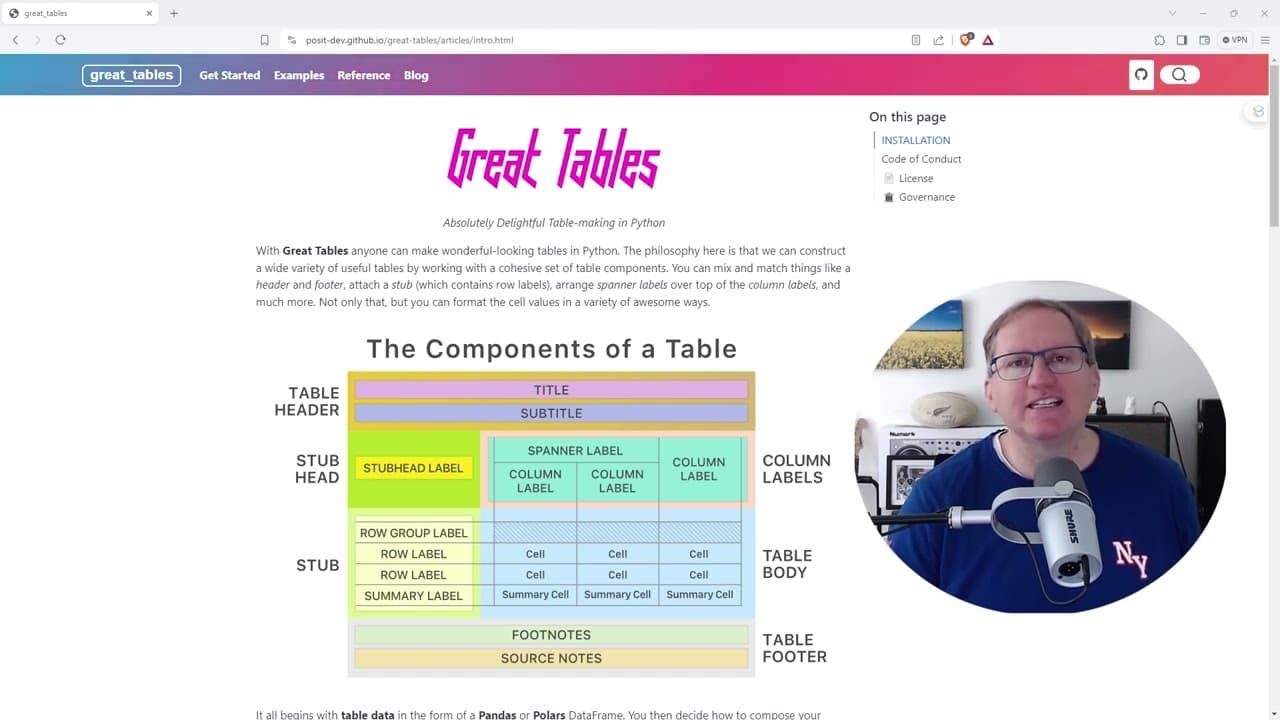
Great Tables is a Python package designed for creating visually appealing tables, allowing extensive customization and data visualization integration. It simplifies table creation with built-in datasets and examples, making it ideal for both novice and experienced users transitioning from R. Installation is easy via pip, enhancing accessibility for Python users.
Transcript
hi friends welcome back to the channel today we're going to be looking at a new python package called great tables this produces really nicely formatted tables it's actually a port over from an r package that does a very similar thing it's actually one of my most popular most viewed YouTube videos on our packages and so I'm excited to see how it pr... Read More
Key Insights
- 👀 Great Tables is specifically developed for Python users looking for an effective tool to create attractive tables.
- 👤 The package simplifies the production of tables similar to the R package GT, making it accessible for users transitioning from R.
- 😒 Built-in datasets are included, providing ready-to-use resources for those seeking reproducible examples or teaching materials.
- 👤 The package supports a variety of customization options, enhancing the user's ability to present data clearly and stylishly.
- 👤 Users can share their custom themes, fostering a community of shared creativity around data presentation.
- 🚰 The integration of data visualization within tables through nanop provides an innovative approach to data analysis.
- 👤 The straightforward installation process, using pip, makes it easy for users to quickly add the package to their Python environment.
Install to Summarize YouTube Videos and Get Transcripts
Explore YouTube Video Summarizer or Get YouTube Transcript Extractor
Questions & Answers
Q: What is the primary function of the Great Tables package?
The primary function of the Great Tables package is to assist Python users in creating aesthetically pleasing and well-organized tables. It simplifies the process of table formatting by offering built-in datasets and examples, making it particularly useful for data presentation in statistical analysis or research. The package mirrors the functionality of the successful R package, GT, ensuring that users familiar with R can seamlessly transition to this tool in Python.
Q: How can users personalize their tables with Great Tables?
Users can personalize their tables in Great Tables through extensive formatting options, including modifying the table elements like title and captions, footers, and more. Additionally, the package provides various themes that can be applied directly to tables, allowing users to quickly change the aesthetic character of their tables. This customization feature is vital for educators and data analysts seeking to enhance their presentations or reports visually.
Q: Are there any experimental features in the Great Tables package?
Yes, the Great Tables package includes an experimental feature called "nanop" which enables users to embed plots, such as histograms and bar graphs, within their tables. This allows for a creative combination of data summary and visualization, enhancing the interpretability of the presented data. While this feature is still in development, it holds great potential for users keen on integrating visual elements into their data reports.
Q: What makes the Great Tables package suitable for both novice and intermediate users?
The Great Tables package is designed with user-friendliness in mind, featuring well-documented code snippets and clear instructions that cater to novice users. It gradually introduces intermediate users to more complex functionalities, such as table customization and embedding visualizations. The combination of built-in datasets and practical examples ensures that users can quickly adapt the package to their needs, making it a valuable resource for various skill levels.
Summary & Key Takeaways
-
Great Tables, a new Python package, enhances data presentation by producing visually appealing tables, similar to its R counterpart.
-
The package offers built-in datasets and examples, facilitating easy replication and teaching for novice to intermediate users.
-
Users can customize table elements, apply themes, and even embed visualizations, enhancing both the data's clarity and appeal.
Read in Other Languages (beta)
Share This Summary 📚
Summarize YouTube Videos and Get Video Transcripts with 1-Click
Try YouTube Summary with ChatGPT & Claude or YouTube Transcript Generator
Explore More Summaries from Dr Lyndon Walker 📚






Summarize YouTube Videos and Get Video Transcripts with 1-Click
Try YouTube Summary with ChatGPT & Claude or YouTube Transcript Generator