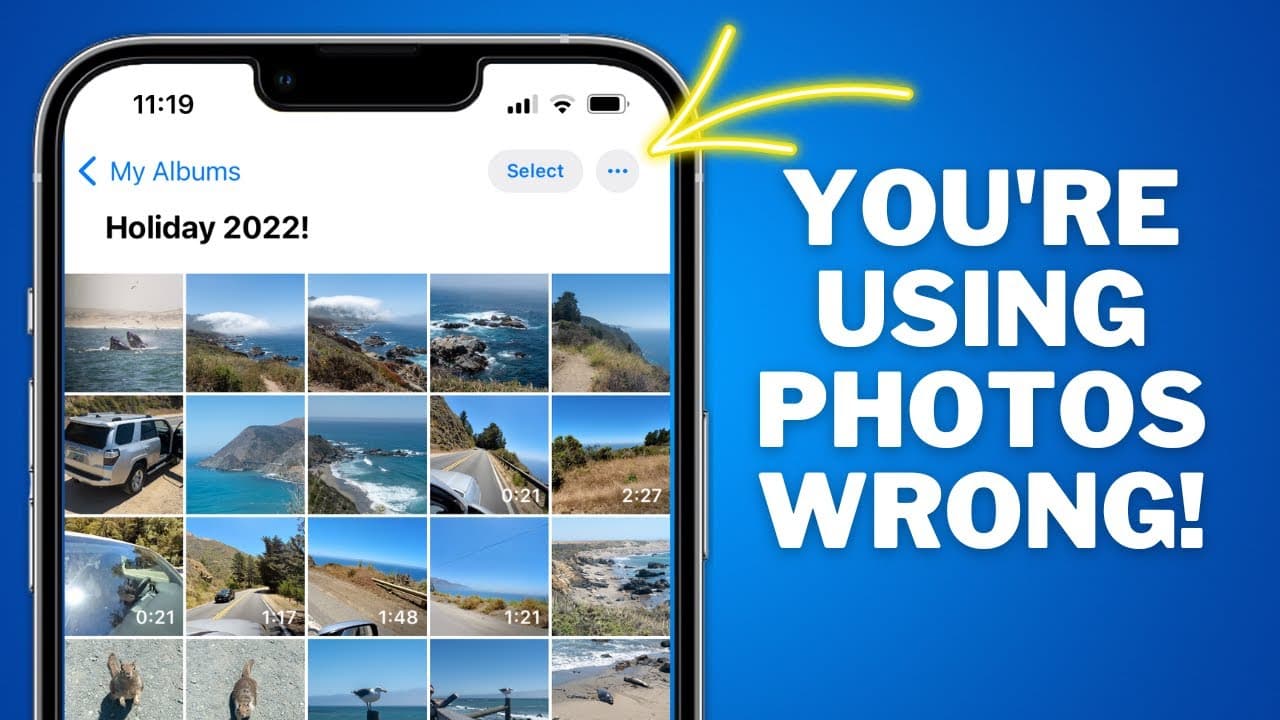
The Photos App for iPhone is AMAZING! Here's how to use it!
TL;DR
Learn how to effectively navigate and manage your photos using the Photos app on your iPhone, including tips on search functions, organizing albums, sharing photos, editing, and more.
Transcript
this video is brought to you by Squarespace the all-in-one platform to build a beautiful online presence and run your business how many times have you been hanging out with someone and they've told you that they want to show you a photo only for them to get the phone out of their pockets open the photos app and then spend way too long scrolling thr... Read More
Key Insights
- 👍 The Photos app on iPhones is powerful but often underutilized due to its complex features.
- 👏 The search function in the app uses machine learning and can search for photos based on keywords, locations, and even specific time periods.
- 📷 Utilizing albums and folders can help you organize your photos effectively, and shared albums are useful for sharing photos with others.
- 📚 The hidden album feature provides an additional layer of privacy for specific photos you don't want visible in your main library.
- 👍 Editing options in the Photos app allow for auto enhancements, filters, cropping, and even editing live photos.
- 👍 Memories feature in the app creates collated videos with music based on events, people, or places, which can be shared with others.
- 👍 The app provides detailed information about each photo, including location, device used, and even the lens.
Install to Summarize YouTube Videos and Get Transcripts
Explore YouTube Video Summarizer or Get YouTube Transcript Extractor
Questions & Answers
Q: How can I quickly navigate through my photo library in the Photos app?
By tapping the library button or swiping to the top and tapping the library button again, you can easily switch between your oldest and newest photos.
Q: How can I use the search function in the Photos app effectively?
The search function in the app is powerful. You can search for specific items, general terms, periods in time, people, geographical places, and even use multiple keywords for more specific searches.
Q: Can I add captions to my photos for easier searching?
Yes, adding captions to your photos can aid in the search function. Tap the info button of a photo, select "add a caption," and your app will index the captions for future searches.
Q: How can I create albums and organize my photos?
In the albums section, you can create albums or folders to store and organize your photos. However, note that existing albums cannot be added to folders, and iCloud photos allow for shared albums with others.
Key Insights:
- The Photos app on iPhones is powerful but often underutilized due to its complex features.
- The search function in the app uses machine learning and can search for photos based on keywords, locations, and even specific time periods.
- Utilizing albums and folders can help you organize your photos effectively, and shared albums are useful for sharing photos with others.
- The hidden album feature provides an additional layer of privacy for specific photos you don't want visible in your main library.
- Editing options in the Photos app allow for auto enhancements, filters, cropping, and even editing live photos.
- Memories feature in the app creates collated videos with music based on events, people, or places, which can be shared with others.
- The app provides detailed information about each photo, including location, device used, and even the lens.
- Visual lookup and live text functions in the app allow for further exploration and interaction with the photos in your library.
Summary & Key Takeaways
-
The Photos app on iPhones can be overwhelming, but this comprehensive guide will help you understand and utilize its features effectively.
-
Navigate through the app easily by understanding the library, for you, albums, and search options.
-
Utilize features like date range, zooming, filters, mapping, and bulk selection to manage your photos efficiently.
Read in Other Languages (beta)
Share This Summary 📚
Summarize YouTube Videos and Get Video Transcripts with 1-Click
Try YouTube Summary with ChatGPT & Claude or YouTube Transcript Generator
Explore More Summaries from Proper Honest Tech 📚
Summarize YouTube Videos and Get Video Transcripts with 1-Click
Try YouTube Summary with ChatGPT & Claude or YouTube Transcript Generator