How to Use Apple's Remember This Shortcut
TL;DR
Apple's Remember This shortcut allows users to effortlessly log their daily activities by capturing text and photos, creating a visual journal. It’s ideal for those with short-term memory loss and can be personalised through voice commands, home screen buttons, or automated reminders.
Transcript
Apple recently released a shortcut called remember this aimed at people who have short-term memory loss the shortcut is designed to allow people to quickly build a visual log of what they've been getting up to throughout the day all done with a couple of Taps on your phone or even just with your voice I've been trying it out this past week and whil... Read More
Key Insights
- 🧑💻 Apple's Remember This shortcut is designed to help individuals with short-term memory loss, but it can also be used as a mindfulness tool to log daily activities.
- 😀 The shortcut captures text and photos, compiling them into a Daily Journal note in the Notes app for easy reference.
- 🏃 The Remember This shortcut is user-friendly and can be set up quickly, with options to run it using voice commands, tapping a button on the home screen, or automating it to run at specific times.
- 🥳 By automating the Remember This shortcut to run at different times of the day, users can create a consistent journaling practice.
- 😀 The Remember This shortcut can be downloaded for free from the App Store through the Shortcuts app, which is developed by Apple.
- 😫 Setting up the shortcut on the home screen allows for quick and convenient access to capturing daily moments.
- 👤 Using the Siri feature on an iPhone, users can activate the Remember This shortcut with voice commands, making it even more accessible.
Install to Summarize YouTube Videos and Get Transcripts
Explore YouTube Video Summarizer or Get YouTube Transcript Extractor
Questions & Answers
Q: How does Apple's Remember This shortcut work?
When running the shortcut, users capture text and a photo, which are compiled into a Daily Journal note in chronological order in the Notes app. The entire process takes just seconds.
Q: Where can I download the Remember This shortcut?
To download the Remember This shortcut, you need to install the Shortcuts app from the App Store, which is developed by Apple and is safe to download. The Remember This shortcut can be found in the shortcuts gallery by searching for "remember."
Q: Can I run the Remember This shortcut from the home screen?
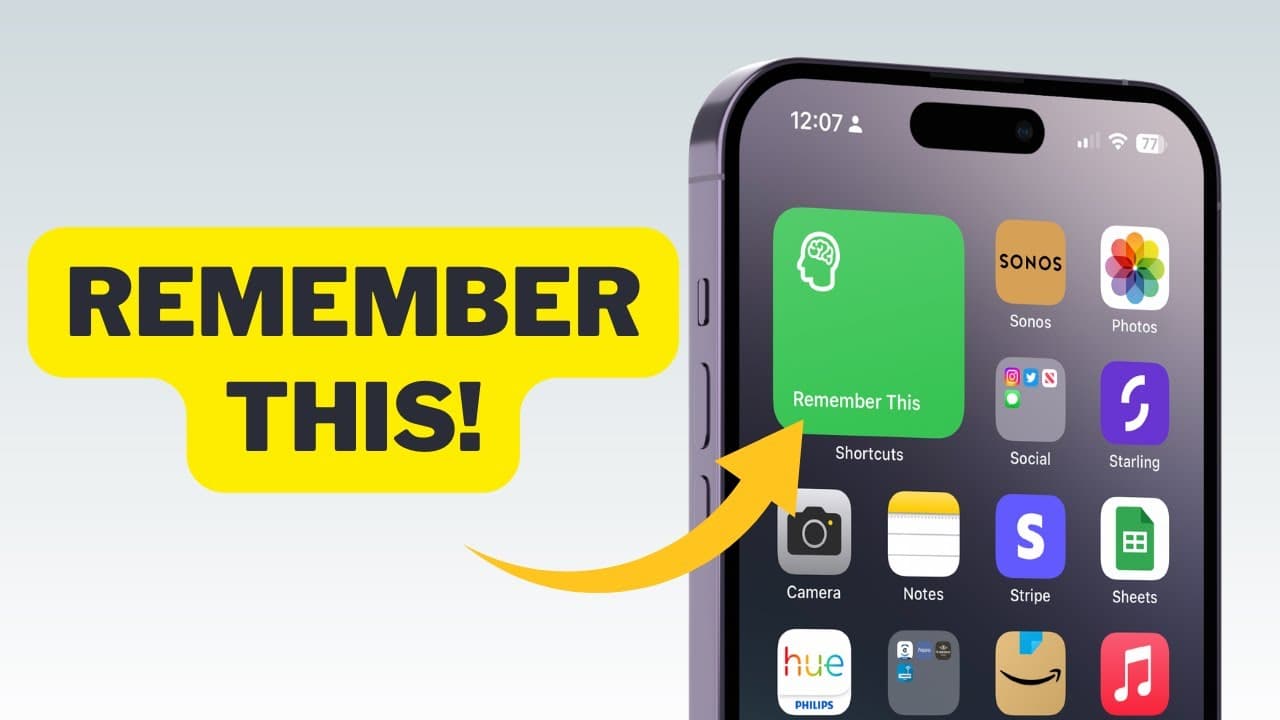
Yes, you can run the shortcut from the home screen by adding it as an app icon. In the Shortcuts app, find the Remember This shortcut, tap the ellipsis button, choose "share," scroll down to "add to home screen," and follow the prompts.
Q: Is it possible to run the Remember This shortcut using Siri?
Yes, you can run the Remember This shortcut using Siri by activating Siri and speaking the phrase "Remember This." The shortcut will prompt you to input text and take a photo, just like when running it from the home screen.
Key Insights:
- Apple's Remember This shortcut is designed to help individuals with short-term memory loss, but it can also be used as a mindfulness tool to log daily activities.
- The shortcut captures text and photos, compiling them into a Daily Journal note in the Notes app for easy reference.
- The Remember This shortcut is user-friendly and can be set up quickly, with options to run it using voice commands, tapping a button on the home screen, or automating it to run at specific times.
- By automating the Remember This shortcut to run at different times of the day, users can create a consistent journaling practice.
- The Remember This shortcut can be downloaded for free from the App Store through the Shortcuts app, which is developed by Apple.
- Setting up the shortcut on the home screen allows for quick and convenient access to capturing daily moments.
- Using the Siri feature on an iPhone, users can activate the Remember This shortcut with voice commands, making it even more accessible.
- Remember This provides a simple yet valuable tool for individuals with memory loss or those interested in maintaining a mindfulness practice and keeping track of daily activities.
Summary & Key Takeaways
-
Apple's shortcut, Remember This, enables users to capture text and photos throughout the day, compiling them into a Daily Journal note in chronological order.
-
The shortcut can be used by individuals with short-term memory loss or as a mindfulness tool for anyone interested in logging their daily activities.
-
The shortcut is simple to set up and can be run using voice commands, tapping a button on the home screen, or automating it to run at specific times of the day.
Read in Other Languages (beta)
Share This Summary 📚
Summarize YouTube Videos and Get Video Transcripts with 1-Click
Try YouTube Summary with ChatGPT & Claude or YouTube Transcript Generator
Explore More Summaries from Proper Honest Tech 📚
Summarize YouTube Videos and Get Video Transcripts with 1-Click
Try YouTube Summary with ChatGPT & Claude or YouTube Transcript Generator