How to Use Notion for Effective School Organization
TL;DR
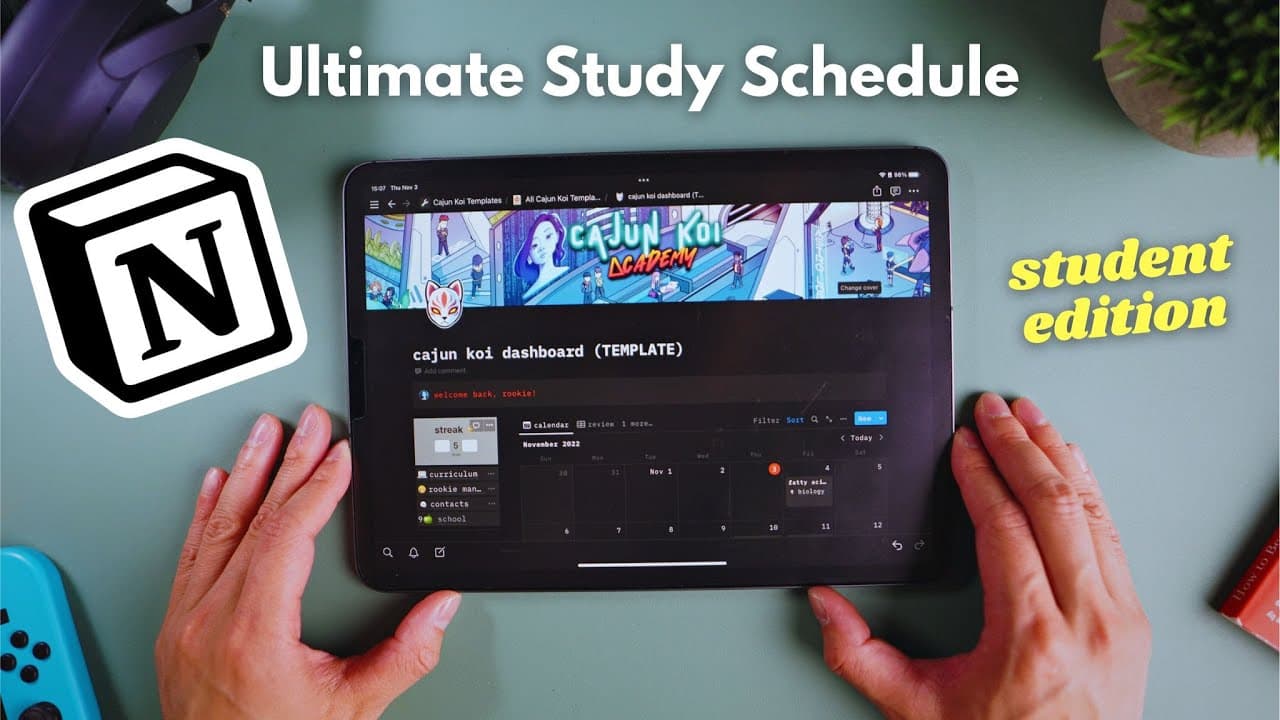
To effectively organize your school life using Notion, create a personalized study planner that includes a master calendar, class folders, and a review system based on mastery. This setup helps prioritize study materials, track assignments, and maintain motivation through daily tasks and self-reflection features.
Transcript
I'm not kidding when I say I use notion every single day it's the first thing I open when I get to my desk and by far my favorite and most used app for studying running Cajun koi Academy and managing my life I was so stoked when they wanted to partner up with us and sponsor this video Fanboy so I'm going to show you guys the smart planner I created... Read More
Key Insights
- 📚 Notion is the most used app for studying and managing life, and the creator has partnered with Cajun Koi Academy to create a smart planner using Notion. They are giving away a workspace template for free.
- 💻 The command center in this Notion planner serves as a welcoming and inspiring home base, with a master calendar to keep track of lectures and assignments for the week.
- 📂 The curriculum tab allows users to create folders for each class, which are linked to the main calendar. Users can easily add more class folders if needed.
- 🔍 Users can input information for each class, including professor details, class website, and course code. The individual calendars for each class are also linked to the main calendar.
- 📝 The assignments tab allows users to enter all assignments for each class, including due dates. Notion has a formula that automatically calculates the number of days left to complete each assignment.
- ✅ Users can track the progress of their assignments by adjusting their status to "not started," "pending," or "done."
- 🔁 The Notion planner includes a review system based on the user's mastery of each lecture, rather than just how long it has been since the lecture. This helps prioritize which topics to review.
- 📅 The planner also includes a daily streak widget and a mood check area for self-reflection and motivation during the study process.
Install to Summarize YouTube Videos and Get Transcripts
Explore YouTube Video Summarizer or Get YouTube Transcript Extractor
Questions & Answers
Q: How can Notion help students stay organized and manage their studies effectively?
Notion provides a customizable platform for creating a smart study planner, allowing students to track lectures, assignments, review materials based on mastery, and stay motivated with various widgets and features.
Q: How does the review system in the Notion study planner work?
The review system in the Notion study planner allows students to prioritize their review based on mastery and time since last review. Lectures are categorized as rookie, ranger, or retired, helping students focus on weaker areas and avoid unnecessary repetitions.
Q: What additional features are included in the Notion study planner?
The Notion study planner includes a command center, master calendar, individual class folders, lecture and assignment tracking, daily task list, weekly agenda, streak widget for motivation, and a mood check area for self-reflection.
Q: Can the Notion study planner be customized for different academic schedules and needs?
Yes, the Notion study planner can be easily customized to reflect individual class folders, assignments, and schedules, making it adaptable for different academic needs and preferences.
Q: How does the Notion study planner help in maintaining motivation and self-reflection?
The Notion study planner includes features like a streak widget that rewards consistency, and a mood check area for self-reflection, allowing students to stay motivated and maintain a healthy work-life balance.
Q: What are the advantages of using a digital study planner compared to traditional methods?
A digital study planner like Notion offers greater flexibility, organization, and customization options. It also allows for easy tracking of progress, simplifies reviewing materials, and provides additional features like widgets and mood check areas for enhanced motivation and self-reflection.
Q: Is the Notion study planner suitable for both online and offline learning?
Yes, the Notion study planner can be used for both online and offline learning. It allows students to track lectures, assignments, and progress, regardless of the learning format, and helps them stay organized and focused on their studies.
Summary & Key Takeaways
-
The video demonstrates how to create a smart planner using Notion, a versatile productivity app.
-
The planner includes a command center, master calendar, individual class folders, lecture and assignment tracking, and a review system based on mastery.
-
It also integrates features like a daily task list, weekly agenda, streak widget for motivation, and a mood check area for self-reflection.
Read in Other Languages (beta)
Share This Summary 📚
Summarize YouTube Videos and Get Video Transcripts with 1-Click
Try YouTube Summary with ChatGPT & Claude or YouTube Transcript Generator
Explore More Summaries from Cajun Koi Academy 📚



Summarize YouTube Videos and Get Video Transcripts with 1-Click
Try YouTube Summary with ChatGPT & Claude or YouTube Transcript Generator