ADS1256 - Reading and writing registers
TL;DR
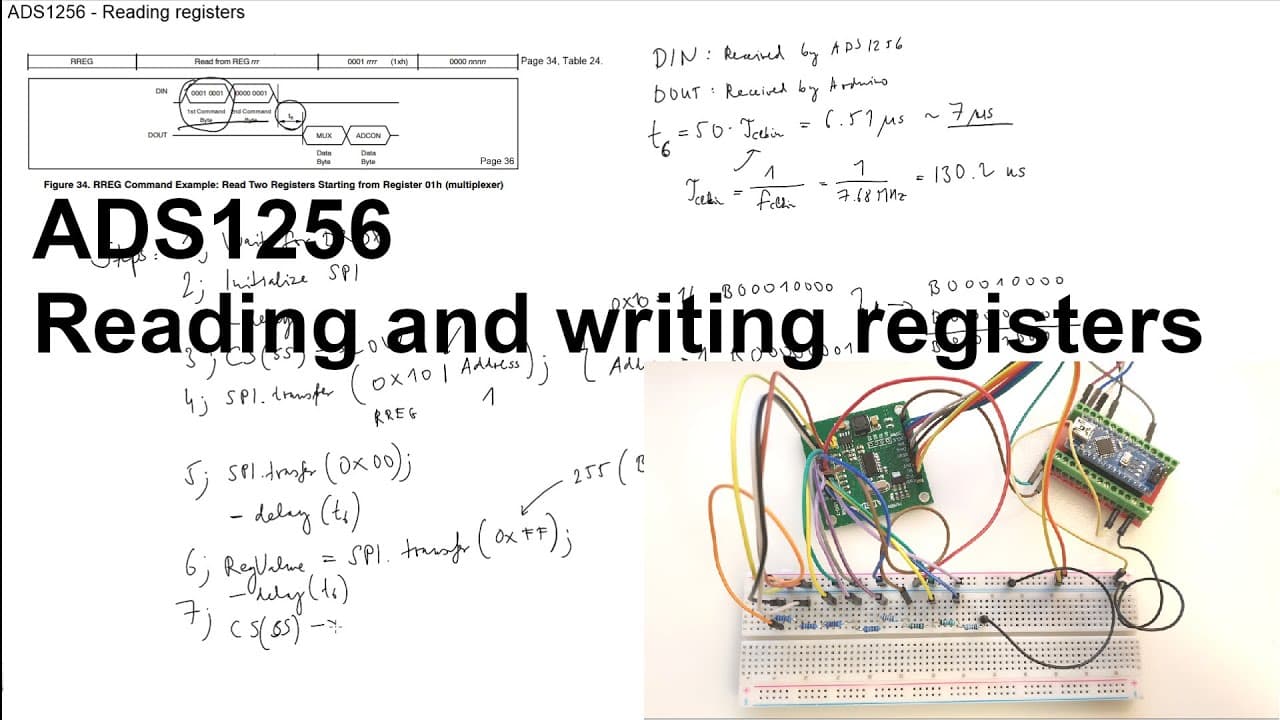
This video explains using the ABS 1256 AD converter with Arduino for register manipulation.
Transcript
welcome Ariel in this video I'm going to talk about the ABS 1256 ad converter in a bit more detail and in this video I'm going to show you how to read the registers and how to write the registers with an Arduino I will not show the wall code but I will upload the source code or the part of the source code which is corresponding for the reading part... Read More
Key Insights
- 🫠 Understanding the command byte structure is essential for effective communication with the ABS 1256 AD converter.
- ⌛ Timing intervals between operations are critical, as they ensure accurate data transmission and reception.
- 📚 The SPI library in Arduino simplifies the process of managing peripheral devices, including the ABS 1256.
- 🫠 Register addresses and values can significantly affect the functionality of the AD converter, which requires careful consideration during implementation.
- ❓ Familiarity with the datasheet is foundational for extracting crucial operational parameters and ensuring proper device handling.
- 🎮 This video stands as an introduction to advanced concepts in data acquisition, laying the groundwork for future tutorials.
- 🫠 The importance of testing and validating register read/write functions is emphasized in ensuring reliable device performance.
Install to Summarize YouTube Videos and Get Transcripts
Explore YouTube Video Summarizer or Get YouTube Transcript Extractor
Questions & Answers
Q: What is the main focus of this video?
The video primarily focuses on explaining how to read from and write to the registers of the ABS 1256 AD converter using an Arduino. It details essential steps like interpreting the datasheet, setting up the SPI communication, and executing the read/write processes.
Q: How can I determine when the ABS 1256 is ready to be interacted with?
The video emphasizes the importance of waiting for the “data ready” signal from the ABS 1256. When this signal goes low, it indicates that the device is prepared for further actions, such as reading from or writing to its registers.
Q: What role does the datasheet play in using the ABS 1256 AD converter?
The datasheet provides crucial specifications and instructions necessary for effectively communicating with the ABS 1256. It contains essential information on register addresses, command bytes, and timing requirements, which are vital for writing and reading operations.
Q: How does SPI communication work in this context?
SPI (Serial Peripheral Interface) communication in this context involves initiating a transaction with the command "spi.beginTransaction" followed by transferring data to and from the ABS 1256. Specific timing intervals defined in the datasheet need to be adhered to, ensuring the correct operation of register reads and writes.
Q: What types of values can be written to the registers of the ABS 1256?
The registers of the ABS 1256 can store various values based on the desired configuration, such as data rates. In the video, an example value of 35 (for 10 samples per second) is shown, illustrating how to set register values according to specific operational needs.
Q: Can the viewers access the source code referenced in the video?
Yes, the video mentions that while the full code is not shown, the necessary pieces related to reading and writing registers will be included in the description. This allows viewers to experiment with the provided source code or develop their variations.
Summary & Key Takeaways
-
The video provides an in-depth tutorial on how to read and write registers of the ABS 1256 AD converter using Arduino.
-
Key steps include initializing the SPI communication, preparing command bytes, and handling register values according to specifications from the datasheet.
-
By following the outlined strategies, viewers can develop their custom code to interact with the ABS 1256, with a promise of future content expanding on this topic.
Read in Other Languages (beta)
Share This Summary 📚
Summarize YouTube Videos and Get Video Transcripts with 1-Click
Try YouTube Summary with ChatGPT & Claude or YouTube Transcript Generator
Explore More Summaries from Curious Scientist 📚



Summarize YouTube Videos and Get Video Transcripts with 1-Click
Try YouTube Summary with ChatGPT & Claude or YouTube Transcript Generator