why the Apple Watch is the most underrated productivity device
TL;DR
Apple Watch can replace your phone as a productivity device.
Transcript
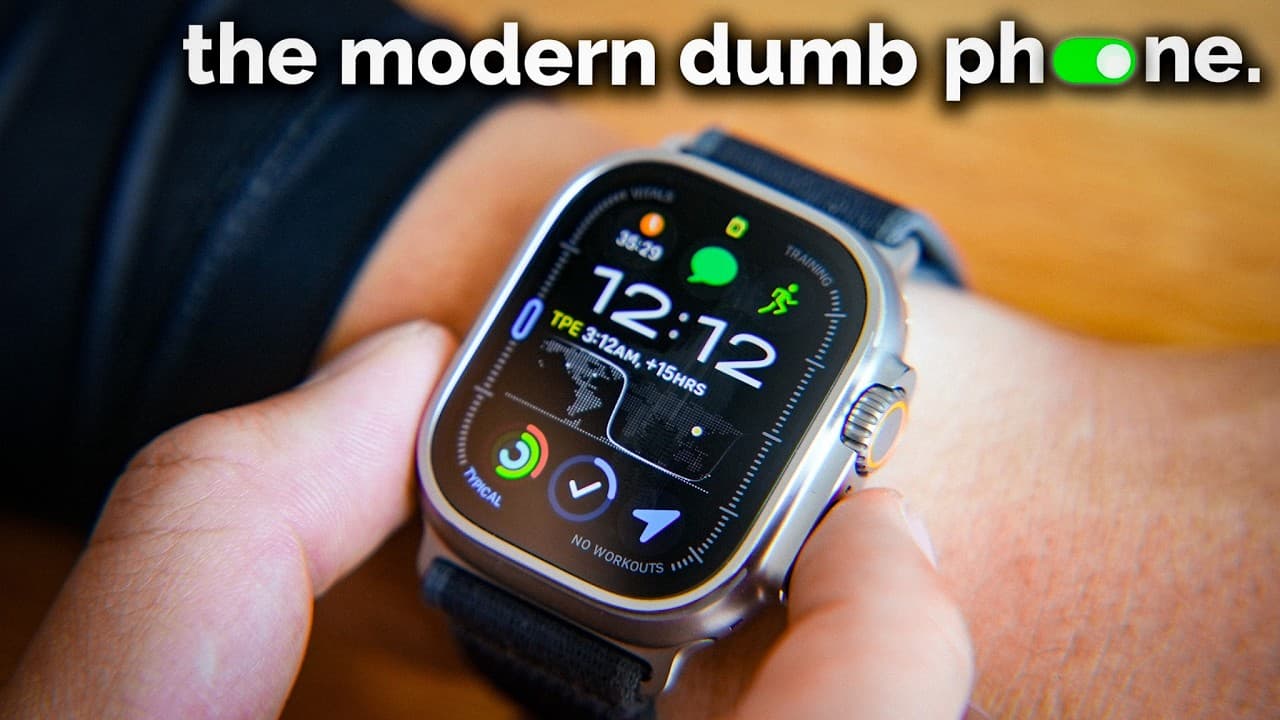
This is the Apple watch, my most underrated productivity device, let me explain. The latest Apple watches have now gotten to a point where you can pretty much fully replace your phone with it and make it an actual modern dumb phone. I use my Apple watch to track my time, track my workouts, check off my to-do list, make calls and respond to my mo... Read More
Key Insights
- The Apple Watch can function as a modern dumb phone, allowing users to perform essential tasks without their phones.
- Key features include time tracking, workout tracking, to-do lists, and communication capabilities, all accessible from the wrist.
- The Apple Watch supports a wide range of apps, offering extensive developer support without subscription fees.
- Users can make calls, respond to messages, and navigate using maps directly from the Apple Watch, enhancing convenience.
- Health tracking features, including sleep and workout monitoring, are highly accurate and do not require additional subscriptions.
- The Apple Watch motivates users to maintain healthy habits through its built-in habit and workout tracking features.
- Essential productivity apps for the Apple Watch include Things 3, Timelines, Just Press Record, Pedometer++, and Strong.
- For optimal use, the Apple Watch can be set up to minimize distractions by customizing notifications and using a monochrome display.
Install to Summarize YouTube Videos and Get Transcripts
Explore YouTube Video Summarizer or Get YouTube Transcript Extractor
Questions & Answers
Q: How does the Apple Watch function as a modern dumb phone?
The Apple Watch functions as a modern dumb phone by allowing users to perform essential tasks like making calls, responding to messages, and navigating with maps without needing their phone. The cellular model enables users to receive notifications and respond to them, making it possible to leave the phone at home while staying connected.
Q: What are the health tracking features of the Apple Watch?
The Apple Watch offers comprehensive health tracking features, including accurate sleep and workout monitoring. It provides detailed insights into sleep quality and workout performance, such as heart rate zones and pace. The device also includes habit trackers that motivate users to maintain healthy routines by setting goals and tracking progress.
Q: What productivity apps are recommended for the Apple Watch?
The recommended productivity apps for the Apple Watch include Things 3 for to-do lists, Timelines for time tracking, Just Press Record for voice memos, Pedometer++ for step counting, and Strong for workout tracking. These apps enhance the watch's functionality, making it a versatile tool for managing tasks and routines.
Q: How can users customize their Apple Watch for productivity?
Users can customize their Apple Watch for productivity by turning off unnecessary notifications to reduce distractions and setting the display to monochrome for a less stimulating visual experience. They can also tailor notifications to only receive alerts from important contacts and apps, ensuring focus on essential tasks.
Q: Which Apple Watch model is recommended for productivity?
The Series 9 Apple Watch is recommended for productivity due to its balance of features and cost-effectiveness. It includes local Siri processing for faster responses and a blood oxygen sensor. The Apple Watch Ultra offers extended battery life and additional features but may not be necessary for all users.
Q: How does the Apple Watch enhance workout experiences?
The Apple Watch enhances workout experiences by providing real-time data on heart rate zones, pace, and average speed. It allows users to track and analyze their workouts, set goals, and even race against previous performances. The workout app Strong enables users to log sets and reps directly from the watch.
Q: What are the advantages of using the Apple Watch for time management?
Using the Apple Watch for time management offers advantages such as easy access to time tracking apps like Timelines, which help users analyze and optimize their time allocation. The ability to start and stop timers quickly and review time spent on various activities aids in reducing procrastination and improving focus.
Q: Why is the Apple Watch considered a quality-of-life upgrade?
The Apple Watch is considered a quality-of-life upgrade because it consolidates essential smartphone functions into a wrist-worn device, reducing the need to carry a phone. Its health and productivity features promote better lifestyle habits, while its customizable settings allow users to tailor the device to their specific needs.
Summary & Key Takeaways
-
The Apple Watch is presented as a powerful productivity device capable of replacing many smartphone functions. Its features include time and workout tracking, communication, and navigation, all without the need for a phone.
-
With extensive app support and no subscription fees, the Apple Watch offers a practical alternative to traditional smartphones. Health tracking features are highlighted as particularly accurate and useful.
-
The video suggests specific Apple Watch models and productivity apps to enhance user experience. Customization options, such as notification settings and display preferences, are also discussed for maximizing productivity.
Read in Other Languages (beta)
Share This Summary 📚
Summarize YouTube Videos and Get Video Transcripts with 1-Click
Try YouTube Summary with ChatGPT & Claude or YouTube Transcript Generator
Explore More Summaries from Reysu 📚






Summarize YouTube Videos and Get Video Transcripts with 1-Click
Try YouTube Summary with ChatGPT & Claude or YouTube Transcript Generator