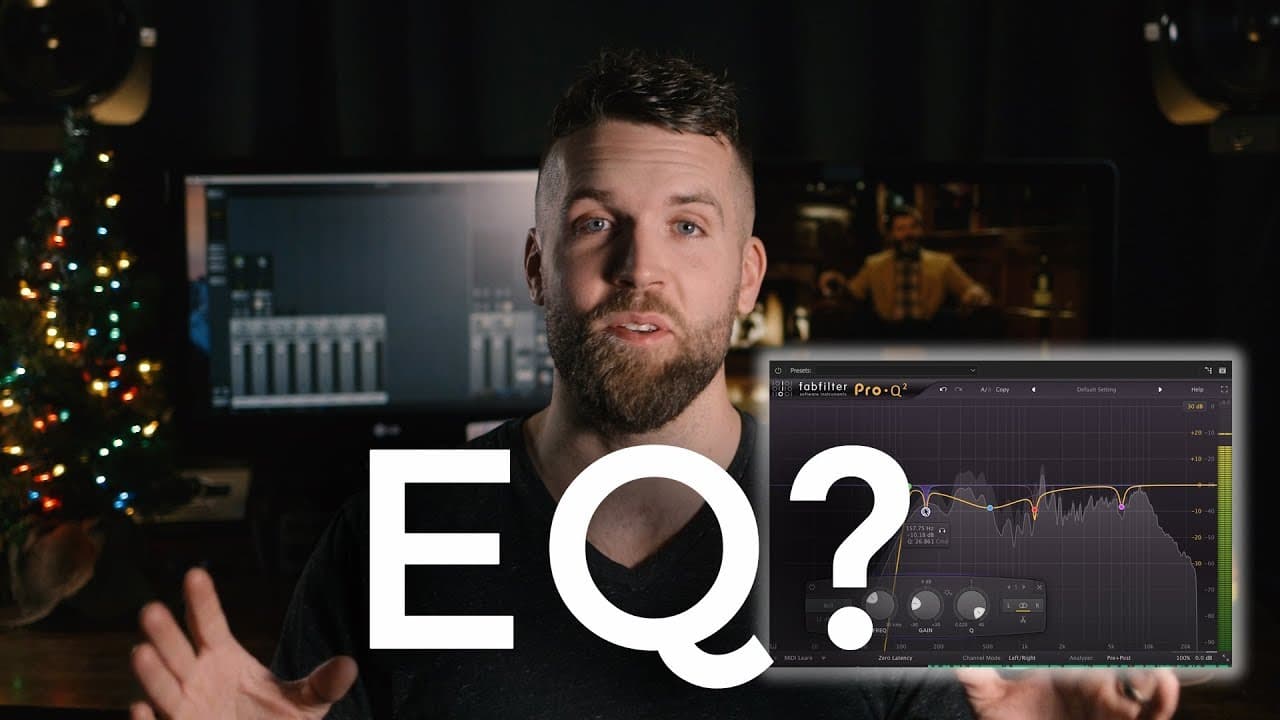
What is an EQ? // AUDIO Production Tools Part II of V // How to use an EQ Tutorial
TL;DR
Learn about EQ and its three main types (fixed, graphic, and parametric), as well as the four parameters (cuts, boosts, shelves, and Q) to manipulate and enhance audio frequencies.
Transcript
five weeks in a row talking about audio tools this is week two of five this week we're talking about eq's what isn't EQ how do you use an EQ and why do you use an EQ well this channel I talk about audio I talk about video filmmaking creativity all the above I just love this stuff I love talking about it and if you subscribe to this channel you are ... Read More
Key Insights
- 🎵 EQ is a frequency manipulating tool that affects different bands of the frequency spectrum. It is different from a dynamics processor.
- 🔊 The human audible frequency range is from 20 Hz to 20,000 Hz, but most people can only hear up to 15,000 Hz.
- 🎛️ There are three main types of EQs: fixed EQs, graphic EQs, and parametric EQs. Parametric EQ is the most versatile and widely used.
- 🔍 The four parameters to be aware of for parametric EQ are Q, cuts, boosts, and shelves.
- 🎚️ Q measures the bandwidth of frequencies being manipulated. The bigger the Q number, the narrower the frequency band.
- 🔪 Cuts decrease the volume at a designated Q, while boosts increase the volume.
- 📢 Shelves are increases or decreases in frequencies above or below a certain threshold.
- 🔄 High pass and low pass filters are specific cuts on the high or low end, removing unwanted frequencies below a certain threshold.
Install to Summarize YouTube Videos and Get Transcripts
Explore YouTube Video Summarizer or Get YouTube Transcript Extractor
Questions & Answers
Q: What are the three main types of EQs and which one is the most versatile?
The three main types of EQs are fixed, graphic, and parametric. Among them, parametric EQ is considered the most versatile due to its wide range of manipulation options.
Q: How can a narrow Q be used to get rid of specific unwanted frequencies?
A narrow Q, such as a Q of 40, can be used to target and attenuate a very small set of frequencies, making it useful for eliminating specific unwanted noises or disturbances in audio recordings.
Q: What is the purpose of using shelves in EQ?
Shelves are used to either boost or cut a range of frequencies either on the high end or the low end, providing overall balance and clarity to the audio signal.
Q: How can a high-pass filter be beneficial in audio processing?
A high-pass filter is used to roll off frequencies below a designated threshold, such as 80 Hz, effectively eliminating low-end rumble or unwanted noise that may be picked up by sensitive microphones.
Q: Should EQ adjustments always focus on boosting frequencies or is there another approach?
It is generally recommended to start with subtractive EQ, i.e., cutting frequencies that are problematic or unnecessary, before considering boosting signals. This approach helps maintain better gain staging and overall audio balance.
Summary & Key Takeaways
-
An EQ is a frequency manipulating tool used to enhance or change the audio signal within the human audible frequency range.
-
There are three main types of EQs: fixed, graphic, and parametric, with parametric EQ being the most versatile and widely used.
-
The four parameters to be aware of in using parametric EQ are cuts, boosts, shelves, and Q, which determine the level and width of frequencies to be manipulated.
Read in Other Languages (beta)
Share This Summary 📚
Summarize YouTube Videos and Get Video Transcripts with 1-Click
Try YouTube Summary with ChatGPT & Claude or YouTube Transcript Generator
Explore More Summaries from Oliver J Hughes 📚
Summarize YouTube Videos and Get Video Transcripts with 1-Click
Try YouTube Summary with ChatGPT & Claude or YouTube Transcript Generator