What is a Limiter? // AUDIO Production Tools Part V of V // How to use a Limiter tutorial
TL;DR
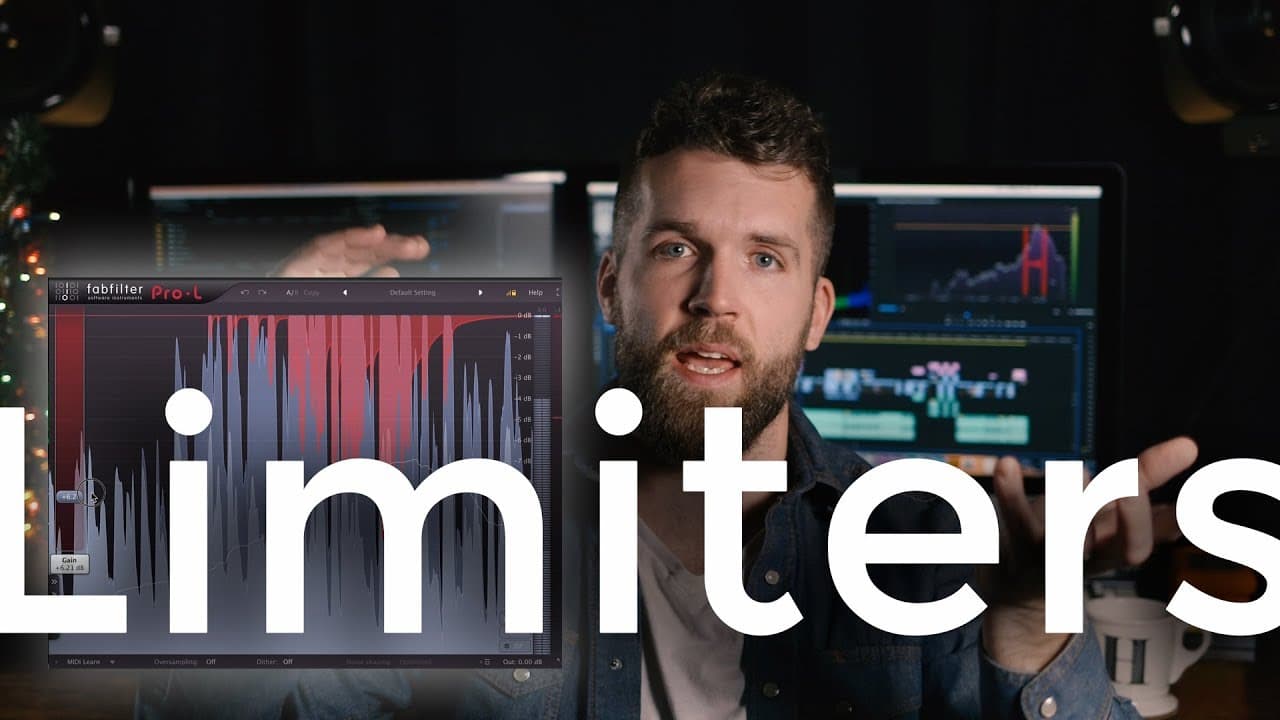
Limiters are dynamic processors that manipulate the amplitude of an audio signal, preventing peaks from exceeding a specified threshold, making them an essential tool in audio processing.
Transcript
five weeks in a row talking about audio tools this is week five of five talking about limiters what is a limiter how do you use one and why would you want to use the limiter okay welcome back week five this is it and then we're done with the idea of course moving on to bigger better greater and wonderful more wonderful things so thank you for for t... Read More
Key Insights
- 🔊 Limiters are dynamics processors that manipulate the amplitude of audio signals by preventing peaks from exceeding a specified threshold.
- *️⃣ They are commonly used in mastering music and post-production for dialog recordings to boost the overall volume without risking clipping.
- 🎍 Limiters have a higher compression ratio than compressors, often ranging from 30:1 to 50:1.
- 🔢 The two key parameters in a limiter are the input gain or threshold, which determines how much the audio is boosted, and the output ceiling or threshold, which sets the maximum level the audio can reach.
- 🥇 Limiters ensure a consistent level and prevent audio from going above the specified threshold, acting as a "brick wall" to control the dynamics.
- 🐦⬛ Overusing limiters can result in a loss of dynamic range and a lack of Headroom in the audio.
- 🤒 Monitoring audio levels and observing where the meters peak can provide insights into how effectively the limiter is being used.
Install to Summarize YouTube Videos and Get Transcripts
Explore YouTube Video Summarizer or Get YouTube Transcript Extractor
Questions & Answers
Q: What is the purpose of a limiter in audio processing?
The purpose of a limiter is to prevent audio from exceeding a specified threshold, ensuring that the volume does not clip and maintaining a consistent level.
Q: How does a limiter differ from a compressor?
While both limiters and compressors are dynamics processors, limiters have a higher compression ratio (often 30:1 or 50:1) and a fixed threshold, acting as a "brick wall" to prevent audio from going above the threshold.
Q: When should a limiter be used in the audio signal chain?
A limiter is typically used as the final tool in the signal chain for processing audio, after compression, EQ, de-essing, and gating. It is particularly useful for boosting the overall volume of dialog recordings.
Q: Why is it important to set the output ceiling or threshold in a limiter?
Setting the output ceiling or threshold in a limiter is crucial to prevent audio from clipping. By specifying a maximum level, the limiter pulls back any audio that exceeds this threshold, maintaining a controlled level.
Key Insights:
- Limiters are dynamics processors that manipulate the amplitude of audio signals by preventing peaks from exceeding a specified threshold.
- They are commonly used in mastering music and post-production for dialog recordings to boost the overall volume without risking clipping.
- Limiters have a higher compression ratio than compressors, often ranging from 30:1 to 50:1.
- The two key parameters in a limiter are the input gain or threshold, which determines how much the audio is boosted, and the output ceiling or threshold, which sets the maximum level the audio can reach.
- Limiters ensure a consistent level and prevent audio from going above the specified threshold, acting as a "brick wall" to control the dynamics.
- Overusing limiters can result in a loss of dynamic range and a lack of Headroom in the audio.
- Monitoring audio levels and observing where the meters peak can provide insights into how effectively the limiter is being used.
- It is recommended to set the output ceiling at around -0.6 dB to leave some Headroom and prevent clipping during compression on platforms like YouTube or Vimeo.
Summary & Key Takeaways
-
Limiters are the final tool in the signal chain for processing audio, particularly for dialog in videos.
-
They raise the overall volume of the audio, adding a designated amount, and have a threshold that prevents the audio from exceeding a certain level.
-
Limiters are commonly used in mastering music and in post-production for dialog recordings to boost the overall volume without risking clipping.
Read in Other Languages (beta)
Share This Summary 📚
Summarize YouTube Videos and Get Video Transcripts with 1-Click
Try YouTube Summary with ChatGPT & Claude or YouTube Transcript Generator
Explore More Summaries from Oliver J Hughes 📚
Summarize YouTube Videos and Get Video Transcripts with 1-Click
Try YouTube Summary with ChatGPT & Claude or YouTube Transcript Generator