How Do Computer Screens and Graphics Work?
TL;DR
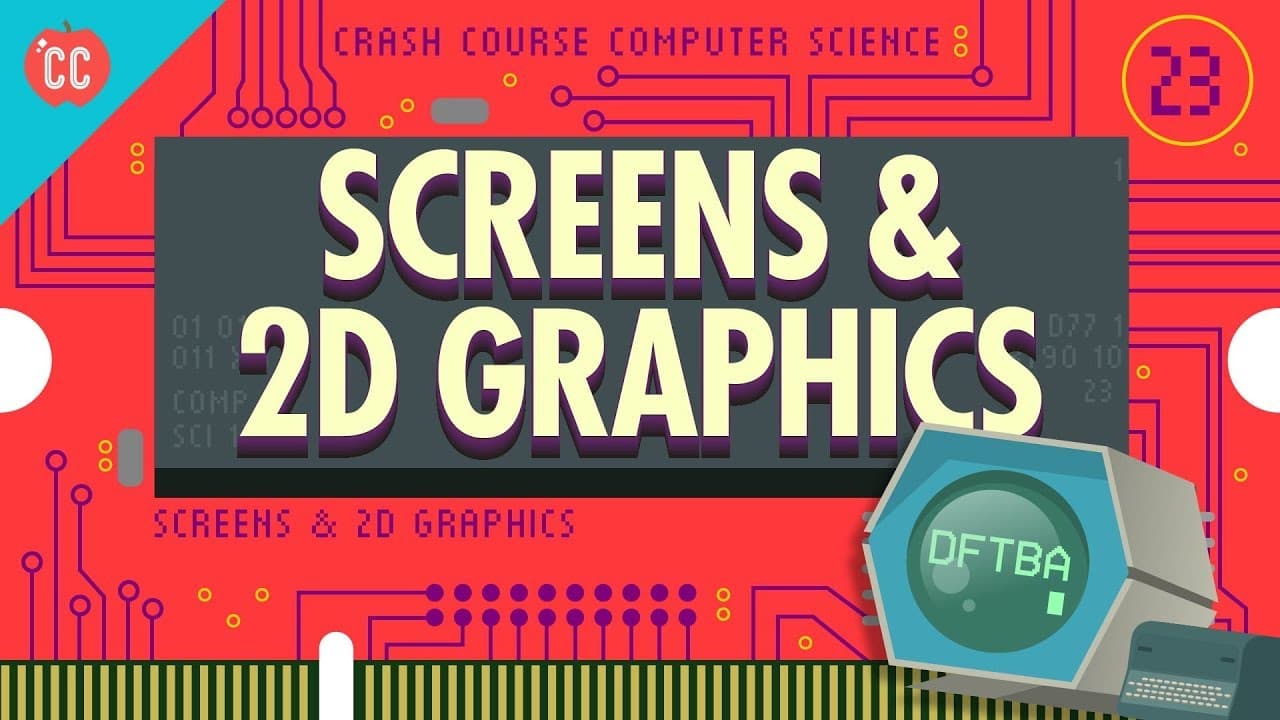
Early computer screens primarily displayed program operations and temporary values. Cathode Ray Tubes (CRTs) were pivotal, using electron beams to create images. Vector and raster scanning were two methods for rendering graphics. Over time, advancements led to pixel-based displays and interactive graphical interfaces, revolutionizing computer use beyond simple calculations.
Transcript
Hi, I’m Carrie Anne, and welcome to CrashCourse Computer Science! This 1960 PDP-1 is a great example of early computing with graphics. You can see a cabinet-sized computer on the left, an electromechanical teletype machine in the middle, and a round screen on the right. Note how they’re separated. That’s because text-based tasks and graphical tasks... Read More
Key Insights
- CRTs work by shooting electrons at a phosphor-coated screen, creating images through controlled electron beams.
- Vector scanning directs an electron beam to trace shapes, while raster scanning follows a fixed path to create graphics.
- Early computers used character generators to convert text into graphics, saving memory compared to pixel storage.
- Vector graphics use a series of lines to define screen content, allowing for efficient memory use and animation.
- Sketchpad, developed in 1962, was an early graphical application using a light pen, marking a shift towards interactive computing.
- Bitmapped displays emerged in the late 1960s, mapping memory bits directly to screen pixels, enabling complex graphics.
- Early bitmapped screens used frame buffers, with later systems using VRAM for faster graphics processing.
- Graphics libraries abstract drawing functions, allowing programmers to create complex visuals without writing low-level code.
Install to Summarize YouTube Videos and Get Transcripts
Explore YouTube Video Summarizer or Get YouTube Transcript Extractor
Questions & Answers
Q: How do CRTs create images on a screen?
CRTs create images by shooting electrons from an emitter at a phosphor-coated screen. The electrons' paths are manipulated using electromagnetic fields, allowing for precise control over where they hit the screen. When electrons strike the phosphor coating, it glows momentarily, forming images. This method allows for both vector and raster scanning to render graphics.
Q: What is the difference between vector and raster scanning?
Vector scanning involves directing an electron beam to trace specific shapes, relying on the persistence of the phosphor glow to create solid images. Raster scanning, on the other hand, follows a fixed path, scanning line by line from top left to bottom right, turning the electron beam on and off to form graphics. Raster scanning is used in modern displays for rendering text and images.
Q: How did early computers handle graphics with limited memory?
Early computers used character generators to convert text into graphics, storing a smaller grid of characters instead of pixels. This approach significantly reduced memory usage, as each character required fewer bits than storing individual pixels. Character generators read character codes from RAM and used ROM to convert them into dot matrix patterns for display, saving memory while enabling text rendering.
Q: What was the significance of Sketchpad in computer graphics?
Sketchpad, developed in 1962, was a pioneering graphical application that introduced interactive computing. It used a light pen to interact with graphics on a screen, allowing users to draw and manipulate shapes. Sketchpad demonstrated the potential of computers as interactive tools, moving beyond number crunching to assist with tasks like computer-aided design. This innovation paved the way for modern graphical interfaces.
Q: How did bitmapped displays revolutionize computer graphics?
Bitmapped displays, which emerged in the late 1960s, allowed for direct mapping of memory bits to screen pixels, enabling complex and arbitrary graphics. This development provided full control over each pixel, making it possible to create detailed images and interactive graphics. The use of frame buffers and later VRAM optimized graphics processing speed, facilitating the evolution of graphical user interfaces and enhancing computing capabilities.
Q: What role do graphics libraries play in modern computing?
Graphics libraries provide abstraction for drawing functions, allowing programmers to create complex visuals without writing low-level code. These libraries offer ready-to-use functions for rendering lines, curves, shapes, and text, streamlining the development process. By handling the intricacies of graphics rendering, libraries enable developers to focus on higher-level design and functionality, accelerating the creation of visually rich applications.
Q: Why was the development of interactive graphical interfaces significant?
The development of interactive graphical interfaces marked a shift in computing from number crunching to augmenting human tasks. These interfaces enabled users to interact with computers in a more intuitive and visual manner, transforming them into powerful tools for design, creativity, and productivity. This evolution broadened the scope of computer applications, making them accessible and useful for a wider range of tasks and industries.
Q: How did early graphics cards function in computers?
Early graphics cards, known as character generators, converted text stored in RAM into graphics for display. They contained ROM with dot matrix patterns for each character, which were raster scanned onto the screen. This approach allowed computers to render text efficiently with limited memory, as graphics cards had special access to screen buffers, optimizing the rendering process and paving the way for more advanced graphics solutions.
Summary & Key Takeaways
-
Early computer screens displayed program operations and temporary values, with CRTs playing a crucial role. Vector and raster scanning were used to render graphics, with vector graphics relying on lines for efficient memory use. The development of Sketchpad in 1962 marked a shift towards interactive computing.
-
Bitmapped displays, emerging in the late 1960s, allowed for complex graphics by mapping memory bits to screen pixels. Frame buffers and later VRAM facilitated faster graphics processing. Graphics libraries provided abstraction, enabling programmers to create visuals without low-level coding.
-
The evolution of computer graphics from simple text displays to pixel-based screens revolutionized computing, enabling interactive graphical interfaces. This transformation marked a shift from computers as mere number crunchers to potential assistants augmenting human tasks.
Read in Other Languages (beta)
Share This Summary 📚
Summarize YouTube Videos and Get Video Transcripts with 1-Click
Try YouTube Summary with ChatGPT & Claude or YouTube Transcript Generator
Explore More Summaries from CrashCourse 📚




Summarize YouTube Videos and Get Video Transcripts with 1-Click
Try YouTube Summary with ChatGPT & Claude or YouTube Transcript Generator