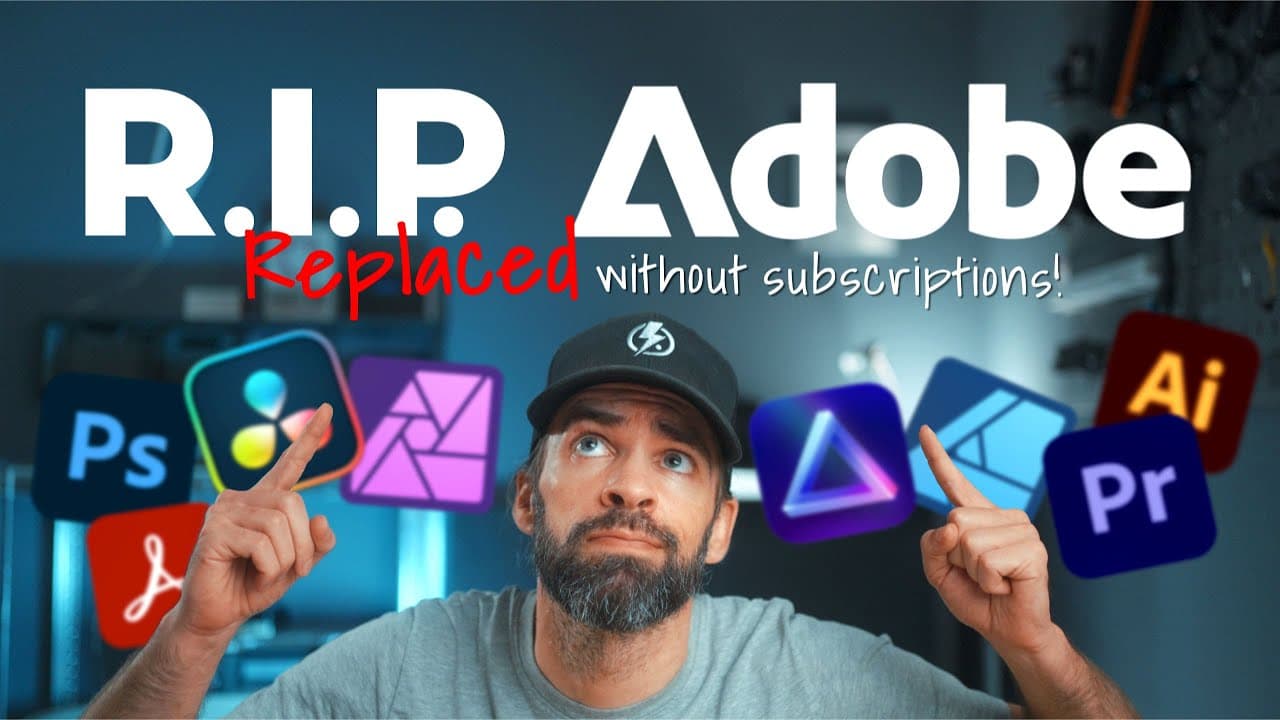
I Replaced ALL my ADOBE APPS with these [free or cheaper] Alternatives!
TL;DR
Explore free or cheaper alternatives to Adobe Creative Suite.
Transcript
okay so let's have a moment of silence for the last Adobe apps that I removed from my computer yesterday a moment of silence please okay that's more than enough because I also want to celebrate the fact that I found some awesome Alternatives let's open this thing there we go Adobe Adobe "Salut en tot nooit ... Read More
Key Insights
- The creator transitioned from Adobe Creative Suite to alternative software due to high subscription costs and restrictive terms.
- Affinity Photo is highlighted as a strong alternative to Photoshop, offering a similar experience with a one-time payment model.
- DaVinci Resolve is recommended as a free alternative to Premiere Pro, providing professional-grade video editing tools.
- GIMP is mentioned as a free option for basic photo editing, suitable for beginners or those with minimal editing needs.
- Luminar Neo is noted for its AI-driven features, offering a different approach to photo editing compared to traditional software.
- The creator emphasizes the importance of finding tools that fit personal needs, rather than sticking to industry standards.
- CapCut and Canva are discussed as video editing options, though both have limitations and shifting pricing models.
- The creator seeks community advice for free PDF editing and compression tools, indicating a gap in their current software suite.
Install to Summarize YouTube Videos and Get Transcripts
Explore YouTube Video Summarizer or Get YouTube Transcript Extractor
Questions & Answers
Q: Why did the creator decide to stop using Adobe apps?
The creator decided to stop using Adobe apps primarily due to the high cost of subscriptions and restrictive terms of service. They found the subscription model unsustainable for small creators or hobbyists and disliked being locked into Adobe's ecosystem, which made it difficult to switch without incurring penalties.
Q: What alternatives does the creator recommend for Photoshop?
The creator recommends Affinity Photo and Luminar Neo as alternatives to Photoshop. Affinity Photo is noted for its similarity to Photoshop and offers a one-time payment model, while Luminar Neo is praised for its AI-driven features. Both options provide a cost-effective solution for photo editing without recurring fees.
Q: How does DaVinci Resolve compare to Premiere Pro?
DaVinci Resolve is presented as a strong alternative to Premiere Pro, particularly due to its free version, which offers a comprehensive set of professional video editing tools. While there is a learning curve, the free version of DaVinci Resolve is considered superior to many paid alternatives, making it an attractive option for content creators.
Q: What are the creator's thoughts on GIMP?
The creator views GIMP as a viable free option for basic photo editing, particularly for beginners or those who do not require advanced tools. While it may not be as feature-rich as Photoshop, GIMP provides a cost-free solution for users with simpler editing needs.
Q: What challenges does the creator face with CapCut and Canva?
The creator notes that CapCut and Canva, while offering free versions, have limitations and evolving pricing models. Some features that were previously free in CapCut are now behind a paywall, and Canva requires a subscription for access to advanced features, which detracts from their appeal as free alternatives.
Q: Why is Affinity Photo preferred over Luminar Neo by the creator?
Affinity Photo is preferred by the creator because it feels more like a direct replacement for Photoshop, offering a familiar interface and functionality. Additionally, Affinity Photo provides a one-time payment model with free updates until a new version is released, which aligns with the creator's preference for avoiding recurring subscription fees.
Q: What does the creator like about DaVinci Resolve Studio?
The creator appreciates DaVinci Resolve Studio for its comprehensive suite of tools that cover video editing, color grading, visual effects, and audio editing. The one-time payment model with unlimited future updates makes it a cost-effective choice for content creators who need a versatile and powerful editing platform.
Q: What is the creator's need regarding PDF editing?
The creator is looking for a free tool to perform basic edits and compress PDFs, as they previously used Adobe Acrobat for these tasks. They acknowledge the availability of free options but are unsure which is the best, and they seek recommendations from their audience to find a reliable solution.
Summary & Key Takeaways
-
The video discusses the creator's decision to replace Adobe Creative Suite with more affordable or free alternatives due to high costs and restrictive terms. They explore options like Affinity Photo and DaVinci Resolve, highlighting their benefits and limitations.
-
Affinity Photo and Luminar Neo are praised for their one-time payment models and effectiveness in photo editing, while DaVinci Resolve offers a robust free version for video editing. The creator emphasizes the importance of finding tools that meet individual needs.
-
The creator also touches on the limitations of free alternatives like GIMP for photo editing and the evolving pricing models of CapCut and Canva. They express a need for a reliable PDF editing tool, seeking suggestions from viewers.
Read in Other Languages (beta)
Share This Summary 📚
Summarize YouTube Videos and Get Video Transcripts with 1-Click
Try YouTube Summary with ChatGPT & Claude or YouTube Transcript Generator
Explore More Summaries from Joris Hermans 📚
Summarize YouTube Videos and Get Video Transcripts with 1-Click
Try YouTube Summary with ChatGPT & Claude or YouTube Transcript Generator