LattePanda Alpha Hackintosh Updates
TL;DR
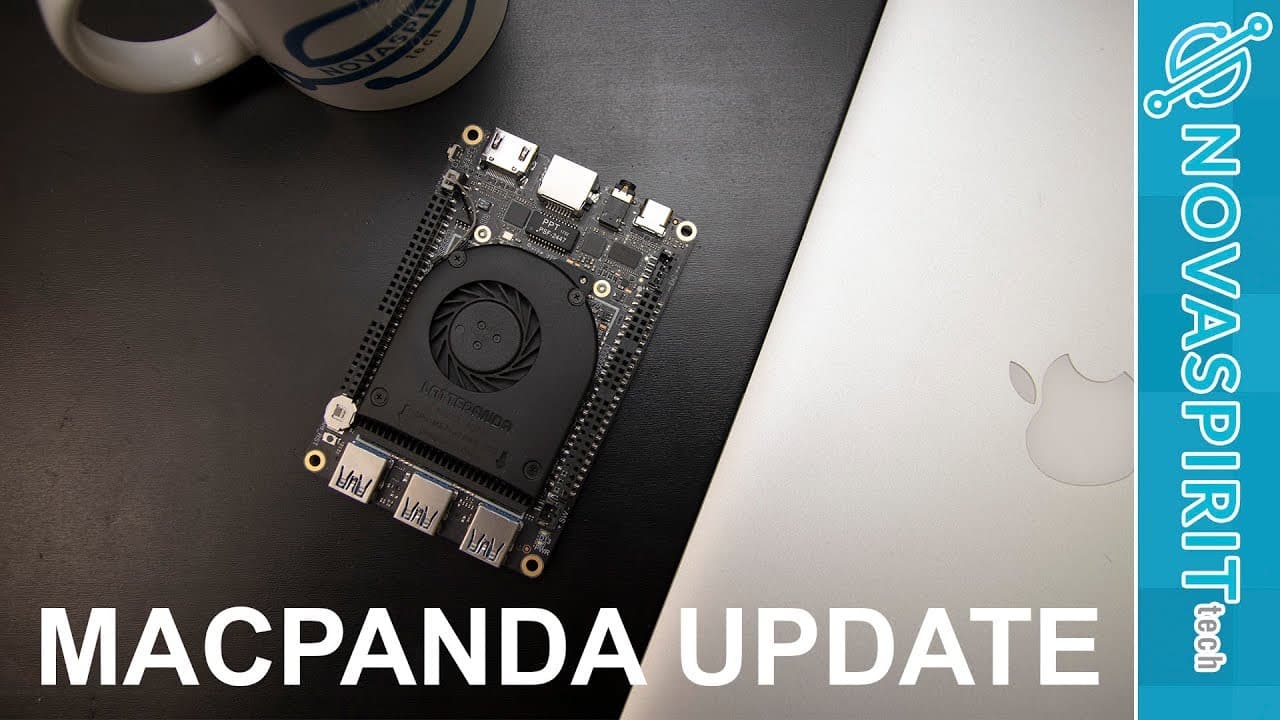
Don shares updates on the Latte Panda Hackintosh build with tips and improvements.
Transcript
hey guys what's going on it's Don here from Nova Spirit Tech and I want to update you guys on the latte Panda Hackintosh build so if you guys don't know what I'm talking about a couple of weeks ago I did a guide on installing Hackintosh on the latte Panda I'll leave a link here or in the description below so this is basically just a follow-up video... Read More
Key Insights
- 🧑💻 The Latte Panda Hackintosh build emphasizes community involvement, highlighting collaborative problem-solving in tech modifications.
- 📽️ HDMI audio functionality improvements show the importance of online resources and community contributions in technology projects.
- 🧑💻 Regular updates and clear guidance are essential for maintaining user trust and satisfaction in ongoing tech projects.
- 🎨 Future design considerations include creating custom cases for a more aesthetic setup, reflecting the continuing evolution of the Hackintosh project.
- 🍉 Knowledge sharing on platforms like GitHub is crucial for long-term project success and troubleshooting.
- 🧑💻 Users value communication and updates, demonstrating the need for tech creators to engage with their audience effectively.
- 🪛 The focus on driver compatibility for optimal audio setup signifies the complexity of Hackintosh installations.
Install to Summarize YouTube Videos and Get Transcripts
Explore YouTube Video Summarizer or Get YouTube Transcript Extractor
Questions & Answers
Q: What are the recent improvements made to the Latte Panda Hackintosh build?
Recent improvements include fixing HDMI audio issues, ensuring HDMI monitor detection works without errors, and optimizing configuration files to reduce clutter and enhance performance. The community has significantly contributed to addressing these challenges, demonstrating collaboration in the Hackintosh building process.
Q: Is iMessage and FaceTime functional on the Latte Panda Hackintosh?
Yes, both iMessage and FaceTime are fully operational on the Latte Panda Hackintosh build. This means users can enjoy these essential Apple services seamlessly, enhancing the overall user experience and mimicking a true macOS environment.
Q: What challenges remain in audio setup for the Latte Panda?
The main challenge is integrating the 3.5mm audio jack with the HDMI audio, as they currently require separate configurations. Don expresses hope that the right drivers can be developed to allow both to work concurrently without breaking functionality.
Q: How should users approach system updates for their Hackintosh build?
Users are advised to refrain from updating their systems until updates are released by Don, himself on his GitHub or Twitter. This precaution helps avoid potential installation issues following macOS updates, ensuring a more stable Hackintosh experience.
Summary & Key Takeaways
-
Don provides a follow-up on his Latte Panda Hackintosh build, addressing previous issues and enhancements while encouraging viewers to follow his updates on Twitter.
-
The first significant improvement is the resolution of HDMI audio issues, thanks to contributions from the community, along with functional HDMI monitor detection now available.
-
Efforts continue to integrate audio functionality between HDMI and the 3.5mm jack, as well as overall optimization of configuration files for better performance and stability in future updates.
Read in Other Languages (beta)
Share This Summary 📚
Summarize YouTube Videos and Get Video Transcripts with 1-Click
Try YouTube Summary with ChatGPT & Claude or YouTube Transcript Generator
Explore More Summaries from Novaspirit Tech 📚




Summarize YouTube Videos and Get Video Transcripts with 1-Click
Try YouTube Summary with ChatGPT & Claude or YouTube Transcript Generator