Products
Features
YouTube Video Summarizer
Summarize YouTube videos
Web & PDF Highlighter
Highlight web pages & PDFs
Chat with PDF
Ask any PDF questions with AI
Ask AI Clone
Chat with your highlights & memories
Audio Transcriber
Transcribe audio files to text
Glasp Reader
Read and highlight articles
Kindle Highlight Export
Export your Kindle highlights
Idea Hatch
Hatch ideas from your highlights
Integrations
Obsidian Plugin
Notion Integration
Pocket Integration
Instapaper Integration
Medium Integration
Readwise Integration
Snipd Integration
Hypothesis Integration
Apps & Extensions
Chrome Extension
Safari Extension
Edge Add-ons
Firefox Add-ons
iOS App
Android App
Discover
Discover
Ideas
Discover new ideas and insights
Articles
Curated articles and insights
Books
Book recommendations by great minds
Posts
Essays and notes from readers
Quotes
Inspiring quotes collection
Videos
Curated videos and summaries
Explore Glasp
Glasp Newsletter
Weekly insights and updates
Glasp Talk
Interview series with great minds
Glasp Blog
Latest news and articles
Glasp Use Cases
Learn how others use Glasp
Build & Support
Glasp API
Access Glasp's API for developers
MCP Connector
Connect Glasp to Claude & ChatGPT
Community
Glasp Reddit Community
Students
Student discount and benefits
FAQs
Frequently Asked Questions
AboutPricing
DashboardLog inSign up

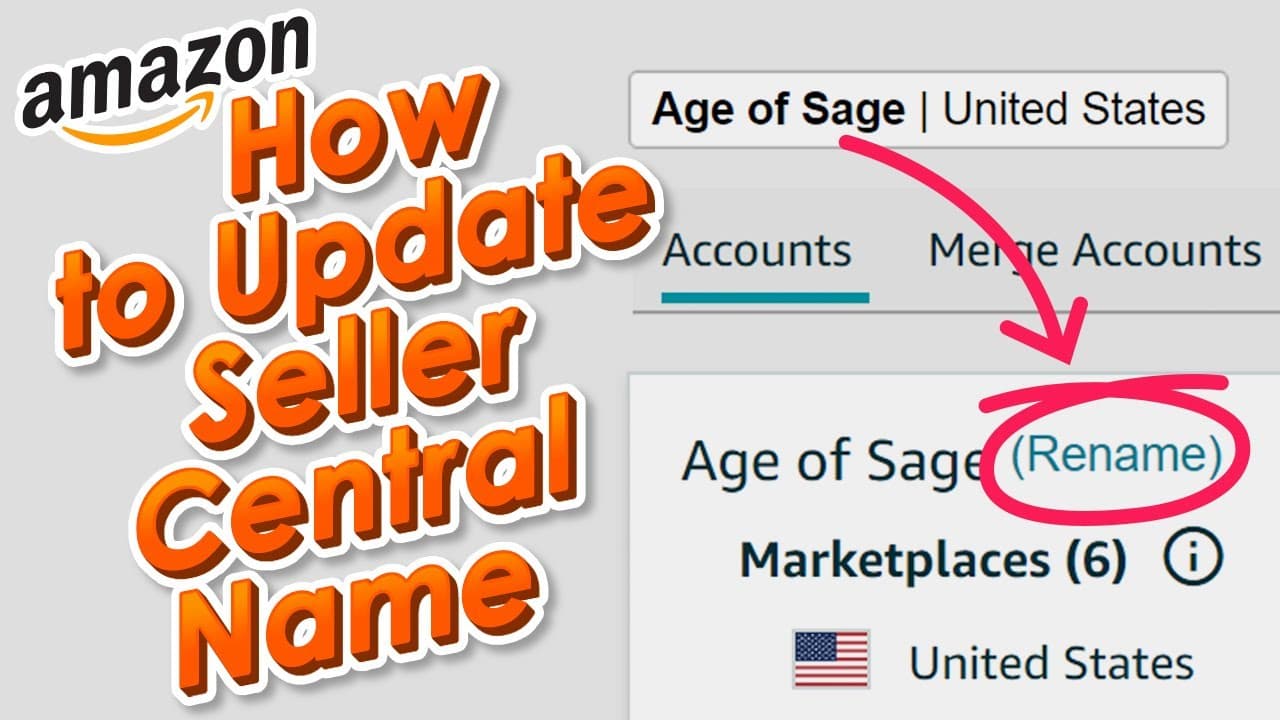
How to Change Seller Central Display Name - Global Account 2022 Update
5.8K views
•
September 1, 2022
by
My Amazon Guy
YouTube video player
How to Change Seller Central Display Name - Global Account 2022 Update

TL;DR

The video provides a step-by-step guide on how to change your Seller Central name on Amazon's backend.

Transcript

do you want to change your seller central name that shows up on the back end this video is for you my name is stephen pope i'm the founder of my amazon guy i originally created my account and called it mobster since then i've added like five brands and i was like you know i really just want to see age of sage on the back end of seller central it wa... Read More

Key Insights

  • 👤 Changing the Seller Central backend display name on Amazon can be easily done through the global user setting.
  • 🍻 Prior to the change, the display name and backend name were linked, but Amazon altered this feature.
  • 🇨🇫 Amazon's customer support often fails to provide accurate guidance on technical issues in Seller Central.
  • 🎮 The video creator offers technical tutorials to assist sellers in navigating the complexities of Seller Central.
  • 😘 The difficulty level for changing the display name is significantly lower than renaming the brand store.
  • 🤯 Logging into the main admin user is necessary to access the global accounts page and make the desired name change.
  • 💬 The creator encourages viewers to leave comments on the video for assistance with technical problems.

Install to Summarize YouTube Videos and Get Transcripts

Explore YouTube Video Summarizer or Get YouTube Transcript Extractor

Questions & Answers

Q: Why was the display name not changing on the backend of Seller Central after renaming it?

The display name is no longer linked to the backend name. Amazon now uses the global user setting, which requires a different approach to change the name.

Q: How can I access the global accounts page to rename the backend display name?

To access the global accounts page, log in to your main admin user in Seller Central and go to Settings > User Permissions. From there, click on "Global Accounts" to reach the rename page.

Q: What is the difficulty level of changing the display name on Seller Central compared to changing the brand name?

Changing the display name on Seller Central is relatively easy, with a difficulty level of 1 out of 10. However, renaming the brand store is much more challenging, scoring a difficulty level of 9 out of 10.

Q: What should I do if I have a technical problem in Seller Central that I can't find an answer to?

If you encounter technical problems, you can search for solutions on "My Amazon Guy" YouTube channel or leave a comment on the video, and the creator will help direct you to the right resource, or even create a new video tutorial if necessary.

Summary & Key Takeaways

  • The video explains how to change the display name on Seller Central to reflect your desired name.

  • It highlights the use of the global user setting and the steps needed to access and modify it.

  • The video also mentions that changing the display name is separate from renaming the brand store, which is a more complex process.


Read in Other Languages (beta)

English

Share This Summary 📚

Summarize YouTube Videos and Get Video Transcripts with 1-Click

Download browser extensions on:

Try YouTube Summary with ChatGPT & Claude or YouTube Transcript Generator

Explore More Summaries from My Amazon Guy 📚

Strike Through Sale Price: My Amazon Guy FBA Weekly Q&A with Jason Mastromatteo - May 24, 2022 thumbnail
Strike Through Sale Price: My Amazon Guy FBA Weekly Q&A with Jason Mastromatteo - May 24, 2022
My Amazon Guy
How to Create a Shipping Plan via Template on Seller Central when Shipping Large Amounts of SKUs thumbnail
How to Create a Shipping Plan via Template on Seller Central when Shipping Large Amounts of SKUs
My Amazon Guy
What Are the Basics of Advertising on Amazon? thumbnail
What Are the Basics of Advertising on Amazon?
YOUR AMAZON FBA Business Podcast - Agencies, Experts, and Amazon Sellers
Amazon Seller Central 101 - Get Your Knowledge on with MAG School thumbnail
Amazon Seller Central 101 - Get Your Knowledge on with MAG School
My Amazon Guy
Deep Dive into Sponsored Display Ads thumbnail
Deep Dive into Sponsored Display Ads
My Amazon Guy
How To Make Amazon Segmented Poster A+ Content in 3 Minutes  - Amazon FBA Tips & Tricks thumbnail
How To Make Amazon Segmented Poster A+ Content in 3 Minutes - Amazon FBA Tips & Tricks
My Amazon Guy

Summarize YouTube Videos and Get Video Transcripts with 1-Click

Download browser extensions on:

Try YouTube Summary with ChatGPT & Claude or YouTube Transcript Generator

Apps & Extensions

  • Chrome Extension
  • Safari Extension
  • Edge Add-ons
  • Firefox Add-ons
  • iOS App
  • Android App

Key Features

  • YouTube Video Summarizer
  • Web & PDF Summarizer
  • Web & PDF Highlighter
  • Chat with PDF
  • Ask AI Clone
  • Audio Transcriber
  • Glasp Reader
  • Kindle Highlight Export
  • Idea Hatch

Integrations

  • Obsidian Plugin
  • Notion Integration
  • Pocket Integration
  • Instapaper Integration
  • Medium Integration
  • Readwise Integration
  • Snipd Integration
  • Hypothesis Integration

More Features

  • APIs
  • MCP Connector
  • Blog & Post
  • Embed Links
  • Image Highlight
  • Personality Test
  • Quote Shots

Company

  • About us
  • Blog
  • Community
  • FAQs
  • Job Board
  • Newsletter
  • Pricing
Terms

•

Privacy

•

Guidelines

© 2026 Glasp Inc. All rights reserved.