How to Find an X Post You Saved and Can't Find Again

Oct 14, 2026
3 min read
11 views

You saw a great post on X, saved it, and moved on. Two months later you need it for a deck or a draft, and it is gone: buried somewhere in your bookmarks and likes, and you only half remember what it said.
There is a faster way back. Highlight the line that made you save the post, and later just ask Claude or ChatGPT to find it. The answer comes back with who wrote it and a link to the post.
Step 1: Open the post and highlight the line that matters
Click the post so it opens on its own page. The address ends in /status/ followed by a number. Then select the sentence you want to keep and pick a color in the Glasp palette.
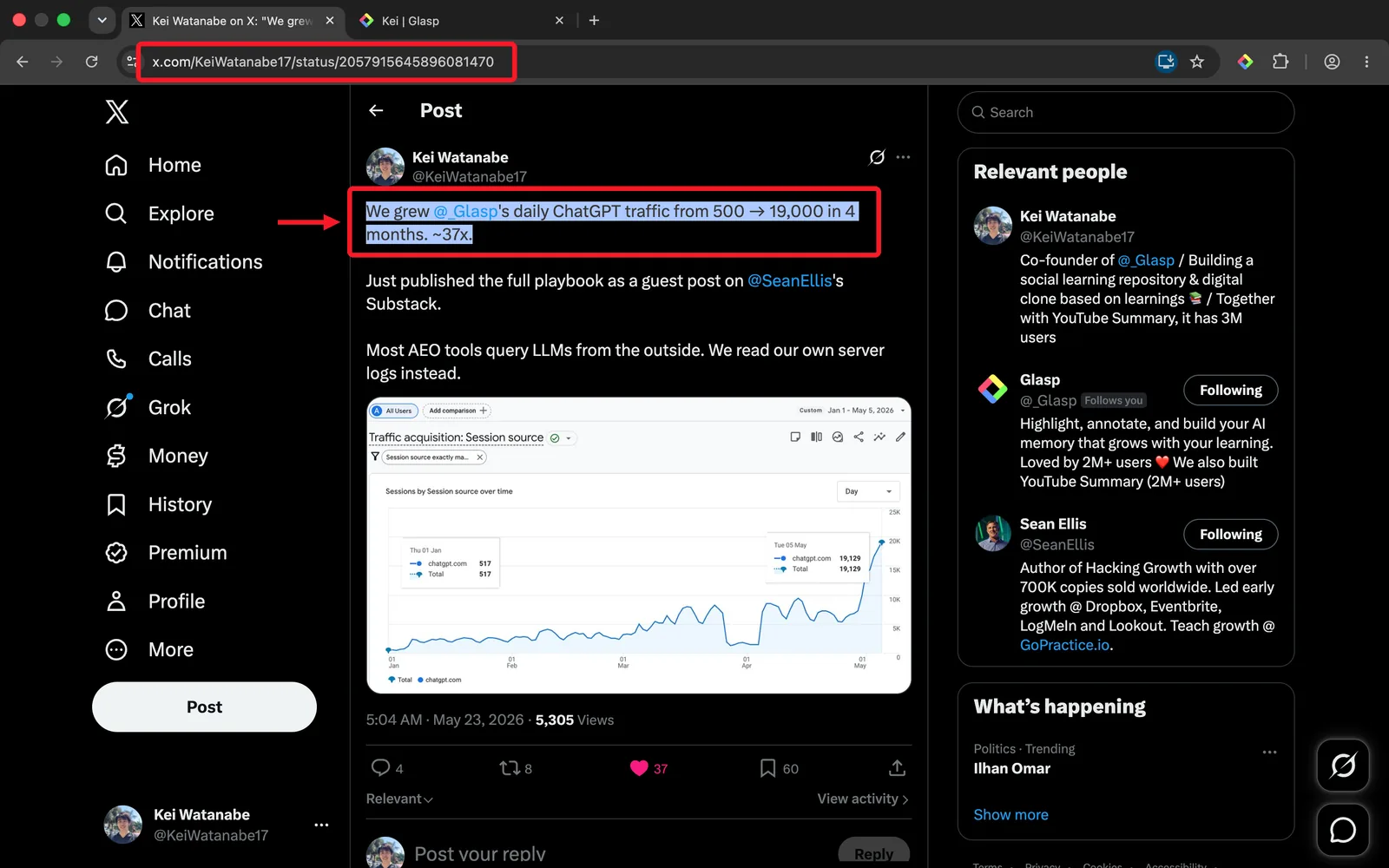
Open the post first. You can highlight a post in the Home feed too, but that highlight is saved without the post's link, so your AI cannot take you back to the post, and the highlight will not show when you open the post again.
Step 2: Connect Glasp to Claude or ChatGPT
You do this once. In Claude or ChatGPT, add a custom connector with the server URL https://glasp.co/api/mcp and sign in to Glasp. The full walkthrough for each app is in How to Connect Glasp to Claude, ChatGPT, and Claude Code.
The connector only reads your own highlights. It cannot post, edit, or delete anything.
Step 3: Ask in your own words
You do not need the exact wording. Describe what you remember:
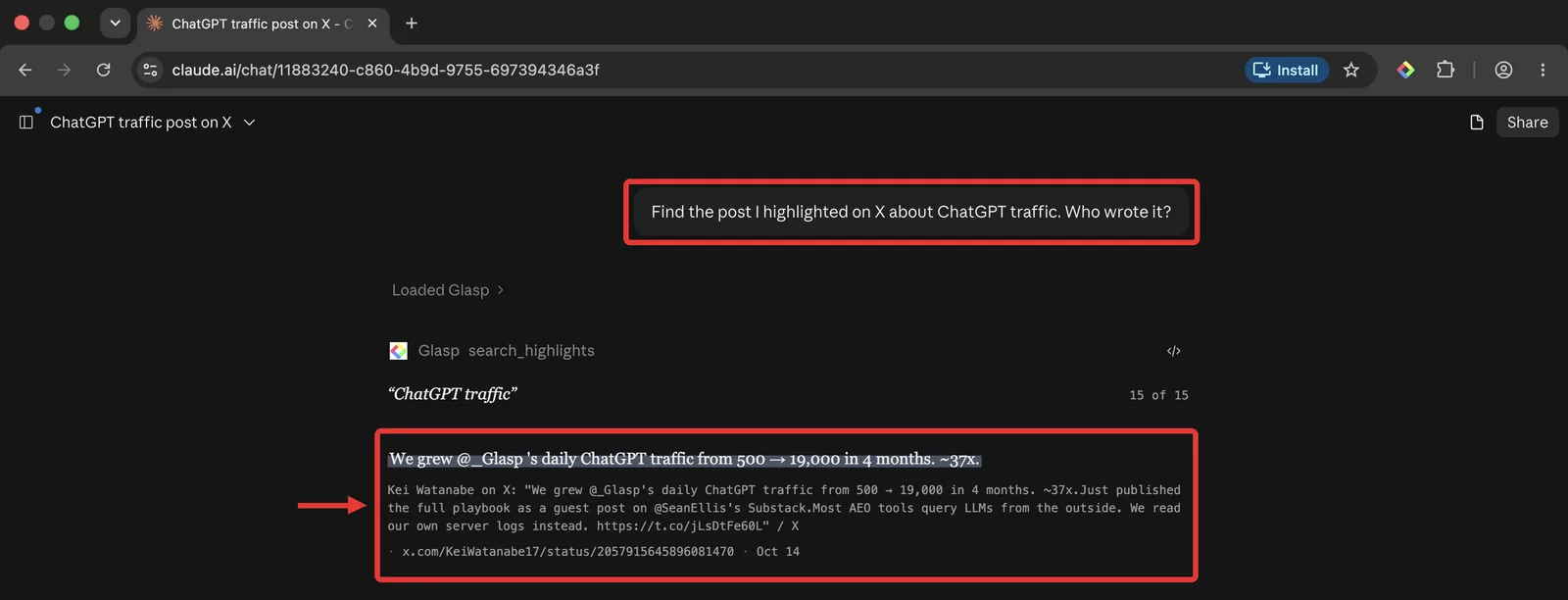
"Find the post I highlighted on X about ChatGPT traffic. Who wrote it?"
"What did I save from X about AI agents last month? Give me the links."
The answer quotes the line you highlighted, with the post's title and link. On X, that title already includes the author's name and the post text:
Kei Watanabe on X: "We grew @_Glasp's daily ChatGPT traffic from 500 → 19,000 in 4 months. ~37x. ..." x.com/KeiWatanabe17/status/2057915645896081470
Click the link and you are back on the post, replies and all.
Make your saves easy to find later
Highlight the one sentence that made you stop. That is the part you will remember when you search.
Add a short note. "For the pricing deck" or "reply to this later" tells your future self why it mattered.
Highlight on X the same way you do everywhere else. Articles, YouTube transcripts, and PDFs you highlight with Glasp are searched in the same place, so one question can pull up an X post next to the article it reminded you of.
FAQs
Q. Can I highlight posts in my Home feed?
You can, but the highlight is saved without the post's link, and it does not show when you open the post later. Click the post to open it on its own page, then highlight it there.
Q. Which browsers and apps does this work with?
Highlighting works with the Glasp extension for Chrome, Safari, Firefox, Edge, Brave, and Opera, and on iPhone and iPad with the Glasp Safari extension that comes with the Glasp iOS app. You can search from Claude (web, desktop, and Claude Code), ChatGPT, and any client that supports the Model Context Protocol.
Q. A post I just highlighted does not show up yet. Why?
Searching by topic can take a little while to include a new highlight. Asking for your most recent highlights shows it right away.
Q. Are my X highlights public?
Yes, by default, like all Glasp highlights. Private highlights need a Pro or Unlimited plan. Through the connector, only you can read your own highlights.
Q. Can my AI assistant change or delete my highlights?
No. The connector is read-only.
Before you leave
If you have any questions, please refer to the FAQ or contact us.
👉 X
See you next time,
Glasp team