How to Get Your Highlights Delivered to Your Inbox Every Day

Feb 25, 2026
2 min read
54 views

One of the simplest habits you can build with Glasp: highlight anything on the web, and let Glasp send it back to you automatically.
No extra apps. No manual review. Just your own highlights, arriving in your inbox at a frequency you choose.
Here's how to set it up in two steps.
Step 1: Highlight Something
Install the Glasp browser extension and highlight any sentence or paragraph you find interesting — on any article, blog post, or webpage.
That's it. Glasp saves it automatically.
Step 2: Turn On Daily Highlight Review
Go to Settings → Email in your Glasp dashboard.
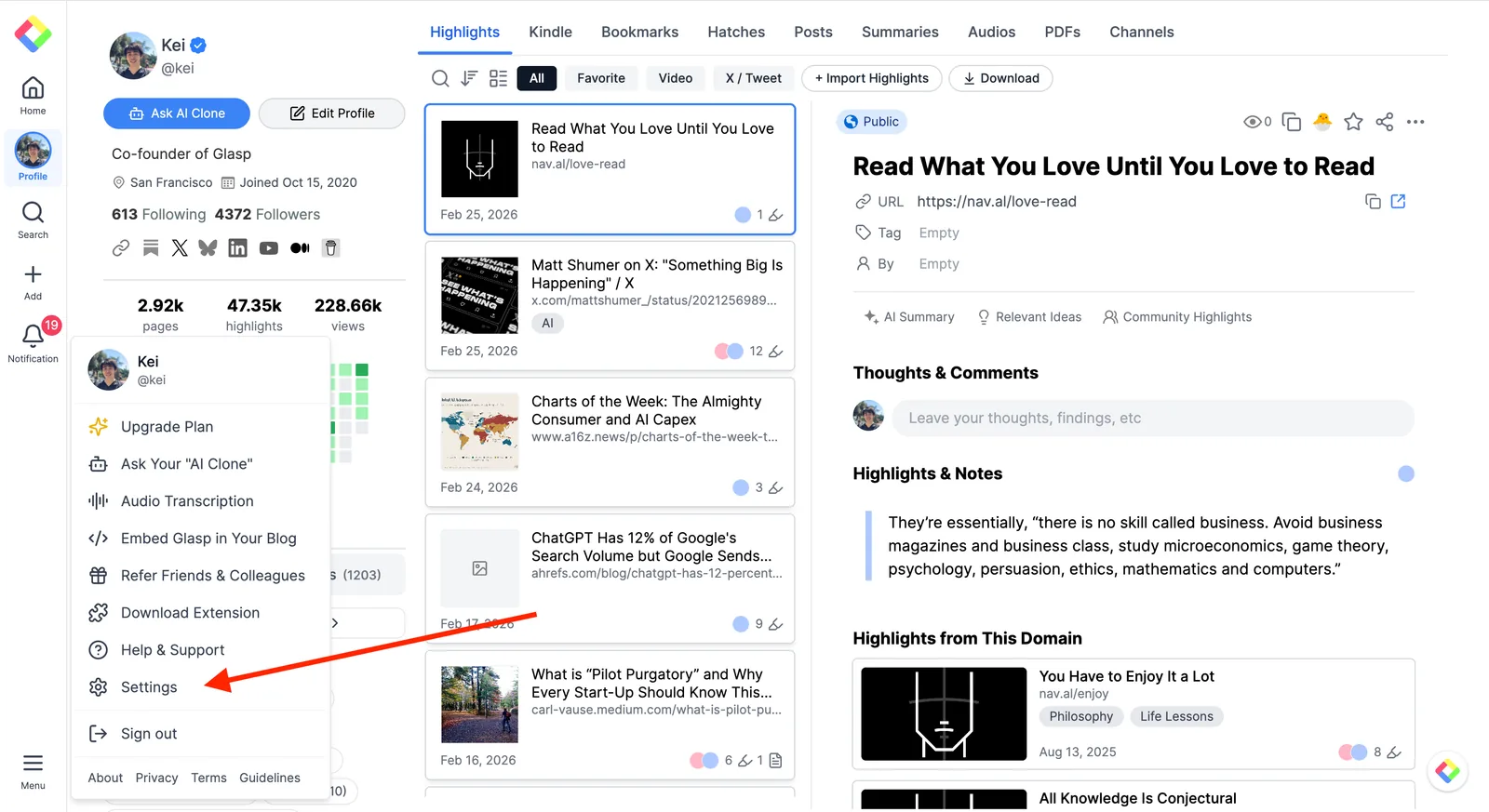
You'll see two options worth turning on:
Daily Highlight Review — sends you a selection of your web highlights. You can set the frequency to Every day, Twice a week, or Once a week.
Daily Kindle Review — if you've connected your Kindle, this sends your Kindle highlights on the same schedule.
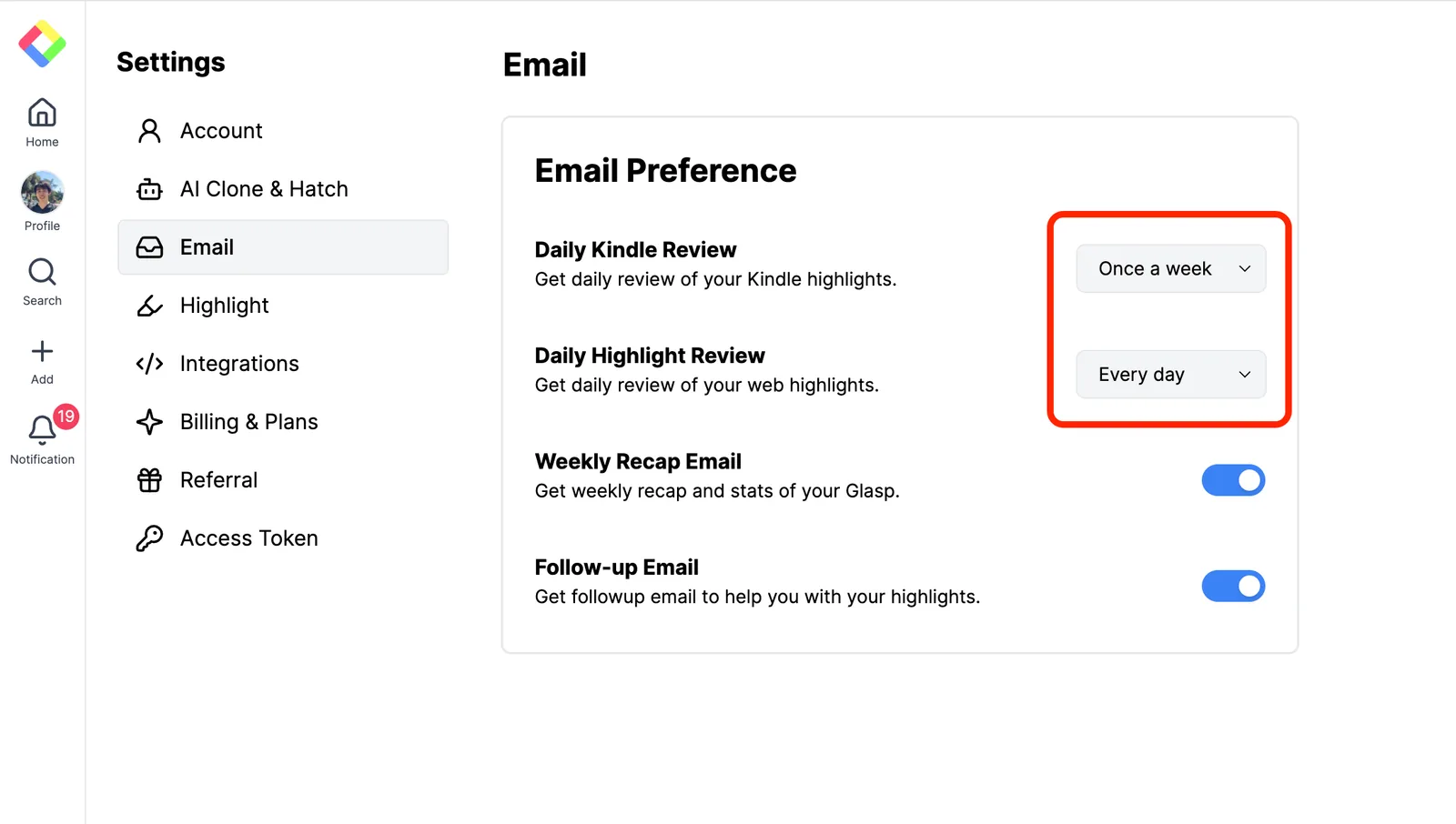
Set whichever frequency works for you, and you're done.
What It Looks Like
Each email shows a handful of highlights you've saved — the article title, the sentence you highlighted, and links to view or share each one. There's also a "Chat with Your Highlights" button that lets you ask AI questions across everything you've saved.
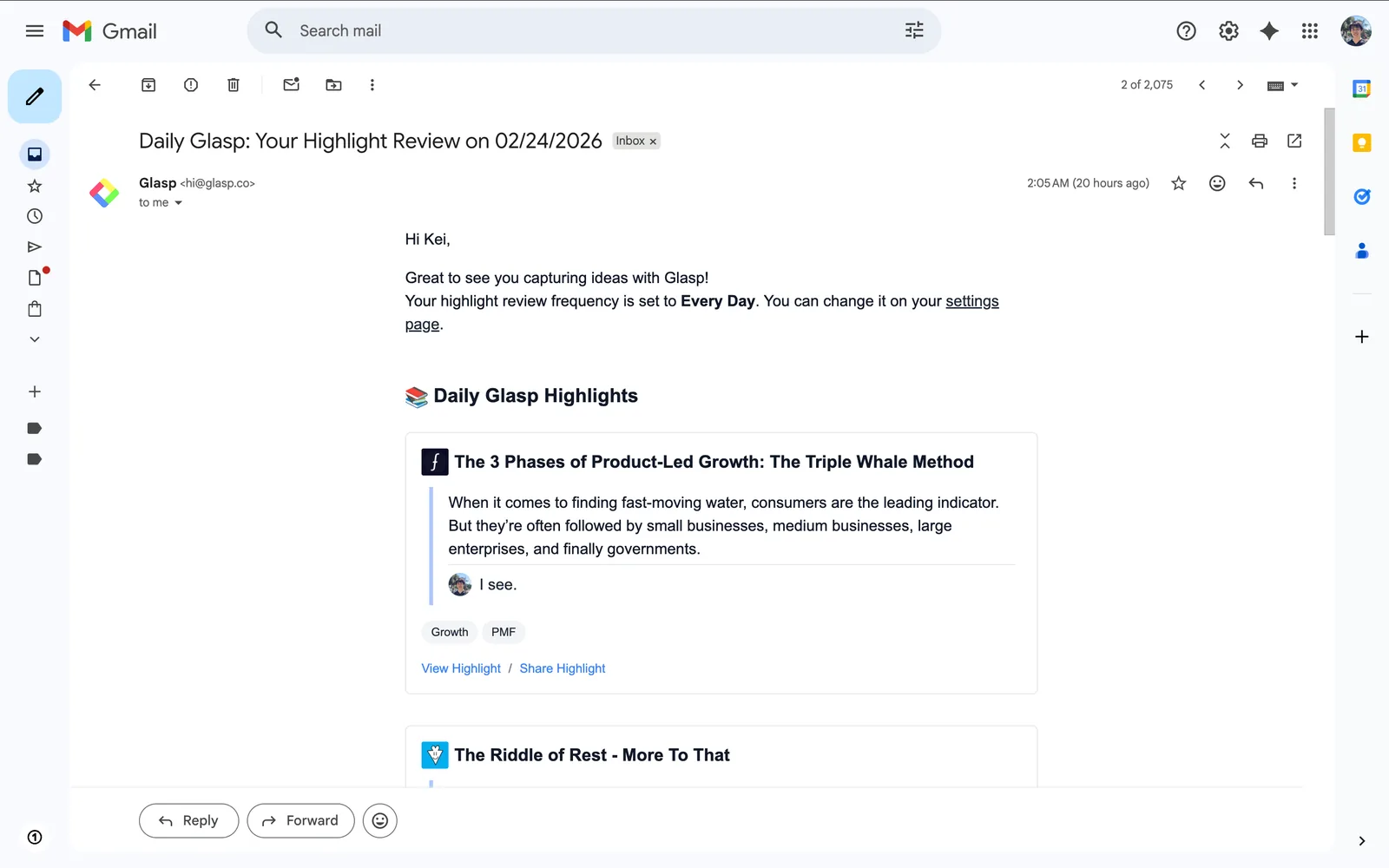
It takes about thirty seconds to read. And every so often, you'll rediscover something you highlighted three months ago that suddenly makes perfect sense today.
That's the whole setup. Two steps, and your reading starts coming back to you.