AI Writing

Write from your own research

Every passage you highlighted, with its source attached, sitting next to the draft. The blank page is the problem — not the writing.

4.5 on Chrome Store2,000,000+ highlightersChrome · Safari · Edge · Firefox
In short

What is Glasp for writers?

Glasp is a highlighter that turns research into a drafting surface. Every passage you keep is stored with its source, author, URL and date, so when you sit down to write, the material is already collected and every quote is already cited. You can draft on top of it with ChatGPT or Claude, export to Notion or Obsidian, and publish with the highlights attached. Free monthly quota, no credit card.

Sources kept
URL, author and date, always
Models
OpenAI GPT + Anthropic Claude
Exports
Notion, Obsidian, MD, CSV, JSON
Research is the draft, if you keep it properly

From reading to a first draft

  1. 01

    Collect while you research

    Highlight the passages you might use — articles, PDFs, YouTube videos, Kindle books — and tag them as you go.

  2. 02

    Pull the relevant ones together

    Search or filter your library by tag, source or author until the material for this piece is in one place.

  3. 03

    Draft with the sources attached

    Write with ChatGPT or Claude on top of your own passages, and keep the link back to each source so a citation is one click away.

What you get

The parts of writing that are really filing

Every quote arrives cited

Highlight while you read and the source, author, URL and date come with the passage. The half hour you normally spend finding a quote again is a hidden tax on every piece; this removes it.

  • Web, PDF, YouTube (with timestamps) and Kindle
  • Tags and full-text search across everything
  • Notes attach to the exact sentence
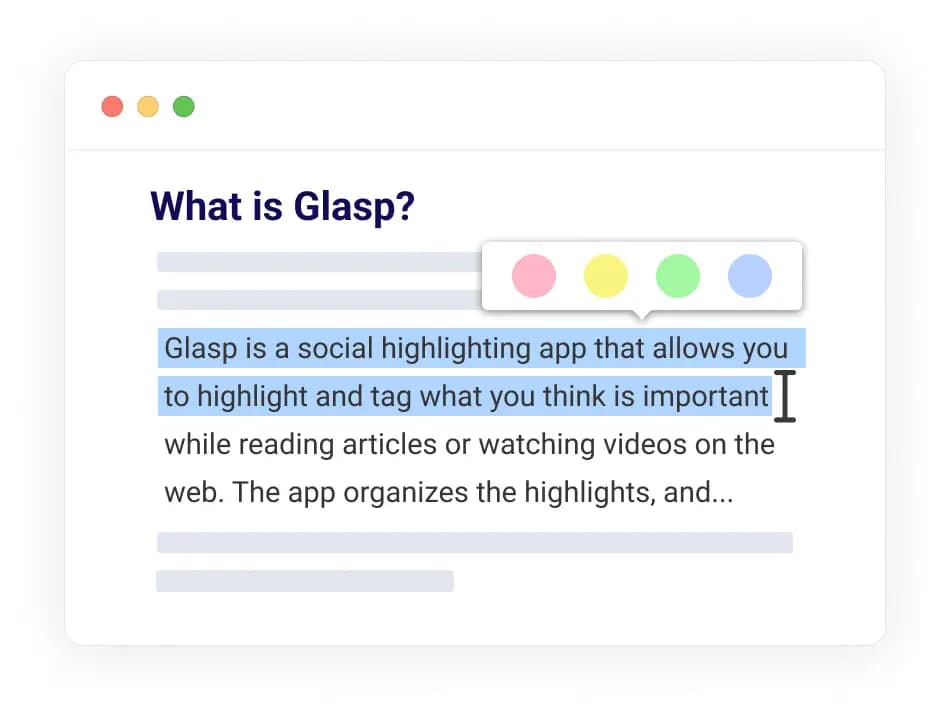
Highlighting a passage with its source metadata captured in Glasp

Draft on top of your own material

Write with ChatGPT or Claude using your passages as the input, not the open web. What comes back is grounded in sources you have read, which is the difference between editing and fact-checking.

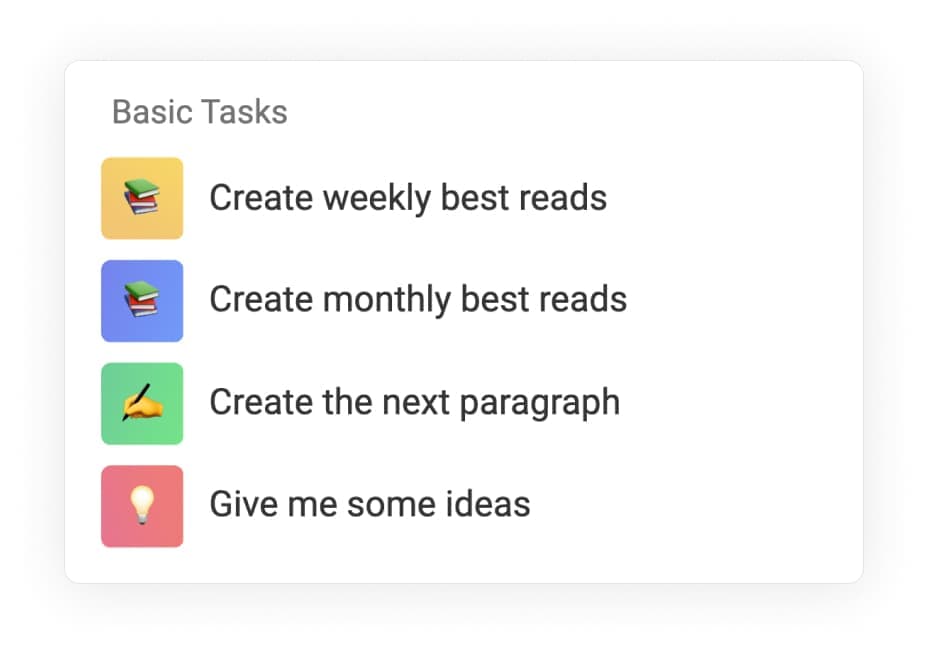
Drafting with AI on top of collected Glasp highlights

Ask the library before you start

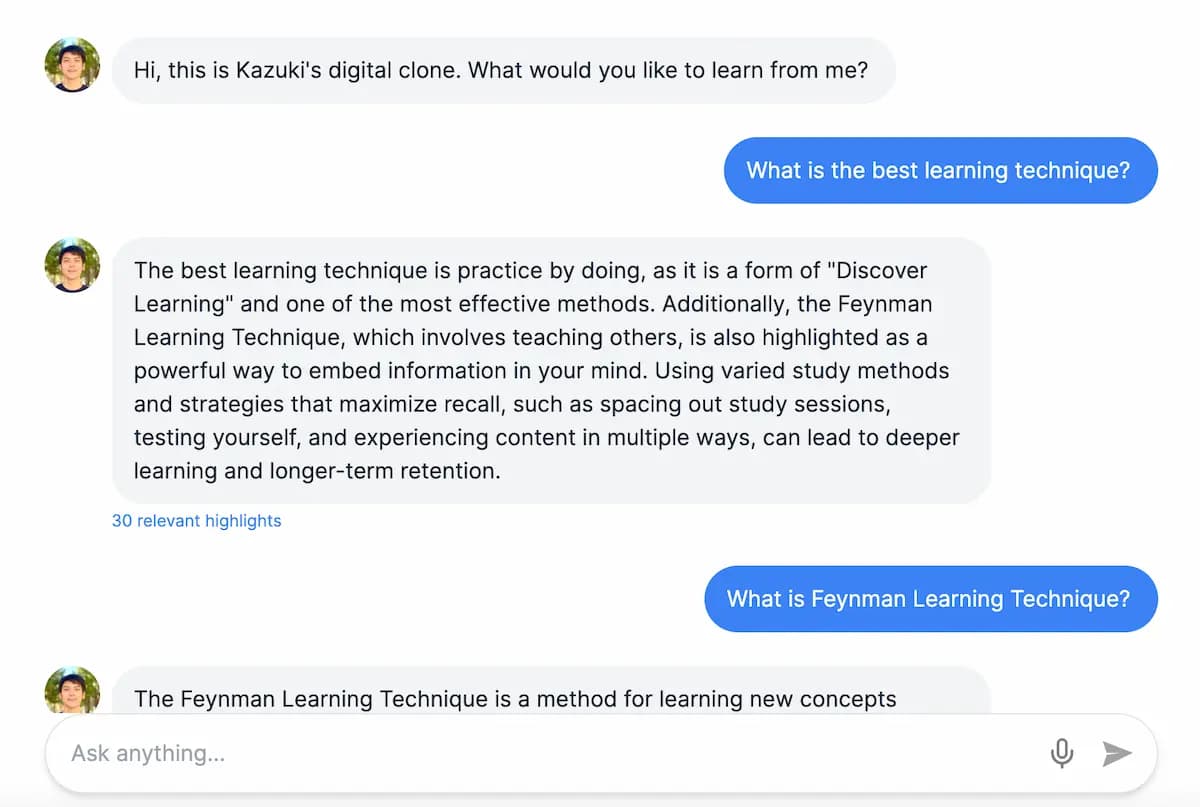
Ask a question across everything you have ever saved and get an answer with its sources, so you know what you already have before deciding what to write.

Asking a question across a whole Glasp library of highlights

Publish with the sources attached

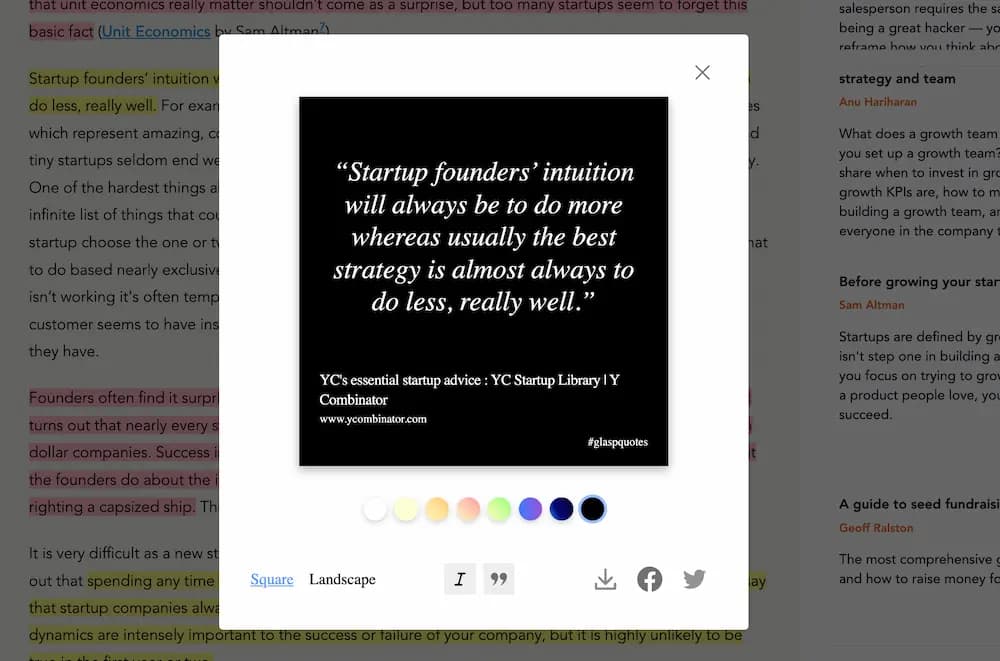
A Glasp post carries the highlights it grew from, so a reader can follow the argument back to its evidence. Quoteshots turn a single passage into a shareable image with the source credited.

A quoteshot image made from a Glasp highlight, with the source credited
2,000,000+

researchers, students, and lifelong learners highlight with Glasp.

ForbesThe GuardianBusiness InsiderEntrepreneurLifehackerMakeUseOf

What readers say

  • I love Glasp! I use it every time I read online articles. Highlighting with Glasp enforces me to actually read rather than scan through an article. I retain so much more info and can easily revisit my previously read articles to recall details and notes I've made.
    Olive
    Product Designer
  • I've researched every highlighting tool from Liner and Hypothesis to Instapaper and Pocket, and Glasp is the best hands-down. First, it creates a whole category of its own with social highlighting. This is important because it helps learners get recognized for finding amazing highlights, and it helps them connect with others who are learning the same thing at the same time. Also, it has the best highlighting workflow. While reading an article, you can select text in order to highlight and annotate without having to go to a different page. Furthermore, all of your highlights for a specific article appear on a right sidebar as you're reading, and they're easy to copy and paste into another note-taking app.
    Michael Simmons
    Bestselling Author
  • I used Instapaper but ended up hating it and stopped. There just wasn't a tool for me to continue using until Glasp. I was hooked immediately for the ease of use (highlight directly on the article web page), organized feed, and learning from others' highlights and notes. It makes sticking to learning something so easy and you can no longer find any excuses. Highly recommended to anyone who loves reading awesome articles or want to start forming such habit.
    Puppy Tsai
    Product Manager
Answers

Frequently asked questions

What does Glasp do for writers?

It removes the worst part of writing from research: finding the quote again. Every passage you highlight is stored with its source, author, URL and date, so when you draft you are working from material you already collected rather than re-Googling something you half-remember.

How is this different from asking ChatGPT to write it?

The input. A general model writes from the open web, which is why it produces confident text you then have to fact-check. Glasp drafts on top of passages you chose, from sources you read, and keeps the link back to each one — so the citation is already there.

Which AI models can I write with?

Models from OpenAI (the GPT family) and Anthropic (Claude), refreshed as better ones ship.

Is it free?

Yes. Every Glasp account includes a free monthly AI quota with no credit card. The pricing page has higher limits for people who write all day.

Can I import research I already collected elsewhere?

Yes. Import from Kindle, Pocket, Medium, Instapaper, Readwise, Hypothesis, Diigo, Raindrop and Weava, so a decade of reading is available on day one.

Can I export my notes to Notion or Obsidian?

Yes. Export to Notion, Obsidian, Roam Research and mem.ai, or download as Markdown, HTML, CSV, plain text or JSON. Draft wherever you already draft.

Can I publish from Glasp?

Yes. Glasp posts let you publish a piece with the highlights it grew from attached, so a reader can follow it back to the sources rather than taking your word for it.

Can I make quote images for social?

Yes. Quoteshots turn a highlight into a shareable image with the source credited, which is a better social post than a link and a hot take.

More questions? Read the docs or email hi [at] glasp.co.

Never lose a quote again

Add Glasp to your browser and start collecting the material for the next piece. It's free.