Making a Line graph of grouped data in SigmaPlot 13
TL;DR
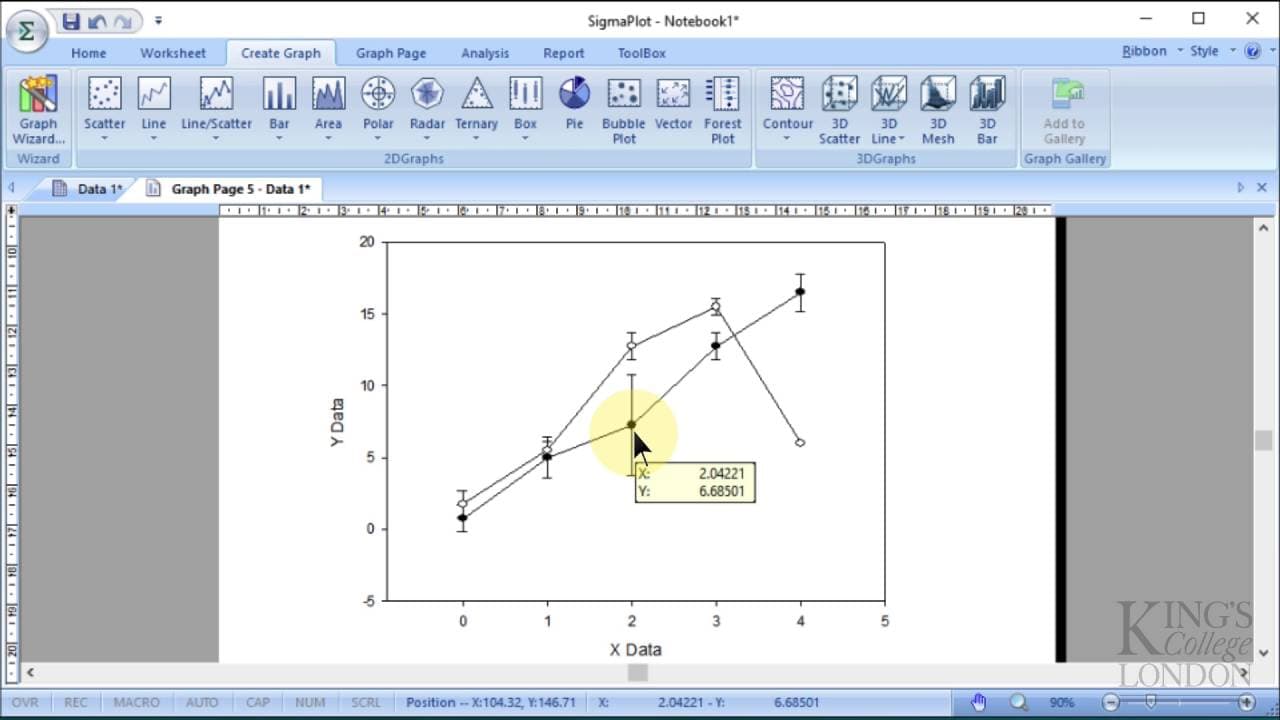
Tutorial on creating a line scatter graph in Sigma Plot to compare two data sets quickly.
Transcript
so here we are in Sigma plot version 13 and we have some data already entered into our data sheet in Notebook number one this data has been used in a previous tutorial we've got some x-axis data here labeled as x-axis which is from not through to four and let's just for the sake of argument say this is seconds so it's time in seconds and then we go... Read More
Key Insights
- 😫 Sigma Plot version 13 facilitates quick comparison of data sets.
- 👥 Different treatment groups can be displayed separately for analysis.
- 😥 Customization options include legends, data point fills, and axis ranges.
- 🉐 Graph types like line scatter and bar graphs can be selected for comparison.
- 🧘 Editing labels and layout improves the clarity of the data presentation.
- 🤢 Sigma Plot offers error bars to show variances in the data sets.
- 😫 Group data averaging helps to compare and analyze multiple data sets.
Install to Summarize YouTube Videos and Get Transcripts
Explore YouTube Video Summarizer or Get YouTube Transcript Extractor
Questions & Answers
Q: What version of Sigma Plot is being used in the tutorial?
The tutorial demonstrates Sigma Plot version 13 for graphing data sets for comparison efficiently and effectively.
Q: How are the two treatment groups differentiated in the graph?
The tutorial explains how to label and distinguish between the two treatment groups by customizing legends and data point fill.
Q: What type of graph is created to compare the two sets of data?
A line scatter graph with error bars is selected to visualize the data points and variances between the two treatment groups.
Q: Can the axis and data labels be customized in the Sigma Plot graph?
Yes, the tutorial shows how to modify axis ranges, hide titles, edit labels, and adjust the layout of the graph for better visualization.
Summary & Key Takeaways
-
Sigma Plot version 13 showcases data sets for comparison.
-
Two separate treatment groups displayed for analysis.
-
Step-by-step tutorial on creating a line scatter graph to compare the two data sets visually.
Read in Other Languages (beta)
Share This Summary 📚
Summarize YouTube Videos and Get Video Transcripts with 1-Click
Try YouTube Summary with ChatGPT & Claude or YouTube Transcript Generator
Explore More Summaries from Dory Video 📚






Summarize YouTube Videos and Get Video Transcripts with 1-Click
Try YouTube Summary with ChatGPT & Claude or YouTube Transcript Generator