Products
Features
YouTube Video Summarizer
Summarize YouTube videos
Web & PDF Highlighter
Highlight web pages & PDFs
Chat with PDF
Ask any PDF questions with AI
Ask AI Clone
Chat with your highlights & memories
Audio Transcriber
Transcribe audio files to text
Glasp Reader
Read and highlight articles
Kindle Highlight Export
Export your Kindle highlights
Idea Hatch
Hatch ideas from your highlights
Integrations
Obsidian Plugin
Notion Integration
Pocket Integration
Instapaper Integration
Medium Integration
Readwise Integration
Snipd Integration
Hypothesis Integration
Apps & Extensions
Chrome Extension
Safari Extension
Edge Add-ons
Firefox Add-ons
iOS App
Android App
Discover
Discover
Ideas
Discover new ideas and insights
Articles
Curated articles and insights
Books
Book recommendations by great minds
Posts
Essays and notes from readers
Quotes
Inspiring quotes collection
Videos
Curated videos and summaries
Explore Glasp
Glasp Newsletter
Weekly insights and updates
Glasp Talk
Interview series with great minds
Glasp Blog
Latest news and articles
Glasp Use Cases
Learn how others use Glasp
Build & Support
Glasp API
Access Glasp's API for developers
MCP Connector
Connect Glasp to Claude & ChatGPT
Community
Glasp Reddit Community
Students
Student discount and benefits
FAQs
Frequently Asked Questions
AboutPricing
DashboardLog inSign up

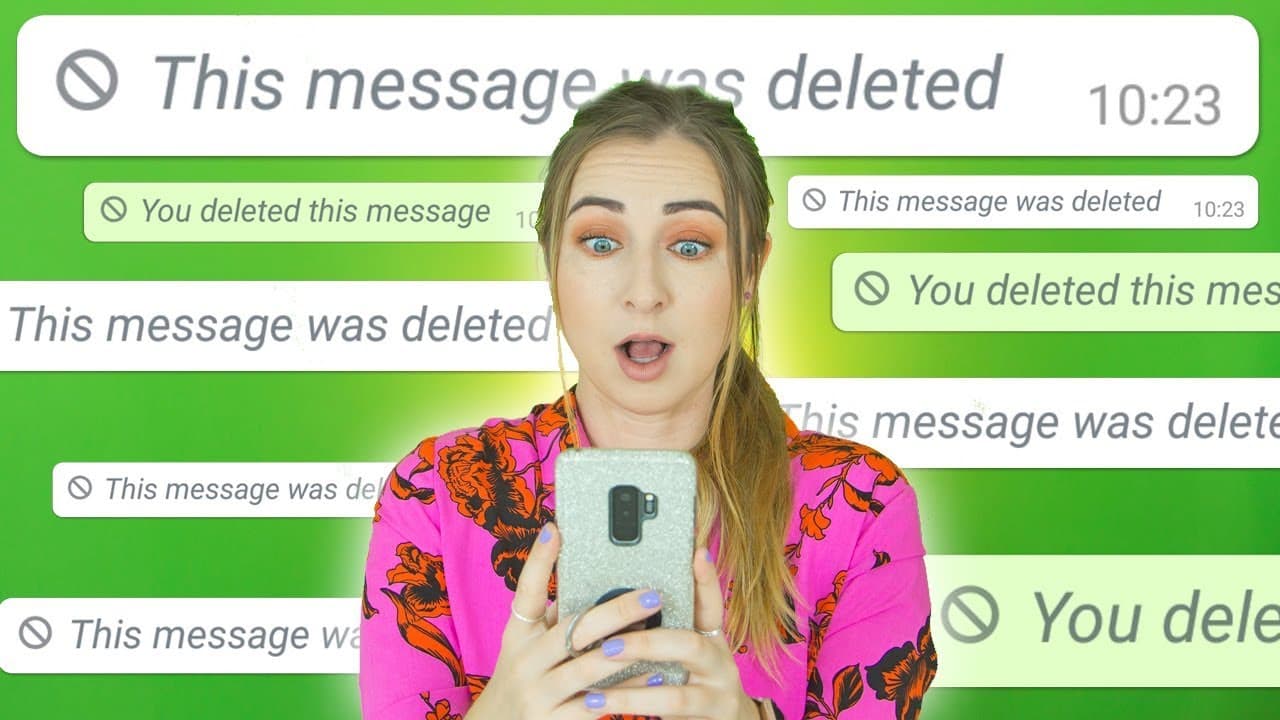
How To Read DELETED WhatsApp Messages
5.5M views
•
February 10, 2019
by
Hayls World
YouTube video player
How To Read DELETED WhatsApp Messages

TL;DR

Learn how to read deleted messages on WhatsApp using a specific app.

Transcript

hey guys welcome back today I'm going to show you how to read deleted messages on whatsapp you guys seem to love my whatsapp videos so I'll have more linked in the class in case you want to check them out but let's get into it so first up you're gonna head over to the Play Store and in the search bar type in note e save it should be roughly the fir... Read More

Key Insights

  • 😀 "Note Save" app helps access deleted messages on WhatsApp.
  • 😀 Users can enable notification access and file permissions for the app.
  • 🫠 Reading deleted messages can be a privacy concern, so use it responsibly.
  • 😀 The app allows saving of deleted messages for future reference or backup.
  • 😀 Accessed messages through the app don't trigger read receipts on WhatsApp.
  • 😀 Users can share or save deleted messages securely using the app.
  • 👏 Use the app ethically and with integrity to avoid breaching trust.

Install to Summarize YouTube Videos and Get Transcripts

Explore YouTube Video Summarizer or Get YouTube Transcript Extractor

Questions & Answers

Q: How can I read deleted messages on WhatsApp?

You can use the "Note Save" app to access and view deleted messages on WhatsApp by granting it notification access and following the steps mentioned in the video.

Q: Is it ethical to read someone's deleted messages?

It is important to use apps like "Note Save" with integrity and respect the privacy of others when accessing deleted messages, as it can breach trust if misused.

Q: Can I save the deleted messages for future reference?

Yes, the "Note Save" app allows you to save deleted messages by downloading them or sharing them to secure locations like Google Drive, ensuring you have a backup of important conversations.

Q: How does the app prevent the sender from knowing my actions?

By accessing messages directly through the app, the sender will not receive read receipts or notifications, maintaining the privacy and confidentiality of the message retrieval process.

Summary & Key Takeaways

  • Download the "Note Save" app from the Play Store.

  • Enable the app to access your notifications and files.

  • Use the app to view deleted messages on WhatsApp and save them if needed.


Read in Other Languages (beta)

English

Share This Summary 📚

Summarize YouTube Videos and Get Video Transcripts with 1-Click

Download browser extensions on:

Try YouTube Summary with ChatGPT & Claude or YouTube Transcript Generator

Explore More Summaries from Hayls World 📚

Google Pixel Buds Pro Tips, Tricks & Top Features!! thumbnail
Google Pixel Buds Pro Tips, Tricks & Top Features!!
Hayls World
Galaxy Watch 6 Classic Tips Tricks & Hidden Features!!! thumbnail
Galaxy Watch 6 Classic Tips Tricks & Hidden Features!!!
Hayls World
iPad Pro 2020 Tips, Tricks & Hidden Features YOU GOTTA TRY!! thumbnail
iPad Pro 2020 Tips, Tricks & Hidden Features YOU GOTTA TRY!!
Hayls World
City Sight Seeing Tour & Mikes Birthday - Vlog 04 thumbnail
City Sight Seeing Tour & Mikes Birthday - Vlog 04
Hayls World
Telegram TIPS, TRICKS & HACKS | you should try!!! thumbnail
Telegram TIPS, TRICKS & HACKS | you should try!!!
Hayls World
S23 Ultra vs iPhone 14 Pro Max | YOU WON’T BELIEVE IT !! thumbnail
S23 Ultra vs iPhone 14 Pro Max | YOU WON’T BELIEVE IT !!
Hayls World

Summarize YouTube Videos and Get Video Transcripts with 1-Click

Download browser extensions on:

Try YouTube Summary with ChatGPT & Claude or YouTube Transcript Generator

Apps & Extensions

  • Chrome Extension
  • Safari Extension
  • Edge Add-ons
  • Firefox Add-ons
  • iOS App
  • Android App

Key Features

  • YouTube Video Summarizer
  • Web & PDF Summarizer
  • Web & PDF Highlighter
  • Chat with PDF
  • Ask AI Clone
  • Audio Transcriber
  • Glasp Reader
  • Kindle Highlight Export
  • Idea Hatch

Integrations

  • Obsidian Plugin
  • Notion Integration
  • Pocket Integration
  • Instapaper Integration
  • Medium Integration
  • Readwise Integration
  • Snipd Integration
  • Hypothesis Integration

More Features

  • APIs
  • MCP Connector
  • Blog & Post
  • Embed Links
  • Image Highlight
  • Personality Test
  • Quote Shots

Company

  • About us
  • Blog
  • Community
  • FAQs
  • Job Board
  • Newsletter
  • Pricing
Terms

•

Privacy

•

Guidelines

© 2026 Glasp Inc. All rights reserved.