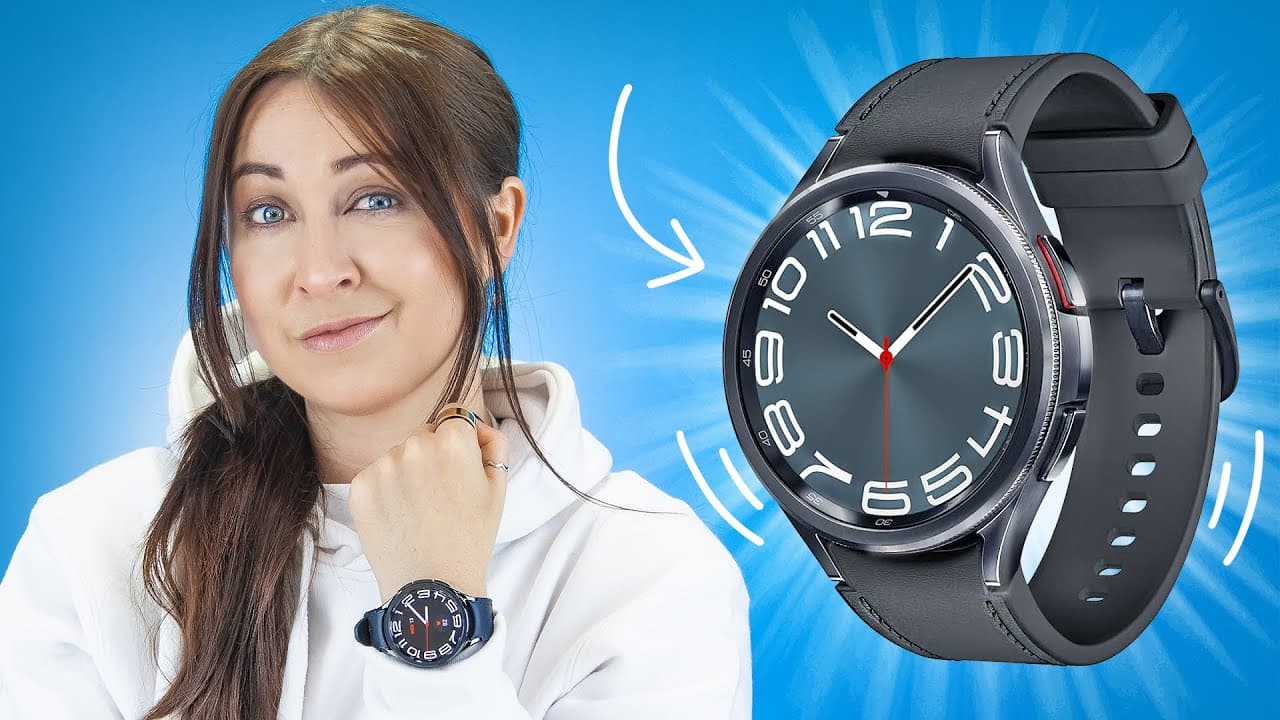
Galaxy Watch 6 Classic Tips Tricks & Hidden Features!!!
TL;DR
The Galaxy Watch 6 Classic has new features like gestures, camera app, temperature sensor, WhatsApp integration, internet browsing, folder customization, battery usage monitoring, wireless charging, hidden health stats, and fun games.
Transcript
damn the Galaxy watch 6 has some cool new features you can do with it starting with some Wicked new gestures so to find these gestures you'll have to actually turn them on inside your settings in there just scroll down to accessibility and then you'll see this option interaction and dexterity then right over you here Universal gestures make sure th... Read More
Key Insights
- 🤟 The Galaxy Watch 6 Classic offers new gestures that enhance navigation without touching the watch.
- 👀 The camera app on the watch allows users to see what their phone's camera captures, adding a spy watch-like feature.
- 🧑⚕️ With a temperature sensor, users can measure surface temperature for various purposes, including health monitoring.
- 👊 The watch now supports WhatsApp, bringing chat functionality, photo viewing, and voice note capabilities to the wrist.
- 👀 Internet browsing on the watch provides access to popular websites, bookmarking, and even screenshot-taking.
- 😀 Folder customization options offer better organization for app management on the watch.
- 🔋 Battery usage monitoring helps users identify apps that drain the watch's battery the most.
- 🈂️ The watch can be wirelessly charged using the Samsung phone's PowerShare feature, making charging more convenient.
- 🧑⚕️ Hidden health stats like stress monitoring and sleep measurements provide additional health insights to users.
Install to Summarize YouTube Videos and Get Transcripts
Explore YouTube Video Summarizer or Get YouTube Transcript Extractor
Questions & Answers
Q: How do the gestures on the Galaxy Watch 6 Classic work?
To activate gestures, users need to turn on Universal gestures in the accessibility settings. Double clenching the fist will open a gesture and action menu, allowing users to navigate the watch without touching it.
Q: Can the Galaxy Watch 6 Classic be used as a spy watch?
The camera app on the watch lets users see what their phone's camera is capturing, making it a cool spy watch feature. It keeps the camera closed on the phone while displaying the view on the watch.
Q: What is the purpose of the temperature sensor on the back of the watch?
The temperature sensor can measure surface temperature. Using apps like Thermo 365, users can measure the temperature of various objects like soup, coffee, or even skin temperature for health purposes.
Q: How does WhatsApp integration work on the watch?
With the new WhatsApp app, users can view all their chats, including photos, on the watch. They can also react to messages, send voice notes, and reply using the keyboard or voice input.
Q: Can the Galaxy Watch 6 Classic browse the internet?
Yes, users can access the internet on the watch by downloading the Samsung internet browser from the Play Store. They can browse websites, watch YouTube videos, view Google images, and even take screenshots.
Q: How can users customize app organization on the Galaxy Watch 6 Classic?
Users can create folders by dragging one app over another, change folder colors, and give folders specific names. They can also reorder apps within folders for easy access to their most used apps.
Q: How can users monitor battery usage on the watch?
In the settings, under battery and device care, there is an option to view battery usage. It shows which apps are consuming the most battery, allowing users to identify power-hungry apps.
Q: Can the Galaxy Watch 6 Classic charge wirelessly?
Yes, the watch supports wireless charging. Users can activate wireless PowerShare on their Samsung phone and place the watch on the back of the phone to charge both simultaneously.
Summary & Key Takeaways
-
The Galaxy Watch 6 Classic introduces new gestures that allow users to navigate the watch without touching it.
-
A camera app on the watch allows users to see what their phone's camera is capturing, making it a spy watch feature.
-
The watch has a temperature sensor that can measure surface temperature, which can be useful for checking soup, coffee, or even skin temperature.
-
The watch now supports WhatsApp, allowing users to see chats, view photos, send voice notes, and even reply using the keyboard or voice input.
-
Users can access the internet on the watch and use quick bookmarks for popular websites, as well as take screenshots.
-
Customization options include creating folders for apps, changing folder colors, and reordering apps within folders.
-
The watch displays battery usage information, helping users identify apps that consume the most power.
-
The watch can be wirelessly charged using the Samsung phone's wireless PowerShare feature.
-
Hidden health stats like continuous stress monitoring and sleep measurements (blood oxygen and skin temperature) can provide valuable insights.
-
Fun games can be played on the watch, including a dice simulation and a tapping game called Cosmo Run.
-
Quick tips include changing the voice assistant, receiving disconnection alerts, and using built-in tools like tip calculator and unit converter.
Read in Other Languages (beta)
Share This Summary 📚
Summarize YouTube Videos and Get Video Transcripts with 1-Click
Try YouTube Summary with ChatGPT & Claude or YouTube Transcript Generator
Explore More Summaries from Hayls World 📚






Summarize YouTube Videos and Get Video Transcripts with 1-Click
Try YouTube Summary with ChatGPT & Claude or YouTube Transcript Generator