How to Search & Filter Text in R (with the Friends transcript)
TL;DR
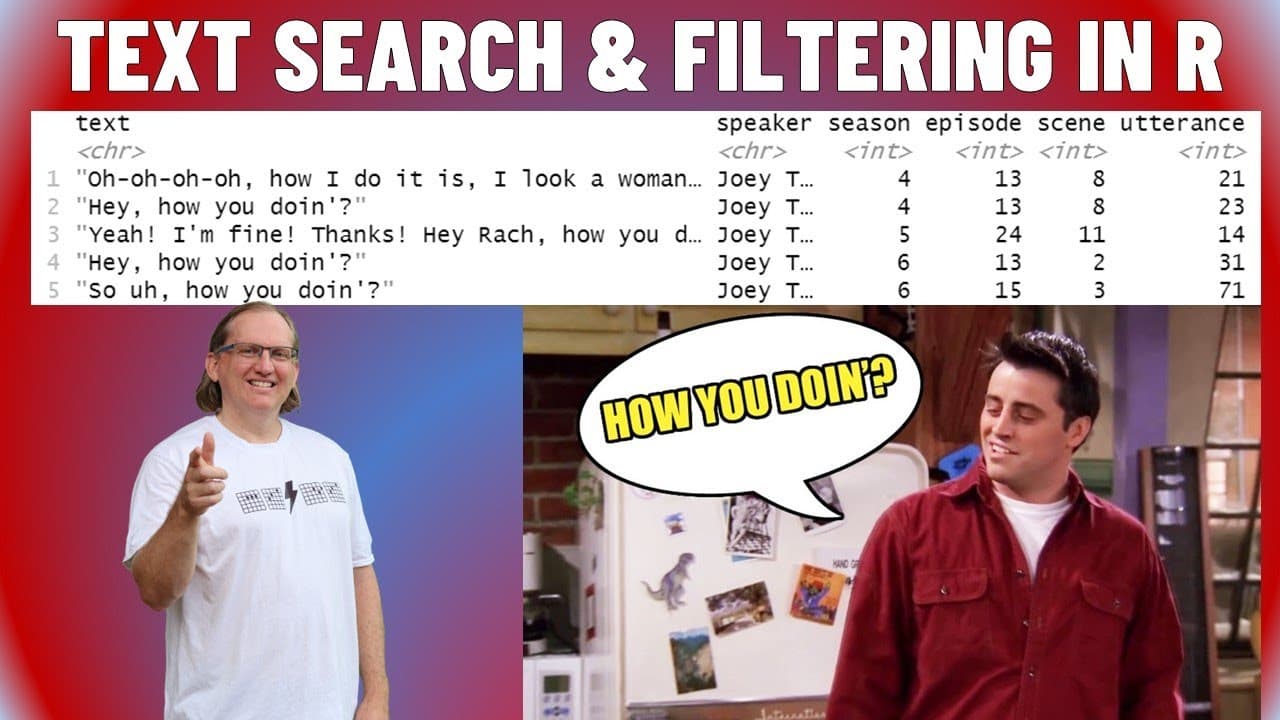
Explore text filtering methods in R using Friends transcripts.
Transcript
welcome to another R video today we are looking at how to do some text filtering in R so we are going to be using two different packages first one is friends so friends package has a data set with the all of the transcripts uh and we'll have a look at their data in just a second second one is Thai diverse so let's run both of these if you have not ... Read More
Key Insights
- 😀 Using the 'friends' dataset provides a familiar context for practicing text filtering in R, making learning enjoyable for fans.
- 👨🔬 Understanding the nuances of data filtering is essential, especially considering case sensitivity and punctuation when searching for specific text phrases.
- 👨🔬 The video illustrates the difference between inclusive and exclusive searches with practical examples, reinforcing the significance of context in filtering.
- 👶 The
dplyrpackage offers a more versatile toolkit for data manipulation than base R, making it a recommendation for new users. - 🇸🇷 Implementing exact matches is crucial in R when filtering data to avoid misleading results, especially with multi-instance names or phrases.
- 🫵 Text mining techniques, such as sentiment analysis, can be applied to datasets like Friends transcripts, inspiring viewers to explore their data further.
- 💨 The tutorial encourages experimentation with real datasets, suggesting engaging ways to practice different text processing and filtering techniques.
Install to Summarize YouTube Videos and Get Transcripts
Explore YouTube Video Summarizer or Get YouTube Transcript Extractor
Questions & Answers
Q: What two R packages are highlighted in the video for text filtering?
The video highlights the friends package, which contains the transcripts from the Friends TV series, and dplyr, a popular package for data manipulation, particularly useful for filtering data efficiently. These tools allow users to engage with a relational dataset in a structured manner and apply various text filtering techniques.
Q: How is the phrase “on a break” filtered from the dataset?
The phrase "on a break" is filtered using the grapple function from the stringr package, which allows for pattern matching within the transcript data. The video shows how to apply this filter to identify each instance of the phrase, detail the speakers, episodes, and seasons in which it occurs, revealing instances that may surprise viewers about its frequency.
Q: What are the pitfalls of using the grapple function for filtering speakers?
The video explains that relying solely on grapple to filter for a speaker like "Joey" can yield inaccurate results due to the presence of multiple characters with similar names. The proper filtering method is using an exact match with the filter function, specifying "Joey Tribbiani" as a way to avoid mistakenly including instances of other characters with "Joey" in their names.
Q: How can exclusion filtering be implemented in R?
Exclusion filtering can be done by adding an exclamation mark before the search term in the filtering function. This method identifies all entries that do not contain a specified phrase, effectively allowing users to filter out unwanted data, such as spamming emails, from their analysis.
Summary & Key Takeaways
-
This content introduces text filtering in R, specifically using a dataset from the Friends TV show. The tutorial focuses on two main packages:
friendsfor accessing data anddplyrfor filtering. -
It demonstrates how to filter specific phrases, like "on a break" and "how are you doing," including common pitfalls and the importance of context and exact matches when filtering data.
-
The video concludes with tips on performing exclusion filters and potential applications for further text mining and sentiment analysis, helping viewers practice using recognizable datasets.
Read in Other Languages (beta)
Share This Summary 📚
Summarize YouTube Videos and Get Video Transcripts with 1-Click
Try YouTube Summary with ChatGPT & Claude or YouTube Transcript Generator
Explore More Summaries from Dr Lyndon Walker 📚





Summarize YouTube Videos and Get Video Transcripts with 1-Click
Try YouTube Summary with ChatGPT & Claude or YouTube Transcript Generator