2024 Free AI upscaler with CapCut Online
TL;DR
CapCut online enhances 1080p videos to 4K using AI tools.
Transcript
hi friends welcome back to the channel recently posted a video showing you cap cut online which was an online free video editor with a whole lot of really amazing AI tools today we're going to do a deep dive on one of these tools the 4K upscaling so this is a really amazing tool this is going to let you take your images and your videos and take the... Read More
Key Insights
- 🥶 CapCut Online is a robust, free platform ideal for content creators looking to upscale videos and images.
- 🤢 The AI-powered 4K upscaling tool enhances 1080p media, making it relevant for modern displays and professional use.
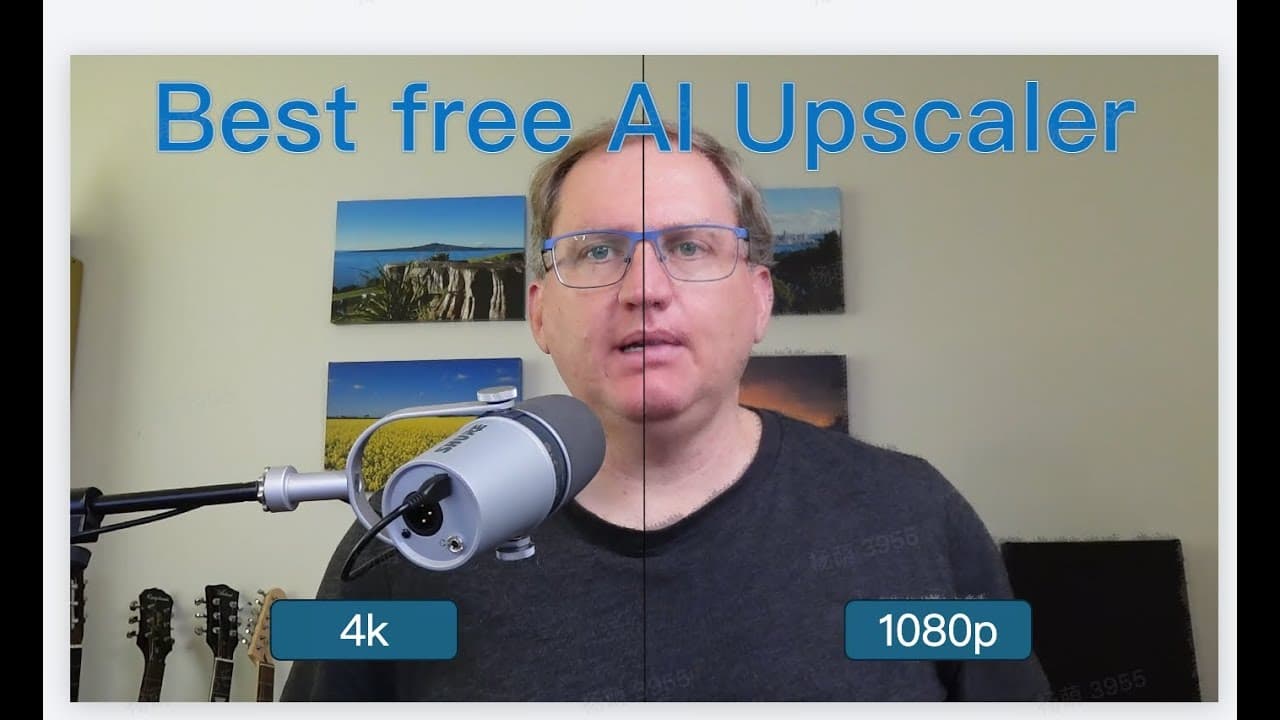
- 🚚 Side-by-side comparisons clearly illustrate the improvements that upscaling can deliver in visual quality.
- 👻 The platform includes integrated editing features, allowing users to modify their upscaled videos and images seamlessly.
- 👤 Users can easily navigate CapCut's various functions, including video and image upscaling, with helpful pop-up guides.
- 🔨 The experience of using CapCut Online is enriched by the availability of tool integrations within a single editing environment.
- 🫵 Viewing upscaled content on compatible monitors is essential for fully appreciating the quality enhancements made.
Install to Summarize YouTube Videos and Get Transcripts
Explore YouTube Video Summarizer or Get YouTube Transcript Extractor
Questions & Answers
Q: What is CapCut Online, and what unique features does it offer?
CapCut Online is a free video editing platform that provides a range of AI tools, including the innovative 4K upscaling feature. This tool allows users to take lower-resolution content, like 1080p videos and images, and upscale them to 4K. It simplifies content recycling for creators who may have originally recorded in lower resolutions and enhances quality for more professional outcomes.
Q: How does the 4K upscaling feature work in CapCut Online?
The 4K upscaling feature utilizes advanced AI technology to analyze and improve the resolution of videos and images. Users upload their 1080p content into the Video Upscaler tool, which processes the video and enhances its clarity and details to create a 4K output. The process takes a few minutes depending on the video length, but the results can significantly improve visual quality.
Q: Can users edit their videos after upscaling, and what options are available?
Yes, users can continue editing their videos after upscaling them to 4K. CapCut Online offers a comprehensive video editor that includes features like trimming, adjusting audio, adding captions, effects, and more. This allows for further customization of content before finalizing and exporting the video, making it a versatile tool for creators.
Q: What kind of differences can be observed between 1080p and upscaled 4K content?
The differences between 1080p and upscaled 4K content become evident in sharpness, detail, and overall clarity, especially when viewed on a 4K monitor. Upscaling tends to reveal finer details and enhance textures that may appear blurry or washed out in standard 1080p. Users will notice improved fidelity, particularly when specific elements are zoomed in.
Q: How quickly can users upscale images using CapCut Online?
Upscaling images on CapCut Online is considerably faster than processing videos. Once an image is uploaded, users can quickly apply the upscale effect and edit as needed. The platform's user-friendly interface facilitates a streamlined experience, allowing for rapid enhancement of images while still offering options like resolution adjustments.
Q: Is the 4K upscaling feature only applicable to videos?
No, the 4K upscaling feature is also available for images. Users can upload both screenshots and other kinds of images to be upscaled to 4K resolution. The process is straightforward, and the results are designed to improve quality, making this functionality useful for both visual content types.
Summary & Key Takeaways
-
The video introduces CapCut Online, a free video editor featuring AI tools like 4K upscaling, perfect for upgrading older content recorded in 1080p.
-
A step-by-step guide demonstrates how to use the video upscaler tool and compare upscaled results with actual 4K content to assess quality improvements.
-
The video also explores image upscaling, showcasing how the tool handles various images, including screenshots and landscapes, while emphasizing the importance of viewing on a 4K monitor for noticeable differences.
Read in Other Languages (beta)
Share This Summary 📚
Summarize YouTube Videos and Get Video Transcripts with 1-Click
Try YouTube Summary with ChatGPT & Claude or YouTube Transcript Generator
Explore More Summaries from Dr Lyndon Walker 📚






Summarize YouTube Videos and Get Video Transcripts with 1-Click
Try YouTube Summary with ChatGPT & Claude or YouTube Transcript Generator