English Google Webmaster Central office-hours hangout in person
TL;DR
Google Webmaster Central hosts live office hours for SEO discussions.
Transcript
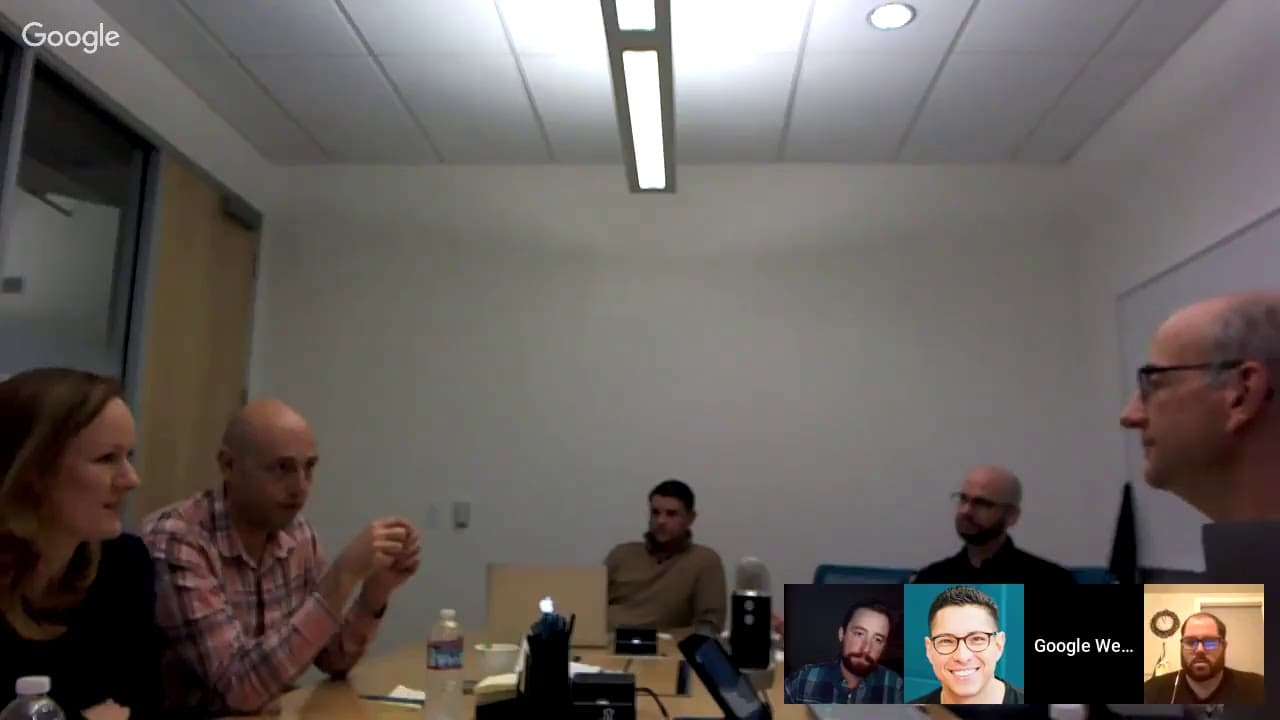
Okay welcome everyone to today's webmaster central office hours hangouts. Today we're actually in an office with a bunch of people hanging out bunch of fantastic SEOs who dropped by in Mountain View to join us live and a handful of you also online which is probably because the the time is so different than all of the usual hangouts, so everyone is... Read More
Key Insights
- The hangout session was held in Mountain View, California, with participation from various SEO experts and Google employees.
- John Mueller, a webmaster trends analyst at Google, led the session, addressing various SEO-related questions from participants.
- The discussion covered topics like client-side rendering, dynamic rendering, and server-side rendering, emphasizing the importance of user experience.
- JavaScript's impact on SEO was discussed, highlighting the importance of testing user experience, especially for mobile users.
- The session addressed the challenges of lazy loading and the importance of ensuring content is visible in the viewport.
- Participants inquired about the use of hreflang and canonical tags implemented via JavaScript and their recognition by Google.
- The importance of consolidating content to improve site quality was emphasized, with examples of successful content pruning shared.
- The session also touched on the complexities of site migrations, especially when splitting or merging domains.
Install to Summarize YouTube Videos and Get Transcripts
Explore YouTube Video Summarizer or Get YouTube Transcript Extractor
Questions & Answers
Q: How does client-side rendering impact SEO?
Client-side rendering can impact SEO by potentially delaying content indexing, especially if the content changes frequently or the site is large. While it may not pose an issue for SEO, it can affect user experience, particularly for mobile users with unstable networks. Thorough testing is recommended to ensure a positive user experience.
Q: What are the challenges of lazy loading for SEO?
Lazy loading can pose challenges for SEO if not implemented correctly. It's crucial to ensure that content becomes visible in the viewport, as relying solely on scroll events may not suffice. Using Intersection Observer or ensuring content is accessible via no-script tags can help address these challenges, ensuring both users and crawlers can access the content.
Q: What is the recommended approach for implementing hreflang tags?
Hreflang tags can be implemented using JavaScript, but it may take time for Google Search Console to recognize them. It's important to ensure the implementation is correct and to allow time for Google's systems to process the changes. If there are delays, it could be due to data latency in Search Console.
Q: How can content pruning improve site quality?
Content pruning can improve site quality by removing low-quality or underperforming pages, allowing search engines to focus on more valuable content. This can lead to improved rankings for the remaining content, as search engines perceive the site as having higher overall quality. It's important to assess content performance and user engagement when deciding what to prune.
Q: What are the complexities of site migrations?
Site migrations, especially when splitting or merging domains, are complex because they involve reprocessing signals and re-evaluating content relevance. Unlike simple site moves, migrations require careful planning and execution to ensure signals are passed correctly. Mistakes can lead to ranking fluctuations, and it may take time for search engines to fully process the changes.
Q: Is it beneficial to translate URLs for multilingual sites?
Translating URLs for multilingual sites is not necessary from an SEO perspective, but it can enhance user experience by making URLs more readable for local speakers. While it doesn't directly impact rankings, localized URLs can improve user engagement and perception of the site, contributing to a more positive overall experience.
Q: How should third-party scripts be managed for SEO?
Third-party scripts, such as those for analytics or ads, should be managed carefully to minimize their impact on page speed. While Google generally recognizes these scripts and may not penalize sites for their use, it's important to ensure they don't significantly slow down the page. Optimizing script loading and prioritizing critical content can help mitigate any negative effects.
Q: What is the impact of merging multiple pages into one?
Merging multiple pages into one can strengthen the content's authority and improve rankings by consolidating signals. It allows search engines to focus on a single, comprehensive page rather than multiple weaker ones. This approach can be particularly effective when combining similar or related content, enhancing the page's relevance and visibility in search results.
Summary & Key Takeaways
-
The Google Webmaster Central office hours session was held live in Mountain View, California, with participation from SEO experts and Google employees. John Mueller led the session, addressing various SEO-related questions from participants, including topics like client-side rendering and dynamic rendering.
-
The session emphasized the importance of user experience in SEO, particularly in relation to JavaScript's impact. Discussions covered lazy loading, hybrid rendering, and server-side rendering, highlighting the need for thorough testing, especially for mobile users.
-
Participants inquired about topics such as hreflang and canonical tags implemented via JavaScript, content pruning, and the complexities of site migrations. The session provided insights into improving site quality and managing domain splits or merges.
Read in Other Languages (beta)
Share This Summary 📚
Summarize YouTube Videos and Get Video Transcripts with 1-Click
Try YouTube Summary with ChatGPT & Claude or YouTube Transcript Generator
Explore More Summaries from Google Search Central 📚






Summarize YouTube Videos and Get Video Transcripts with 1-Click
Try YouTube Summary with ChatGPT & Claude or YouTube Transcript Generator