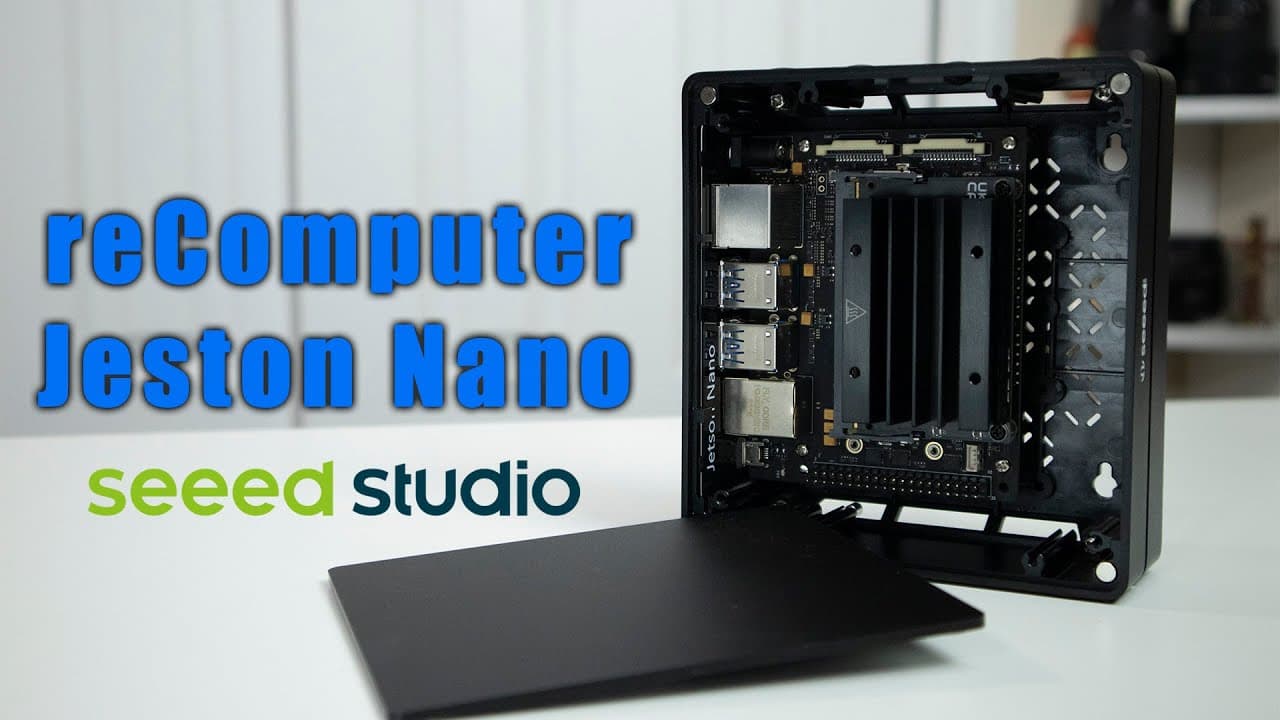
Checking out seeed studio reComputer Jetson Nano
TL;DR
The Seed Studio Recomputer Jetson Nano offers a versatile and efficient SBC case for various projects.
Transcript
hey guys what's going on it's don here from nova spare tech and welcome back to the channel and today we are going to be checking out the seed studio re-computer jets intense so let's get started now i do want to thank seed studio for sending this over to me and everything we talk about will be linked down in the description below now this is calle... Read More
Key Insights
- 👻 The Seed Studio Recomputer case promotes flexibility, allowing for different SBCs to be used depending on project needs.
- 💯 The Jetson Nano's advanced specifications, including CUDA cores, make it well-suited for AI and machine learning applications.
- ✊ Power efficiency is a notable feature, with options to operate in low-power mode to minimize energy consumption during development.
- 📽️ Various display and connectivity options enhance the usability of the Jetson Nano for diverse projects beyond standard computing tasks.
- 🤑 A rich development environment is available through the Jetson Zoo, offering libraries and project ideas to accelerate learning and experimentation.
- 🫵 The presenter encourages community engagement by inviting viewers to share their experiences and projects related to the Jetson Nano, fostering a knowledge-sharing environment.
- 💦 The recommendation to stay with Ubuntu 18.04 suggests that stability and full feature availability should be prioritized for development work.
Install to Summarize YouTube Videos and Get Transcripts
Explore YouTube Video Summarizer or Get YouTube Transcript Extractor
Questions & Answers
Q: What is the main function of the Seed Studio Recomputer case?
The Seed Studio Recomputer case is designed to accommodate various single-board computers (SBCs) like the Jetson Nano. Its versatility allows users to switch out different boards by replacing the back plate, making it a practical choice for developers who need adaptable hardware for their projects.
Q: What are the key specifications of the Jetson Nano included in the video?
The Jetson Nano features 128 CUDA cores, an ARM quad-core CPU clocked at 1.43 GHz, and 4 GB of RAM. It includes 16 GB of eMMC storage, gigabit ethernet, and multiple connectivity options like HDMI and USB 3. Additionally, it can be powered via a micro USB for low-power applications.
Q: How does the Jetson Nano perform in low-power mode?
In low-power mode, the Jetson Nano can operate using just five watts, significantly reducing power consumption. However, this mode limits the cores from four to two, allowing for energy-efficient processing while still being capable of running various applications effectively when needed.
Q: Can the Jetson Nano be upgraded to a newer operating system?
While some users have successfully upgraded the Jetson Nano to Ubuntu 20.04, the content suggests that it is not fully supported by NVIDIA. It is recommended to stick with Ubuntu 18.04 for optimal development processes to avoid potential compatibility issues and ensure smoother operation.
Q: What types of projects can the Jetson Nano be used for according to the video?
The Jetson Nano is suitable for various projects, including image recognition and video processing applications. Users are encouraged to explore its capabilities through demos and libraries available in the Jetson Zoo, which provide tools for integrating AI functions like slow-motion video creation and machine learning.
Q: Why did the presenter mention the potential for camera input?
The presenter highlighted that the Jetson Nano has two CSI camera inputs, which makes it ideal for projects involving image recognition or computer vision. This capability allows users to connect cameras for various applications, enriching the development options available to them with the board.
Summary & Key Takeaways
-
The Recomputer case from Seed Studio is designed for multiple single-board computers (SBCs), including the Jetson Nano, enhancing project versatility.
-
The Jetson Nano features robust specifications like 128 CUDA cores and allows for various configurations, optimizing power management and performance for development purposes.
-
The video showcases demos of the Jetson Nano's capabilities, including live effects processing and potential applications in image recognition, while pointing out the benefits of the associated software environment.
Read in Other Languages (beta)
Share This Summary 📚
Summarize YouTube Videos and Get Video Transcripts with 1-Click
Try YouTube Summary with ChatGPT & Claude or YouTube Transcript Generator
Explore More Summaries from Novaspirit Tech 📚






Summarize YouTube Videos and Get Video Transcripts with 1-Click
Try YouTube Summary with ChatGPT & Claude or YouTube Transcript Generator