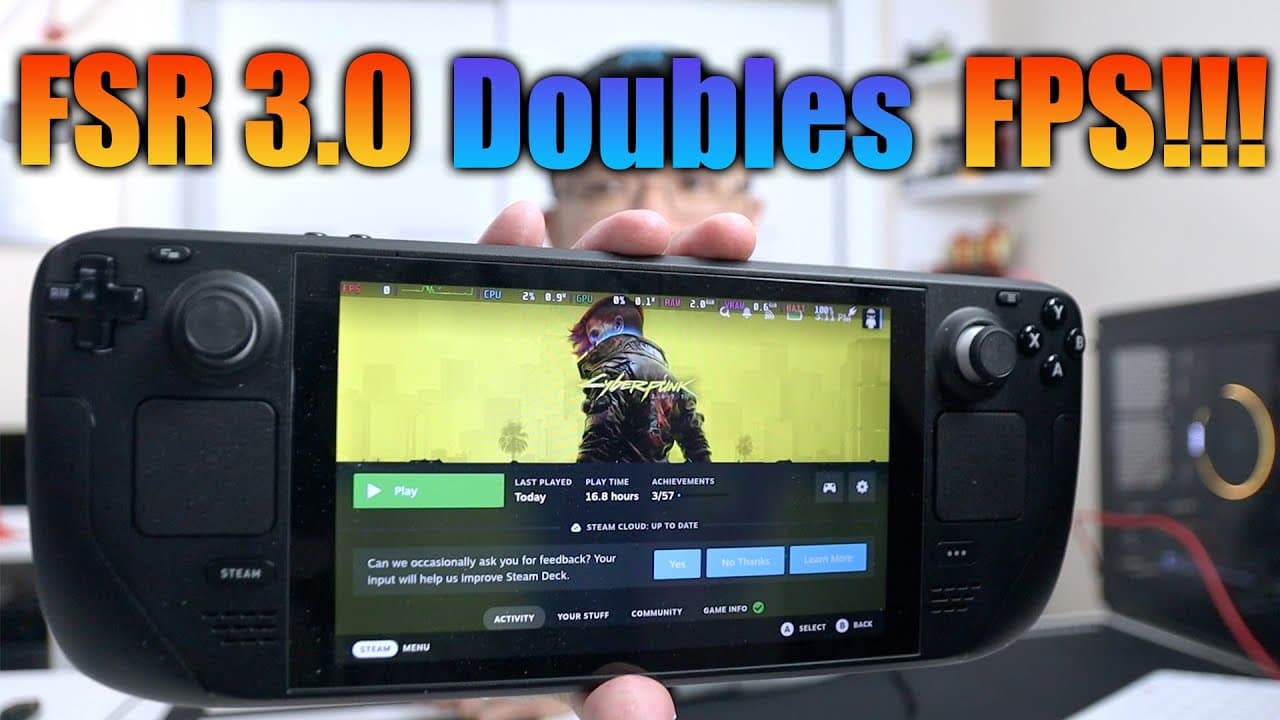
FSR 3 Any Good on Steamdeck with Cyberpunk 2077
TL;DR
FSR 3.0 significantly improves frame rates on older hardware like the Steam Deck.
Transcript
hey guys what's going on it's Don here from Nova Spirit Tech and welcome back to the channel and today we're going to be checking out FSR 3.0 on the steam deck so let's get started now FSR 3.0 is very new technology on increasing your frame rates on Lower generation cards like something on the steam deck or older graphic cards like the 1070 or the ... Read More
Key Insights
- 😘 FSR 3.0 represents a significant advancement in graphics technology, especially for gamers using older or lower-end devices.
- 🖼️ Frame generation through optical flow technology can nearly double the frame rates in compatible games, improving overall performance.
- 👾 Users should be cautious of compatibility; FSR 3.0 can only be applied in games with existing FSR support.
- 📳 Various online communities and resources provide valuable guidance on the installation and troubleshooting of the FSR 3.0 mod.
- ☠️ The experience of increased frame rates may come with trade-offs, including potential ghosting effects and decreased perceived smoothness.
- 😀 Games that exhibit significant performance gains also face challenges related to latency and visual fidelity.
- 🖐️ Modding communities play a vital role in enhancing gaming experiences, especially for unsupported titles.
Install to Summarize YouTube Videos and Get Transcripts
Explore YouTube Video Summarizer or Get YouTube Transcript Extractor
Questions & Answers
Q: What is FSR 3.0 and how does it improve gaming performance?
FSR 3.0, or FidelityFX Super Resolution 3.0, leverages optical flow technology to create additional frames between existing game frames. This allows games to run at higher frame rates on lower-end hardware, like the Steam Deck or older graphics cards, enhancing performance in demanding titles.
Q: Why is the optical flow technology important for FSR 3.0?
Optical flow technology is crucial as it analyzes the motion within a video stream to extrapolate and generate new frames. This technology allows FSR 3.0 to effectively double frame rates in gaming, making it possible to achieve smoother gameplay even on older devices that struggle to keep up with modern graphics demands.
Q: What are the key limitations of using the FSR 3.0 mod on certain games?
The FSR 3.0 mod can only be used with games that already integrate AMD's FSR. Titles like Cyberpunk 2077 support this integration, allowing the mod to work effectively. However, games without any FSR support, such as Rebel Galaxy Outlaw, are not compatible.
Q: What is the installation process for FSR 3.0 on the Steam Deck?
The installation process of FSR 3.0 involves downloading the necessary files, usually available on platforms like Patreon. However, as the mod changes frequently, it is recommended to refer to various online resources, such as tutorials or community discussions, for the most up-to-date installation instructions.
Q: How does FSR 3.0 affect the gaming experience on the Steam Deck?
While FSR 3.0 offers impressive gains in frame rates, enhancing gameplay experience, some users may experience diminishing returns regarding smoothness. Players have noted that despite higher frame rates, the experience might feel less fluid than a native 60 FPS due to the introduction of ghosting effects from frame interpolation.
Q: Can FSR 3.0 be used on both Windows and Linux systems?
Yes, FSR 3.0 is versatile and can be implemented across various platforms, including Windows and Linux-based PCs. This mod extends its benefits beyond just the Steam Deck, making it accessible to a wider range of gamers with older hardware.
Summary & Key Takeaways
-
FSR 3.0 utilizes optical flow technology to generate additional frames, greatly enhancing the gaming experience on older devices such as the Steam Deck.
-
The mod integrates FSR 3.0 into games like Cyberpunk 2077 that originally only support FSR 2.1, allowing for impressive frame rate improvements, reaching nearly double the original.
-
Despite notable improvements, some players may experience ghosting effects, indicating that while frame rates are higher, the smoothness may not feel as fluid as expected.
Read in Other Languages (beta)
Share This Summary 📚
Summarize YouTube Videos and Get Video Transcripts with 1-Click
Try YouTube Summary with ChatGPT & Claude or YouTube Transcript Generator
Explore More Summaries from Novaspirit Tech 📚






Summarize YouTube Videos and Get Video Transcripts with 1-Click
Try YouTube Summary with ChatGPT & Claude or YouTube Transcript Generator