How to Perform a Paired T-Test in GraphPad Prism
TL;DR
To analyze paired data in GraphPad Prism, use the paired t-test for accurate comparisons. Start by setting up your data with row titles for each subject, then select the paired t-test from the analysis options to correctly assess significance. This method ensures valid results as it compares the same subjects across different conditions.
Transcript
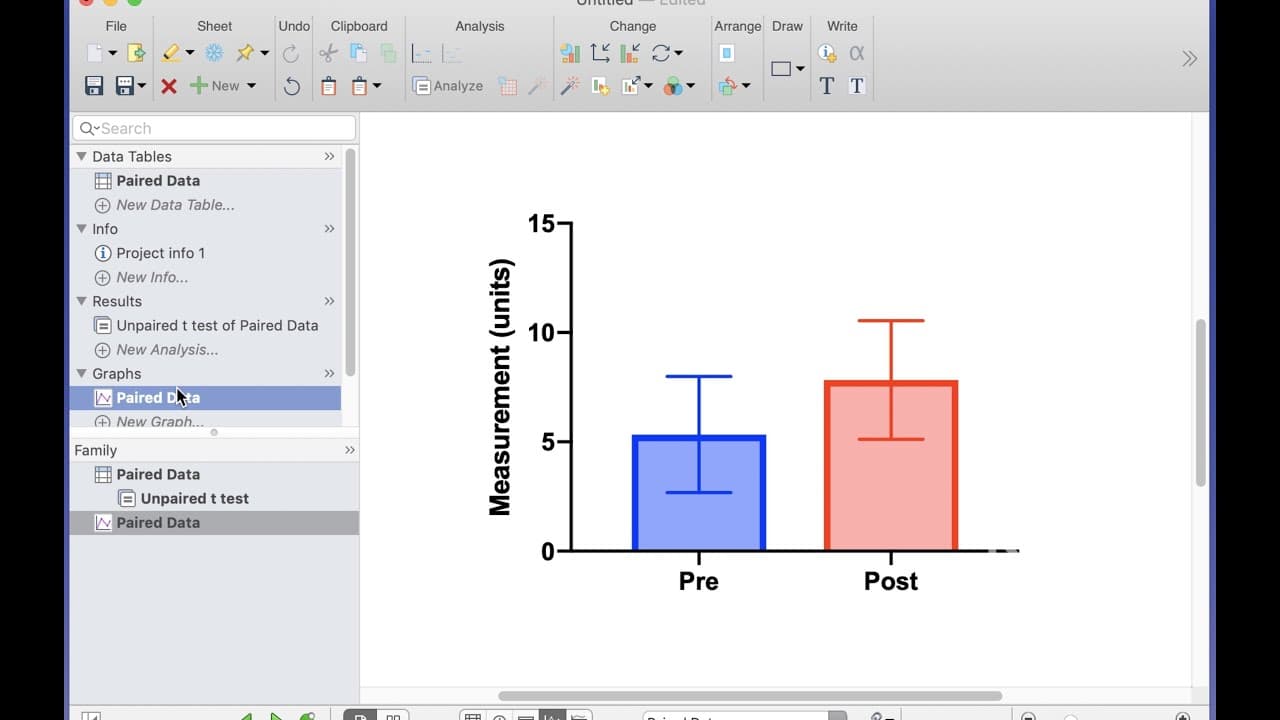
hello we've seen in other tutorials how to undertake an unpaired t-test in graphpad prism but what if your data are paired what if we're measuring the same parameter pre or post treatment and we want to analyze the difference between our two groups we'll hear some data on the screen pre and post in Group A and Group B but each of these rows one thr... Read More
Key Insights
- ❓ Identifying paired data in GraphPad Prism is crucial for accurate analysis.
- 🏆 Incorrectly using an unpaired t-test on paired data can lead to non-significant results.
- 🏆 Conducting a paired t-test in GraphPad Prism ensures accurate comparison of paired data for statistical significance.
- 🏆 Understanding the difference between unpaired and paired t-tests is essential for correct data analysis.
- 🏆 Utilizing the correct analysis method like the paired t-test in GraphPad Prism yields significant p-values for paired data.
- 😫 GraphPad Prism provides tools to easily perform paired t-tests for paired data sets.
- 🏆 Comparing results from unpaired and paired t-tests highlights the importance of using the appropriate test for paired data analysis.
Install to Summarize YouTube Videos and Get Transcripts
Explore YouTube Video Summarizer or Get YouTube Transcript Extractor
Questions & Answers
Q: How can you identify paired data in GraphPad Prism?
Paired data can be identified by showing row titles for different subjects measured pre and post treatment, ensuring each row represents the same subject.
Q: What is the impact of using an incorrect test, like unpaired t-test, on paired data analysis?
Using an incorrect test like an unpaired t-test on paired data can lead to inaccurate results and non-significant p-values due to not accounting for the paired nature of the data.
Q: How do you perform a paired t-test in GraphPad Prism for accurate analysis?
To conduct a paired t-test in GraphPad Prism, select the two groups representing pre and post datasets, choose the paired t-test option, and analyze the data to determine statistical significance.
Q: What are the key differences between unpaired and paired t-tests in GraphPad Prism?
Unpaired t-tests compare means between groups, while paired t-tests directly compare paired data points or samples, providing more accurate analysis for paired data.
Summary & Key Takeaways
-
Demonstrates how to identify paired data by showing row titles representing different subjects pre and post treatment.
-
Explains the difference in analysis outcomes between unpaired and paired t-tests using GraphPad Prism.
-
Guides on conducting a paired t-test in GraphPad Prism to accurately compare paired data for significance.
Read in Other Languages (beta)
Share This Summary 📚
Summarize YouTube Videos and Get Video Transcripts with 1-Click
Try YouTube Summary with ChatGPT & Claude or YouTube Transcript Generator
Explore More Summaries from Dory Video 📚






Summarize YouTube Videos and Get Video Transcripts with 1-Click
Try YouTube Summary with ChatGPT & Claude or YouTube Transcript Generator