Performing a One-way ANOVA in Excel with post-hoc t-tests
TL;DR
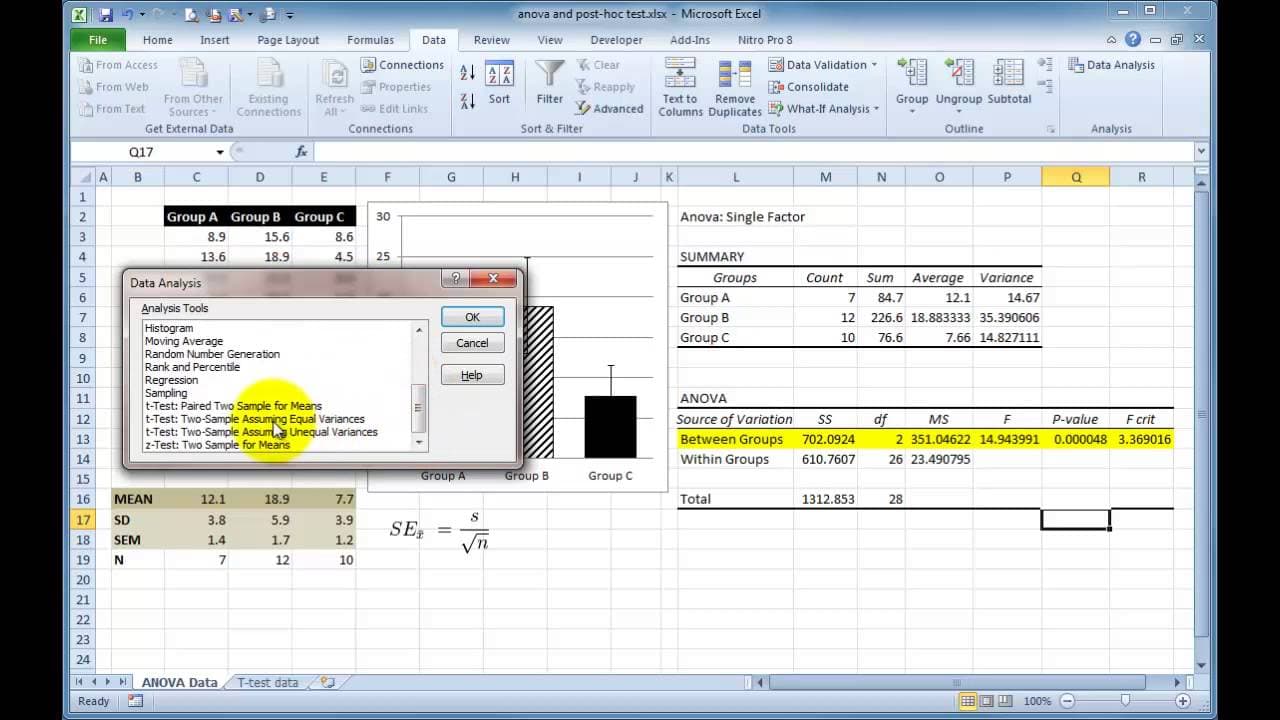
Learn how to perform ANOVA and t-tests, interpret results, and apply Bonferroni correction for multiple comparisons in Excel.
Transcript
hi James Clark here we've just finished our t-test in a previous tutorial and here are the data on the screen showing the t-test results and we observed that the two-tailed t-test was significantly different than we've entered a star recording on our graph and of course our legend and our results section would report that um but what if you have th... Read More
Key Insights
- 😫 Understanding the need for robust experimental design when dealing with multiple data sets.
- 👥 Using ANOVA to test for differences among group means in statistical analysis.
- 🎚️ Implementing Bonferroni correction to maintain significance levels in multiple comparison scenarios.
- 👤 Excel provides a user-friendly platform for conducting statistical analyses efficiently.
- 🫢 Interpretation of statistical results and post-hoc tests is crucial for drawing meaningful conclusions.
- 👥 T-tests help in comparing means between two groups for significance.
- 😫 Proper data visualization aids in identifying trends and differences in statistical data sets.
Install to Summarize YouTube Videos and Get Transcripts
Explore YouTube Video Summarizer or Get YouTube Transcript Extractor
Questions & Answers
Q: How is ANOVA used in statistical analysis?
ANOVA, or Analysis of Variance, is employed to compare means across multiple groups to determine if there are significant differences among them.
Q: What is the significance of conducting post-hoc tests in statistical analysis?
Post-hoc tests help in identifying specific group differences after obtaining significant ANOVA results, providing a detailed understanding of the data relationships.
Q: Why is the Bonferroni correction necessary for multiple comparisons?
Bonferroni correction adjusts the significance threshold to account for the increased likelihood of making a type I error when conducting multiple statistical tests simultaneously.
Q: How can Excel be used to perform statistical analysis on data sets?
Excel offers functions like t-tests, ANOVA, and statistical calculations for mean, standard deviation, and standard error, making it a versatile tool for statistical analysis.
Summary & Key Takeaways
-
Conducted t-test analysis displaying results and observations.
-
Demonstrated the need for experimental design with multiple data sets.
-
Illustrated ANOVA and Bonferroni correction for post-hoc tests in Excel.
Read in Other Languages (beta)
Share This Summary 📚
Summarize YouTube Videos and Get Video Transcripts with 1-Click
Try YouTube Summary with ChatGPT & Claude or YouTube Transcript Generator
Explore More Summaries from Dory Video 📚






Summarize YouTube Videos and Get Video Transcripts with 1-Click
Try YouTube Summary with ChatGPT & Claude or YouTube Transcript Generator