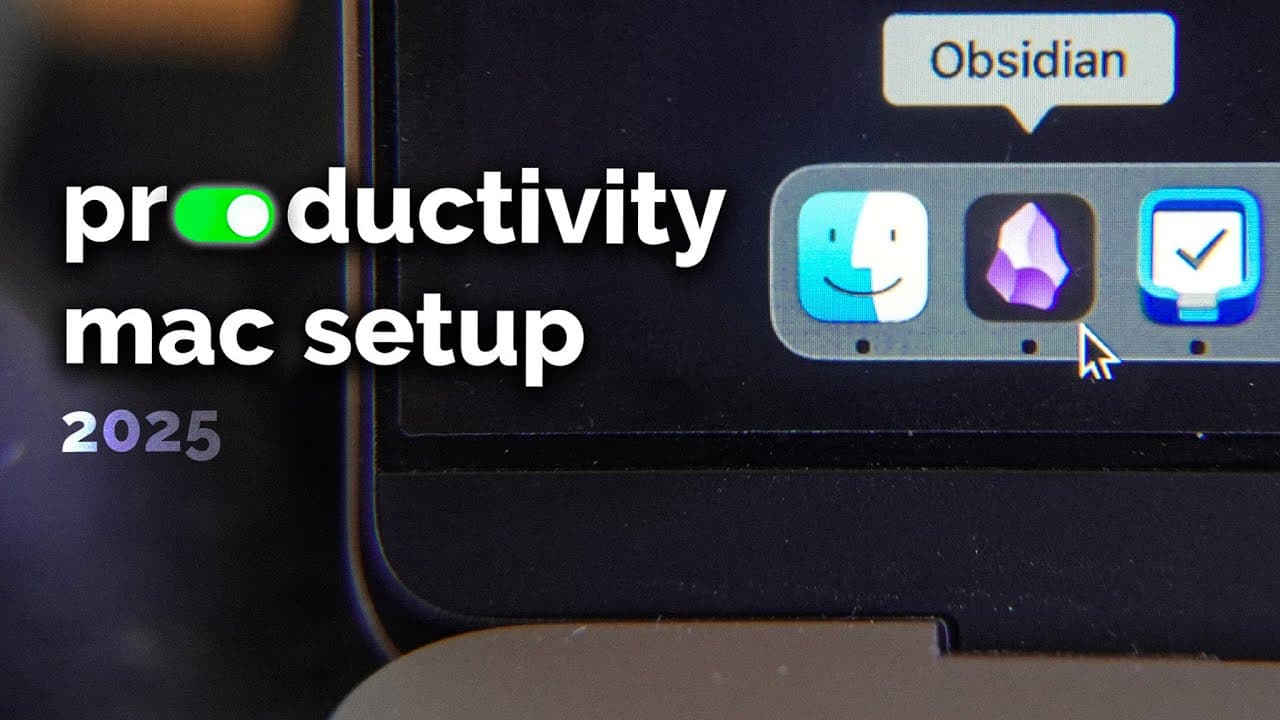
how I upgraded my mac into a productivity machine
TL;DR
A guide to transforming a Mac into a productivity powerhouse.
Transcript
this is my Mac which is super optimized in every way to be a productivity machine in this video I'm going to show you my full productivity Mac setup which includes the keyboard shortcuts that I use my browser and extensions that I use for social media and the best apps I found for productivity and how all comes together previously I made videos abo... Read More
Key Insights
- The video discusses transforming a Mac into a productivity machine by using various apps and extensions to minimize distractions and enhance efficiency.
- Cold Turkey is highlighted as a key app for blocking distracting websites and applications, with customizable block lists tailored to different needs.
- Browser extensions like Untrap for YouTube and Social Focus help reduce distractions by eliminating algorithmic feeds and simplifying interfaces on social media platforms.
- Alfred is a powerful alternative to Spotlight, offering enhanced search and application launching capabilities with extensive customization options.
- Better Snap Tool brings Windows-style window snapping to Mac, allowing users to organize and resize windows efficiently using keyboard shortcuts.
- Things 3 is recommended for managing to-dos with a minimal interface and no subscription fees, supporting the GTD system for organizing tasks and projects.
- Obsidian is praised for its note-taking capabilities, offering local storage, Vim shortcuts, and a graph view to visualize connections between notes.
- The video emphasizes minimizing cursor usage to boost productivity, with apps like Vim and Tmux enabling keyboard-only navigation and coding.
Install to Summarize YouTube Videos and Get Transcripts
Explore YouTube Video Summarizer or Get YouTube Transcript Extractor
Questions & Answers
Q: How does Cold Turkey help in reducing distractions?
Cold Turkey is an app that allows users to block distracting websites and applications on their Mac. It offers customizable block lists that can be scheduled or set permanently, making it impossible to access certain sites or apps during specific times. This helps users focus on work by eliminating distractions such as social media and email notifications.
Q: What browser extensions are recommended for minimizing social media distractions?
The video recommends extensions like Untrap for YouTube and Social Focus to reduce social media distractions. Untrap for YouTube removes thumbnails, infinite scrolling, and recommended videos, while Social Focus offers customizations for platforms like Twitter and Facebook, simplifying their interfaces and removing algorithmic feeds to minimize time spent on these sites.
Q: What is Alfred and how does it enhance productivity on a Mac?
Alfred is a powerful application launcher and search tool for Mac, serving as an alternative to Spotlight. It allows users to quickly launch applications, search for files, and perform various tasks using keyboard shortcuts. Alfred offers extensive customization options and integrates with a community of extensions, making it a versatile tool for enhancing productivity.
Q: How does Better Snap Tool improve window management on a Mac?
Better Snap Tool brings Windows-style window snapping to Mac, allowing users to resize and organize windows efficiently using keyboard shortcuts. It enables users to snap windows to different corners or sides of the screen, making it easier to manage multiple open applications and maintain an organized workspace without relying on the mouse.
Q: What are the advantages of using Things 3 for task management?
Things 3 is a task management app praised for its minimal interface and lack of subscription fees. It supports the GTD (Getting Things Done) system, allowing users to organize tasks into projects and areas with individual deadlines. A keyboard shortcut facilitates quick task addition, making it easy to capture and manage tasks efficiently throughout the day.
Q: Why is Obsidian recommended for note-taking?
Obsidian is a powerful note-taking app that offers local storage for notes, ensuring privacy and fast access. It supports Vim shortcuts for keyboard-only navigation, enhancing productivity by minimizing cursor usage. Obsidian's graph view visualizes connections between notes, making it a valuable tool for research and learning across various subjects.
Q: How do Vim and Tmux contribute to programming efficiency?
Vim and Tmux are command-line tools that enhance programming efficiency by enabling keyboard-only navigation and coding. Vim allows users to edit code without using the mouse, while Tmux provides split-screen functionality for managing multiple terminal sessions. These tools save time by reducing the need to switch between keyboard and mouse.
Q: What is the overall approach to enhancing productivity on a Mac as discussed in the video?
The video emphasizes minimizing distractions and maximizing efficiency through a combination of apps, extensions, and keyboard shortcuts. By reducing reliance on the cursor and customizing tools to fit individual needs, users can streamline their workflow and focus on important tasks, ultimately transforming their Mac into a powerful productivity machine.
Summary & Key Takeaways
-
The video provides a comprehensive guide to optimizing a Mac for productivity, focusing on reducing distractions and enhancing efficiency through various apps and extensions. Key tools include Cold Turkey for blocking distractions, Alfred for quick access, and Better Snap Tool for window management.
-
Browser extensions such as Untrap for YouTube and Social Focus are recommended to simplify and declutter social media interfaces, reducing the time spent on these platforms. The video also highlights the importance of minimizing cursor usage to save time and increase productivity.
-
Favorite productivity apps include Things 3 for task management and Obsidian for note-taking, both offering features that support efficient organization and quick access. Programming-focused tools like Vim and Tmux are also discussed, emphasizing keyboard shortcuts for streamlined coding.
Read in Other Languages (beta)
Share This Summary 📚
Summarize YouTube Videos and Get Video Transcripts with 1-Click
Try YouTube Summary with ChatGPT & Claude or YouTube Transcript Generator
Explore More Summaries from Reysu 📚


Summarize YouTube Videos and Get Video Transcripts with 1-Click
Try YouTube Summary with ChatGPT & Claude or YouTube Transcript Generator