Raspberry Pi 400 Keyboard Review & Unboxing
TL;DR
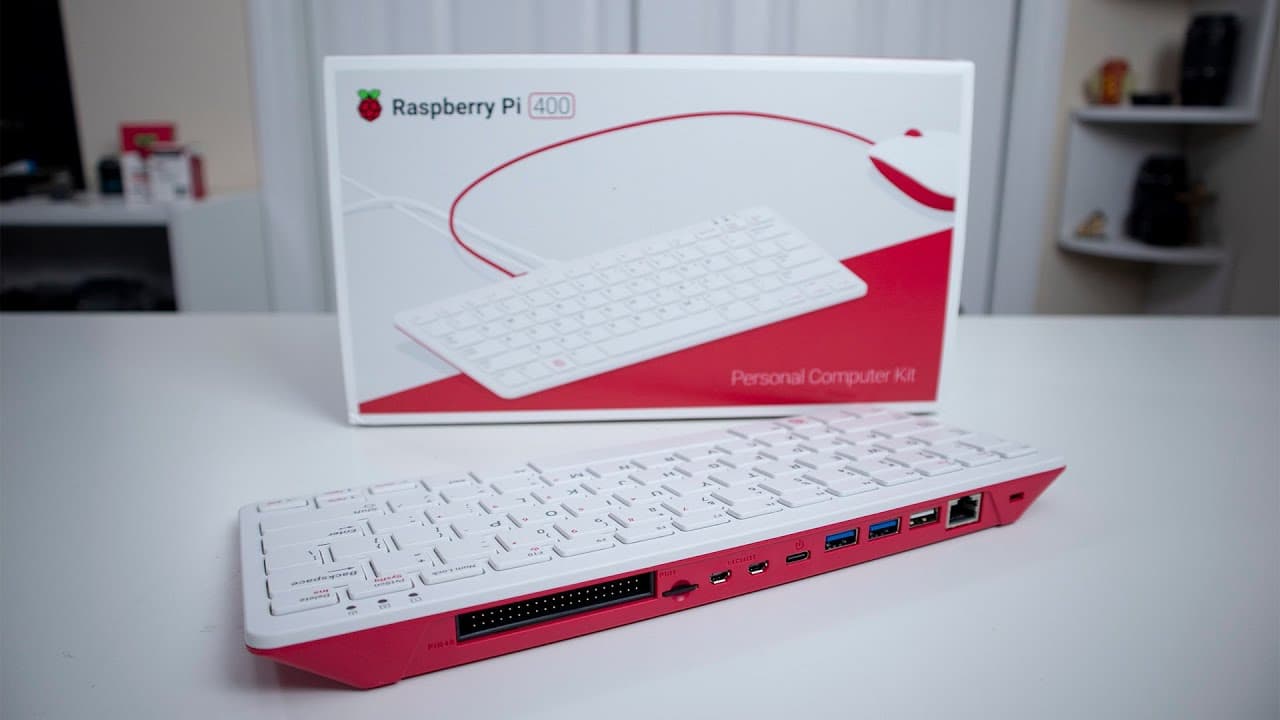
The Raspberry Pi 400 offers a compact and efficient computing solution integrated into a keyboard.
Transcript
hey guys what's going on it's don here from novaspirit tech and welcome back to the channel and today we are going to be checking out the raspberry pi 400 which is the raspberry pi inside the keyboard so let's get started now before we begin i do want to thank raspberry pi foundation for sending this over to me for review and everything we talked a... Read More
Key Insights
- 👾 The integration of the Raspberry Pi into a keyboard presents a space-saving and user-friendly solution for computing.
- 👶 The included beginner's book serves as an excellent educational resource, making the Raspberry Pi accessible for new users and children.
- 🚙 The Raspberry Pi 400 can connect to various peripherals through its multiple USB ports and GPIO headers, enhancing its versatility for projects.
- 🏃 It runs a lightweight Debian-based Linux operating system, optimized for performance on the Raspberry Pi hardware.
- 👻 Users can install additional software packages easily, allowing customization and expansion of functionalities.
- 🪔 The Raspberry Pi 400 is ideal for both educational purposes and DIY enthusiasts interested in programming and electronics.
- 😒 Its solid build quality offers stability during use, distinguishing it from other toy-like alternatives in the market.
Install to Summarize YouTube Videos and Get Transcripts
Explore YouTube Video Summarizer or Get YouTube Transcript Extractor
Questions & Answers
Q: What is the main advantage of the Raspberry Pi 400's design?
The Raspberry Pi 400 combines the Raspberry Pi computer with a keyboard, drastically reducing the number of separate components needed for setup. This integration saves space and simplifies the connection process, making it more convenient for users, especially in small workspaces or when traveling.
Q: What accessories are included with the Raspberry Pi 400?
The Raspberry Pi 400 package includes the keyboard itself, a power adapter, a Raspberry Pi official mouse, a micro HDMI to HDMI cable, and an official Raspberry Pi beginner's book. The book is particularly valuable as it provides instructions and tutorials on using the Raspberry Pi, making it suitable for both new and experienced users.
Q: How does the GPIO connectivity enhance its functionality?
The Raspberry Pi 400 features a 40-pin GPIO header that allows users to connect various peripherals and components. This capability opens up opportunities for electronics projects, programming, and building hardware systems, making it a versatile tool for learning and development in STEM education.
Q: Can the Raspberry Pi 400 be used for gaming purposes?
Yes, the Raspberry Pi 400 can serve as a retro gaming machine. With its USB 3.0 ports, users can connect retro controllers, turning it into a small form-factor gaming setup. This makes it an appealing option for gaming enthusiasts looking to relive classic games.
Summary & Key Takeaways
-
The Raspberry Pi 400 is an innovative computing device that integrates a Raspberry Pi into a keyboard, significantly reducing the required space and connections for setup.
-
This product includes essential accessories like a power adapter, mouse, and a beginner's book, which provide users with practical insights and projects to explore with the Raspberry Pi.
-
Its lightweight design, functional GPIO connections, and compatibility with Bluetooth devices make the Raspberry Pi 400 an exceptional choice for hobbyists and educational purposes.
Read in Other Languages (beta)
Share This Summary 📚
Summarize YouTube Videos and Get Video Transcripts with 1-Click
Try YouTube Summary with ChatGPT & Claude or YouTube Transcript Generator
Explore More Summaries from Novaspirit Tech 📚






Summarize YouTube Videos and Get Video Transcripts with 1-Click
Try YouTube Summary with ChatGPT & Claude or YouTube Transcript Generator