Scrollable Draggable Rounded Modal Bottom Sheet - Flutter 2022
TL;DR
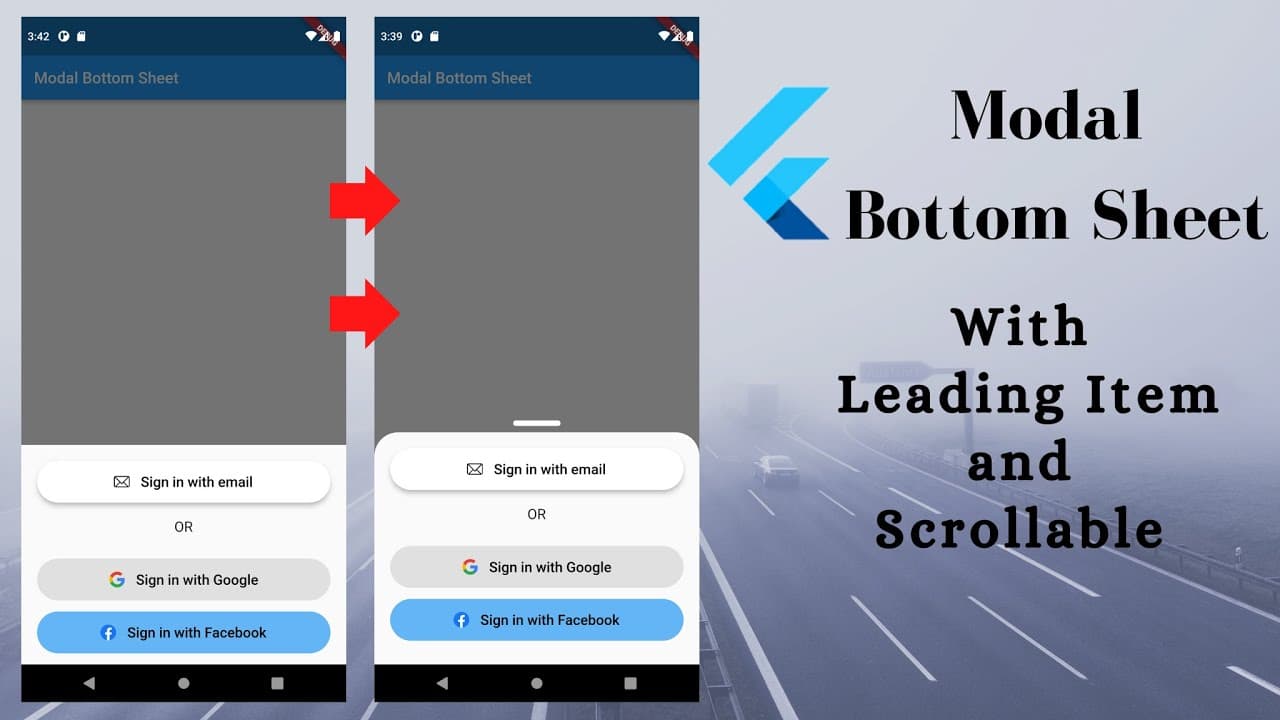
Learn how to create a draggable and scrollable rounded model bottom sheet with a leading item on top.
Transcript
Hi there, in this tutorial we are going to learn how to make draggable rounded model bottom sheet and leading item on top of it. As you can see here. If you are first in this channel please subscribe. This channel is all about flutter tutorial. Don't forget to like the video, comment your opinion So, let's start with this initial project.... Read More
Key Insights
- 🍃 Flutter tutorial on creating interactive UI components.
- 👤 Importance of user engagement through subscription and feedback.
- 🏛️ Utilizing Flutter widgets like SingleChildScrollView, DraggableScrollableSheet, Stack, and Column for building dynamic layouts.
- 🎨 Customizing shape and styling of UI elements for a polished design.
- 👨💻 Providing source code for reference and further exploration.
- 👤 Integrating user-friendly features like scrollability for improved usability.
- 🏛️ Encouraging sharing and interaction for community building.
Install to Summarize YouTube Videos and Get Transcripts
Explore YouTube Video Summarizer or Get YouTube Transcript Extractor
Questions & Answers
Q: What are the steps involved in creating a draggable rounded model bottom sheet?
The steps include changing the shape with rounded corners, making it scrollable, and adding a leading item on top using Flutter widgets like Stack and Column.
Q: How can the scrollability of the model bottom sheet be implemented?
The scrollability is achieved by wrapping the content in a SingleChildScrollView widget within a DraggableScrollableSheet widget and setting a scroll controller for vertical scrolling.
Q: What is the purpose of setting expand property and child sizes for the model bottom sheet?
The expand property controls the initial state, while setting maximum and minimum child sizes provides control over the height of the sheet to ensure a flexible user experience.
Q: How can the leading item on the top center of the model bottom sheet be implemented?
By using a Stack widget and positioning a container widget with the desired dimensions and alignment, the leading item can be placed on top with proper styling.
Summary & Key Takeaways
-
Tutorial on creating a draggable and scrollable rounded model bottom sheet in Flutter.
-
Demonstrates changing shape, making scrollable, and adding a leading item on the top of the sheet.
-
Encourages audience interaction through subscription, liking, commenting, and sharing.
Read in Other Languages (beta)
Share This Summary 📚
Summarize YouTube Videos and Get Video Transcripts with 1-Click
Try YouTube Summary with ChatGPT & Claude or YouTube Transcript Generator
Explore More Summaries from AJ Flutter Tutorials 📚

![Tasks App Flutter [To Do App] Part 2 - Drawer | Recycle Bin thumbnail](/_next/image?url=https%3A%2F%2Fi.ytimg.com%2Fvi%2F_IaCc7_ubvs%2Fhqdefault.jpg&w=750&q=75)


![Flutter App - Math Quiz [ From Scratch ] [ 2022 ] thumbnail](/_next/image?url=https%3A%2F%2Fi.ytimg.com%2Fvi%2Fi4g16a-isg4%2Fhqdefault.jpg&w=750&q=75)

Summarize YouTube Videos and Get Video Transcripts with 1-Click
Try YouTube Summary with ChatGPT & Claude or YouTube Transcript Generator