Tasks App Flutter [To Do App] Part 2 - Drawer | Recycle Bin
TL;DR
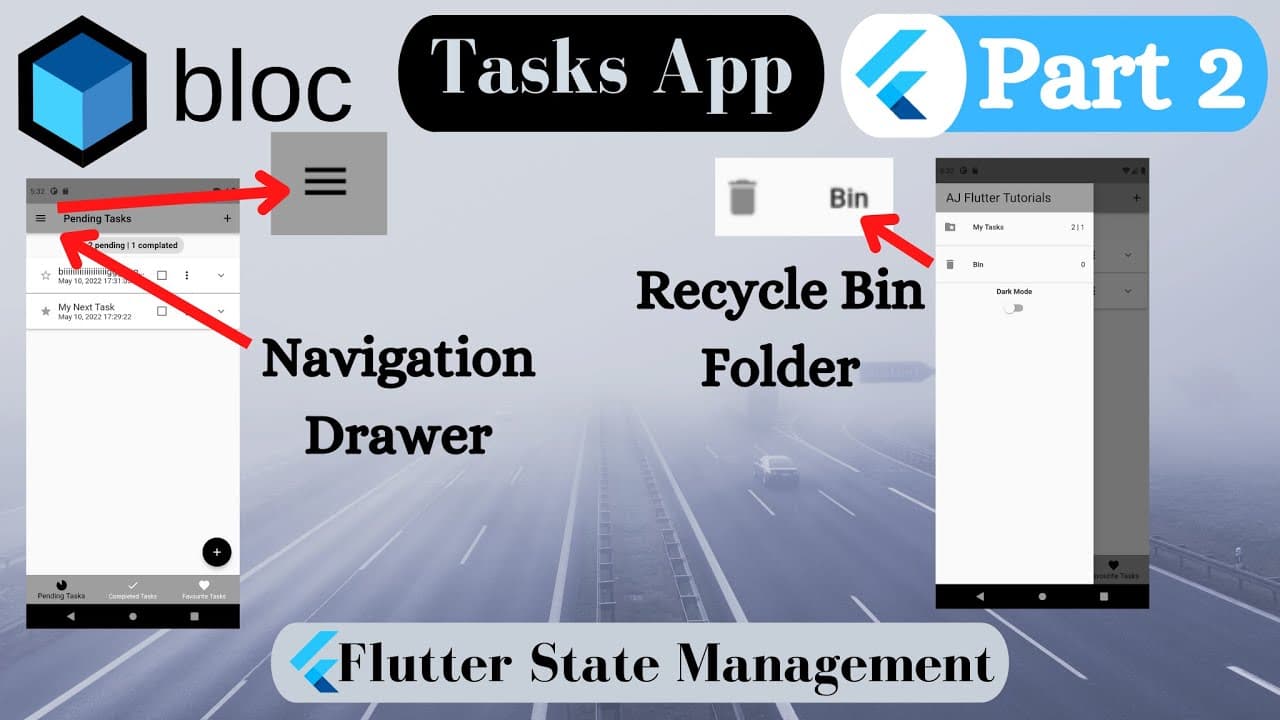
Learn how to implement Drawer, Recycle Bin Folder, AppRouter, and Flutter BloC for task management with various widgets.
Transcript
So, in this part we are going to learn how to implement: Drawer…, Recycle_bin_folder… AppRouter… And we use Flutter BloC to store removed_tasks into the bin folder… Furthermore, you will learn many other flutter_widgets in the tutorial… So, let’s start… Let’s implement new text_style for completed_tasks… We check the condition, if task is_done, the... Read More
Key Insights
- 🍃 Flutter BloC facilitates efficient state management for task-related functionality.
- 👤 Customizing text styles based on task completion status enhances the user experience.
- 😀 Navigation implementation with AppRouter simplifies screen transitions within the app.
- 😀 Proper handling of removed and deleted tasks ensures data integrity in the app.
- 👨💻 Utilizing separate files like AppRouter improves code readability and organization.
- 🍃 GestureDetector enables interactive navigation elements in Flutter applications.
- 🤑 Flutter's widget-rich ecosystem allows for the seamless integration of UI components.
Install to Summarize YouTube Videos and Get Transcripts
Explore YouTube Video Summarizer or Get YouTube Transcript Extractor
Questions & Answers
Q: What is Flutter BloC and how is it used in the tutorial?
Flutter BloC is a state management pattern that allows separate data and UI components. In the tutorial, it is utilized to manage task lists, completed tasks, and recycle bin functionality.
Q: How do you customize text styles for completed tasks in Flutter?
Text decorations like decorating a completed task with a dotted line through TextDecoration_dot_lineThrough are used based on the task completion status. This is achieved by setting the decoration based on the task's isDone status.
Q: How is navigation implemented in the tutorial for tasks and recycle bin folders?
Navigation is implemented through AppRouter, where different screens are defined based on route names. GestureDetector is used to make ListTiles pressable, enabling navigation between tasks_screen and recycle_bin_screen.
Q: How is the handling of removed tasks and deleted tasks managed in the Flutter BloC implementation tutorial?
Task deletion and removal logic are handled through Bloc events such as remove_task_event and delete_task_event, ensuring tasks are moved between the main tasks list and the recycle bin as needed.
Summary & Key Takeaways
-
Implement Drawer, Recycle Bin Folder, and AppRouter using Flutter BloC for task management.
-
Customize text styles for completed tasks with decorations based on task completion status.
-
Ensure proper navigation and functionality for tasks and deleted tasks within the app.
Read in Other Languages (beta)
Share This Summary 📚
Summarize YouTube Videos and Get Video Transcripts with 1-Click
Try YouTube Summary with ChatGPT & Claude or YouTube Transcript Generator
Explore More Summaries from AJ Flutter Tutorials 📚
![Tasks App [To Do App] Part 3 - Dark & Light Theme - Changing Theme thumbnail](/_next/image?url=https%3A%2F%2Fi.ytimg.com%2Fvi%2F2sUBJC-n1LY%2Fhqdefault.jpg&w=750&q=75)
![Flutter BLoC State Management with Firebase [2023] thumbnail](/_next/image?url=https%3A%2F%2Fi.ytimg.com%2Fvi%2FebGVJVICiuE%2Fhqdefault.jpg&w=750&q=75)
![How to Learn Flutter Fast and Get Hired [2022] Best Method of Learning Flutter | Step by Step Guide thumbnail](/_next/image?url=https%3A%2F%2Fi.ytimg.com%2Fvi%2F5DTzTxrW8NA%2Fhqdefault.jpg&w=750&q=75)
![Flutter App - Math Quiz [ From Scratch ] [ 2022 ] thumbnail](/_next/image?url=https%3A%2F%2Fi.ytimg.com%2Fvi%2Fi4g16a-isg4%2Fhqdefault.jpg&w=750&q=75)
![Tasks App [To Do App] Using Flutter BLoC Pattern [2022] - Part 1 thumbnail](/_next/image?url=https%3A%2F%2Fi.ytimg.com%2Fvi%2FLSdmWNZhGbA%2Fhqdefault.jpg&w=750&q=75)
Summarize YouTube Videos and Get Video Transcripts with 1-Click
Try YouTube Summary with ChatGPT & Claude or YouTube Transcript Generator