I Switched To The S23 Ultra...
TL;DR
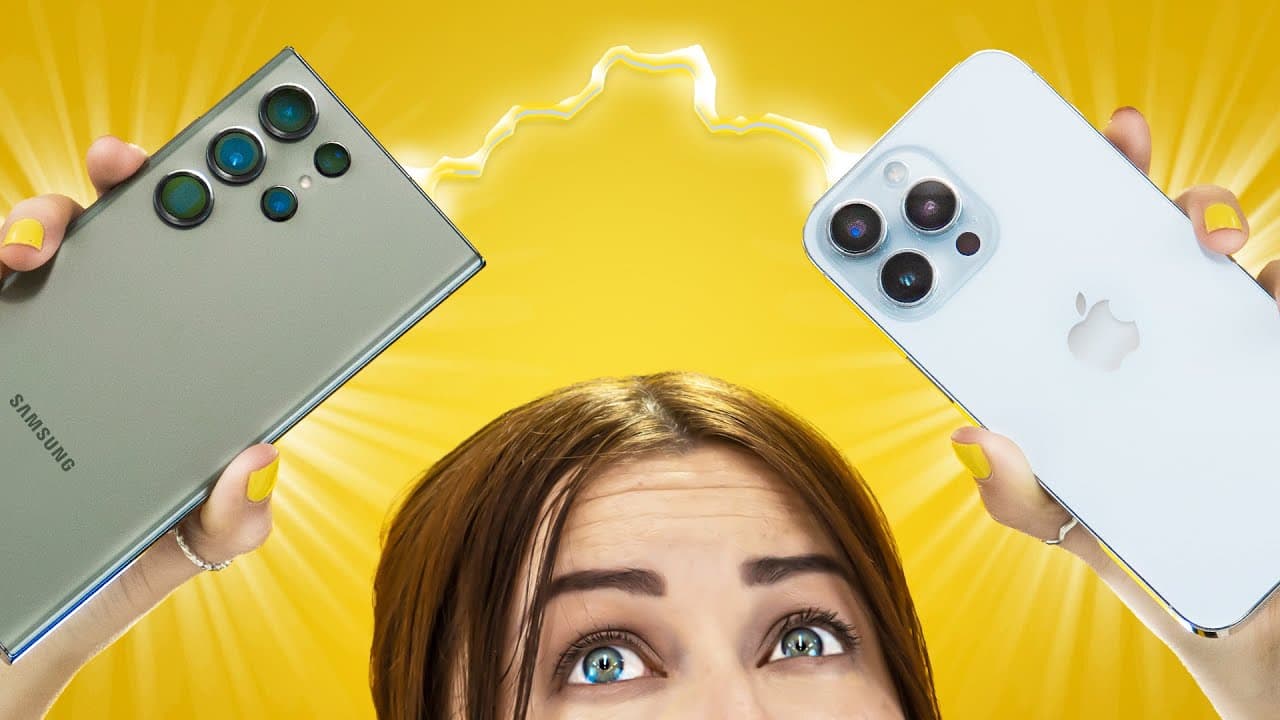
User switches from iPhone to Samsung S23 Ultra, highlighting differences in design, battery, data transfer, customization, apps, and camera quality.
Transcript
I've been an iPhone user for years but honestly it feels like it's falling behind its battery display it's outdated design and a few more things are just not as good as the s23 ultra so I decided to switch to really see the difference okay so the very first thing I had to do was transfer all my information from my iPhone to my Samsung I started wit... Read More
Key Insights
- 😀 Samsung S23 Ultra offers better battery life, updated design, and seamless data transfer with Smart Switch app.
- 🎅 The S Pen on the Samsung S23 Ultra is useful for navigation and actions like taking screenshots, but may not be extensively used.
- 🎹 Customization options on the Samsung S23 Ultra surpass the iPhone, providing color settings, background customization, and unique keyboard options.
- 😀 Stock apps on Samsung S23 Ultra like Secure Folder and Samsung Notes offer enhanced features compared to iPhone.
- 🎥 Camera capabilities on the Samsung S23 Ultra excel in photography but fall slightly behind the iPhone 14 Pro Max in video recording.
- 🙂 Size and weight differences between the Samsung S23 Ultra and iPhone are notable, with the former feeling larger but lighter.
- 👤 Connectivity with Mac computers may pose a challenge for users considering switching to the Samsung S23 Ultra.
Install to Summarize YouTube Videos and Get Transcripts
Explore YouTube Video Summarizer or Get YouTube Transcript Extractor
Questions & Answers
Q: How did the user transfer data from their iPhone to Samsung S23 Ultra?
The user first switched out the SIM card and utilized the Smart Switch app, although the process took longer than expected, ensuring notes and hidden albums were unlocked for successful transfer.
Q: What customization options did the user appreciate on the Samsung S23 Ultra?
The user enjoyed the extensive customization options on the Samsung S23 Ultra, such as custom color settings, personalized backgrounds, and unique keyboard options like Keys Cafe.
Q: What were the main differences the user noticed between iPhone and Samsung S23 Ultra cameras?
The user found Samsung's camera quality superior, especially with features like 200MP camera and 100x zoom, but favored the iPhone 14 Pro Max for video recording due to better exposure, stabilization, and image quality.
Q: How did the user feel about the connectivity between Samsung S23 Ultra and their Mac computer?
The user mentioned that connecting and syncing the Samsung S23 Ultra with a Mac was a challenge, making it a determining factor in their decision to switch back to the iPhone 14 Pro Max.
Summary & Key Takeaways
-
User switches from iPhone to Samsung S23 Ultra citing better battery life, updated design, seamless data transfer with Smart Switch app, and customization options.
-
Samsung S23 Ultra offers good navigation and useful S Pen features, but lacks some convenient iOS functionalities like quick access to settings and scrolling to the top.
-
User enjoys Samsung's customization options, stock apps like Secure Folder, enhanced camera capabilities, but misses Face ID, quick search feature, and mute button from iPhone.
Read in Other Languages (beta)
Share This Summary 📚
Summarize YouTube Videos and Get Video Transcripts with 1-Click
Try YouTube Summary with ChatGPT & Claude or YouTube Transcript Generator
Explore More Summaries from Hayls World 📚





Summarize YouTube Videos and Get Video Transcripts with 1-Click
Try YouTube Summary with ChatGPT & Claude or YouTube Transcript Generator