How To Make a Simple Frequency Table
TL;DR
Learn how to create a frequency table, calculate mean, median, mode, and range using the table.
Transcript
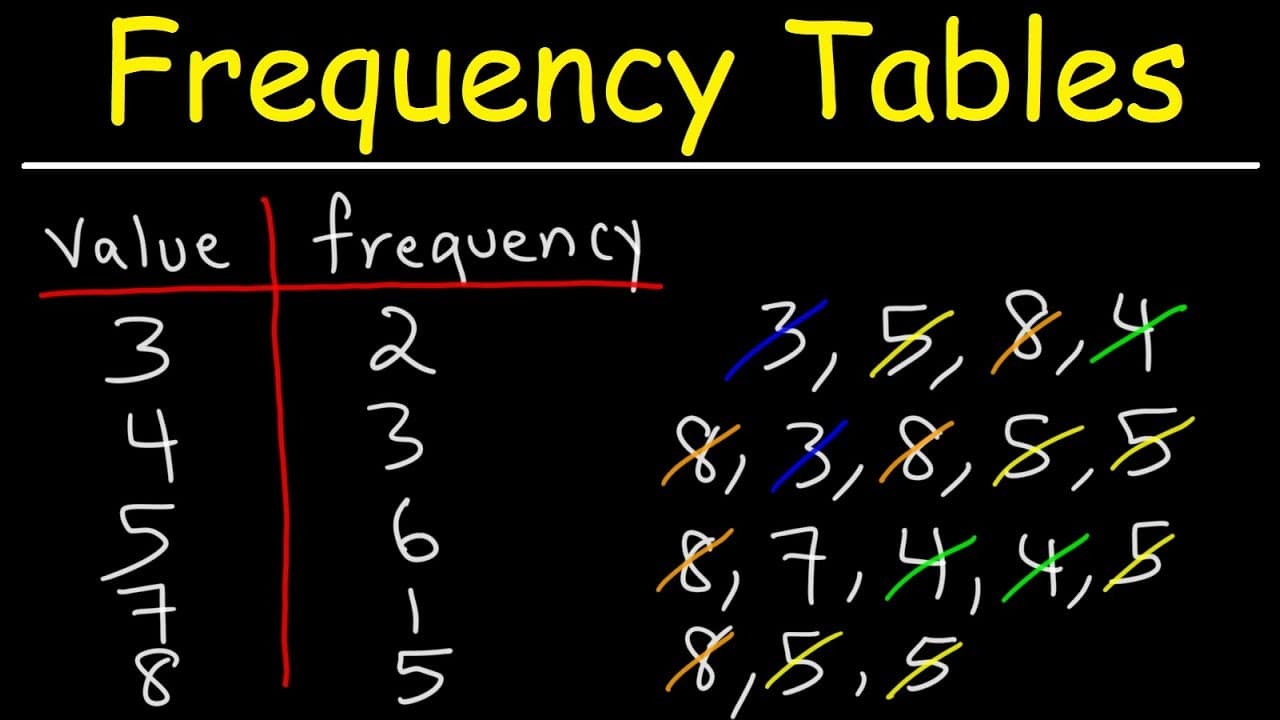
so how can we use the numbers in our data set to make a frequency table we're going to talk about that in this video so let's begin by making a two column table so i'm going to write v for value and then f for frequency let's start with the lowest value in our data set the lowest value is 3. now how often does the number 3 appear in that data set n... Read More
Key Insights
- 🚰 A frequency table helps in organizing and analyzing the occurrences of values in a dataset.
- 😘 The range provides a measure of the spread between the highest and lowest values.
- 📳 The mode indicates the value(s) that appear most frequently in the dataset.
- 🖕 The median identifies the middle value in the dataset, considering its arrangement.
- 🍹 The mean represents the average value calculated by summing all values and dividing by the total number of data items.
- 🚰 Creating a frequency table simplifies the calculation of statistical measures.
- 🆘 Identifying bimodal datasets helps understand unique characteristics of a distribution.
Install to Summarize YouTube Videos and Get Transcripts
Explore YouTube Video Summarizer or Get YouTube Transcript Extractor
Questions & Answers
Q: How do you create a frequency table?
To create a frequency table, make a two-column table with "value" and "frequency." Count the occurrences of each value in the dataset and write them in the frequency column.
Q: How is the range calculated using a frequency table?
The range is calculated by finding the difference between the highest value and the lowest value in the dataset.
Q: What is the mode in a frequency table?
The mode in a frequency table is the value with the highest frequency. If there are multiple values with the same highest frequency, the dataset is called bimodal.
Q: How is the median determined using a frequency table?
The median can be determined by finding the middle number in the dataset. One approach is to eliminate numbers from both sides following a pattern until the middle number is reached.
Q: How is the mean calculated using a frequency table?
The mean is calculated by finding the sum of all values multiplied by their frequencies and then dividing by the total number of data items in the dataset.
Summary & Key Takeaways
-
The video explains how to create a two-column frequency table with values and frequencies by counting the occurrences of each value in the dataset.
-
The range is calculated by finding the difference between the highest and lowest values.
-
The mode is the value with the highest frequency, and in cases where there are multiple values with the same highest frequency, the dataset is called bimodal.
-
The median can be determined by finding the middle number in the dataset, and it can be verified by arranging the numbers in ascending order and eliminating numbers from both sides.
-
The mean is calculated by finding the sum of all values multiplied by their frequencies, and then dividing by the total number of data items.
Read in Other Languages (beta)
Share This Summary 📚
Summarize YouTube Videos and Get Video Transcripts with 1-Click
Try YouTube Summary with ChatGPT & Claude or YouTube Transcript Generator
Explore More Summaries from The Organic Chemistry Tutor 📚



Summarize YouTube Videos and Get Video Transcripts with 1-Click
Try YouTube Summary with ChatGPT & Claude or YouTube Transcript Generator