What Are the Best Tips for New R Users?
TL;DR
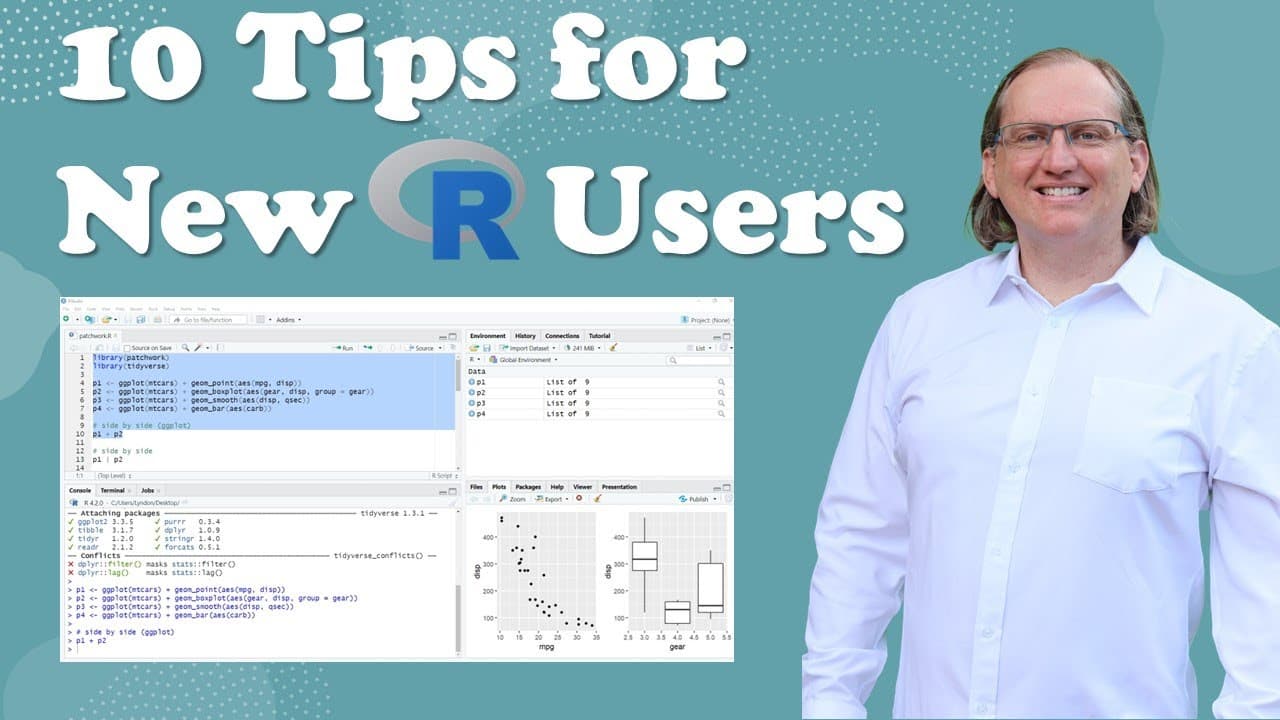
New R users should prioritize using RStudio for an organized coding environment and remember that R is case-sensitive to avoid errors. Additionally, creating a supportive community and seeking feedback are essential for accelerating learning and improving coding skills.
Transcript
hi I'm Dr Lyndon Walker welcome to my YouTube channel I have been using R for 25 years and today I wanted to share some of the tips and tricks that I've found have been really useful both for me way back when I learned but particularly for all of the people that I have taught how to use our over the years here are some things that are really helpfu... Read More
Key Insights
- 👨💻 RStudio streamlines the coding process, making it essential for beginners learning R.
- 👨💻 Beginners must understand that R is case-sensitive to avoid common coding errors.
- 👨💻 Commenting code fosters future comprehension and clarity in coding practices.
- 👨💻 Staying updated on R resources is crucial to avoid deprecated coding methods.
- 👨💻 Building a supportive community enhances learning and promotes shared experiences in coding.
- 👨💻 Feedback from experienced programmers can significantly improve coding skills and confidence.
- 🔰 Beginners can reduce overwhelm by reflecting on their progress and simplifying their learning approach.
Install to Summarize YouTube Videos and Get Transcripts
Explore YouTube Video Summarizer or Get YouTube Transcript Extractor
Questions & Answers
Q: Why is RStudio recommended for new users of R?
RStudio is highly recommended because it provides a user-friendly interface that consolidates essential elements like scripts, environments, and resource management. This holistic approach not only makes coding easier but also allows beginners to focus on learning R rather than navigating multiple tools. Additionally, its integration with R packages supports a seamless coding experience.
Q: What should beginners know about case sensitivity in R?
Case sensitivity is a critical aspect of R that beginners often overlook. Variables and functions in R must be referenced exactly as they are defined, including their capitalization. Mistakes like confusing similar-looking characters can lead to errors in code execution, emphasizing the importance of attentiveness when coding.
Q: How can commenting on code benefit programmers?
Commenting on code serves as a helpful practice for both immediate clarity and future reference. By annotating coding intentions and explanations, programmers can make sense of their logic when revisiting their work later. This practice also deepens understanding of the code's function, fostering better coding habits.
Q: Why is it essential for R learners to follow updated resources?
As programming languages evolve, outdated resources may lead to utilizing deprecated functions or inefficient code practices. Beginners should always verify the publication date of guides or code snippets to ensure they are learning the most current best practices, minimizing the risk of relying on obsolete methods.
Q: What is a community of practice in R programming, and how does it benefit learners?
A community of practice consists of individuals with similar skill levels who collaborate and share knowledge about R programming. This collective learning framework fosters faster improvement through mutual support, feedback, and resource sharing. Engaging with peers motivates consistent learning and deeper understanding of concepts.
Q: How should beginners approach feedback on their R code?
Seeking feedback is an invaluable part of the learning process for R users. New learners should consider finding mentors or joining online forums where experienced coders can review their work. Constructive criticism can illuminate areas for improvement, while also encouraging a growth mindset pivotal for development in programming.
Q: What strategies can help prevent new R users from feeling overwhelmed?
To combat feelings of overwhelm, beginners should take small, manageable steps in their learning journey, focusing on incremental knowledge gains. Reflecting on previously learned concepts and reviewing old scripts can highlight progress and boost confidence. Remembering that mastery takes time helps maintain motivation.
Q: Why does Walker suggest storing useful code snippets?
Storing useful code snippets is a practical strategy for increasing efficiency in programming. By creating an archive of frequently used pieces of code, learners can save time on repetitive tasks and avoid having to re-evaluate solutions. This organized repository enhances workflow and reinforces knowledge through repeated use.
Summary & Key Takeaways
-
Dr. Lyndon Walker emphasizes the importance of using RStudio to enhance coding efficiency and organization, especially for beginners. He notes that RStudio helps manage files, packages, and provides helpful resources all in one interface.
-
Case sensitivity in R is a common pitfall for newcomers. Walker advises beginners to pay close attention to variable names, as discrepancies in capitalization can lead to frustrating errors during coding.
-
Creating a community and network to share resources is crucial. Engaging with platforms that discuss R, such as Twitter and forums, helps learners gain insights, feedback, and solutions to queries while coding.
Read in Other Languages (beta)
Share This Summary 📚
Summarize YouTube Videos and Get Video Transcripts with 1-Click
Try YouTube Summary with ChatGPT & Claude or YouTube Transcript Generator
Explore More Summaries from Dr Lyndon Walker 📚





Summarize YouTube Videos and Get Video Transcripts with 1-Click
Try YouTube Summary with ChatGPT & Claude or YouTube Transcript Generator