How to Create Enhanced Data Visualizations in R
TL;DR
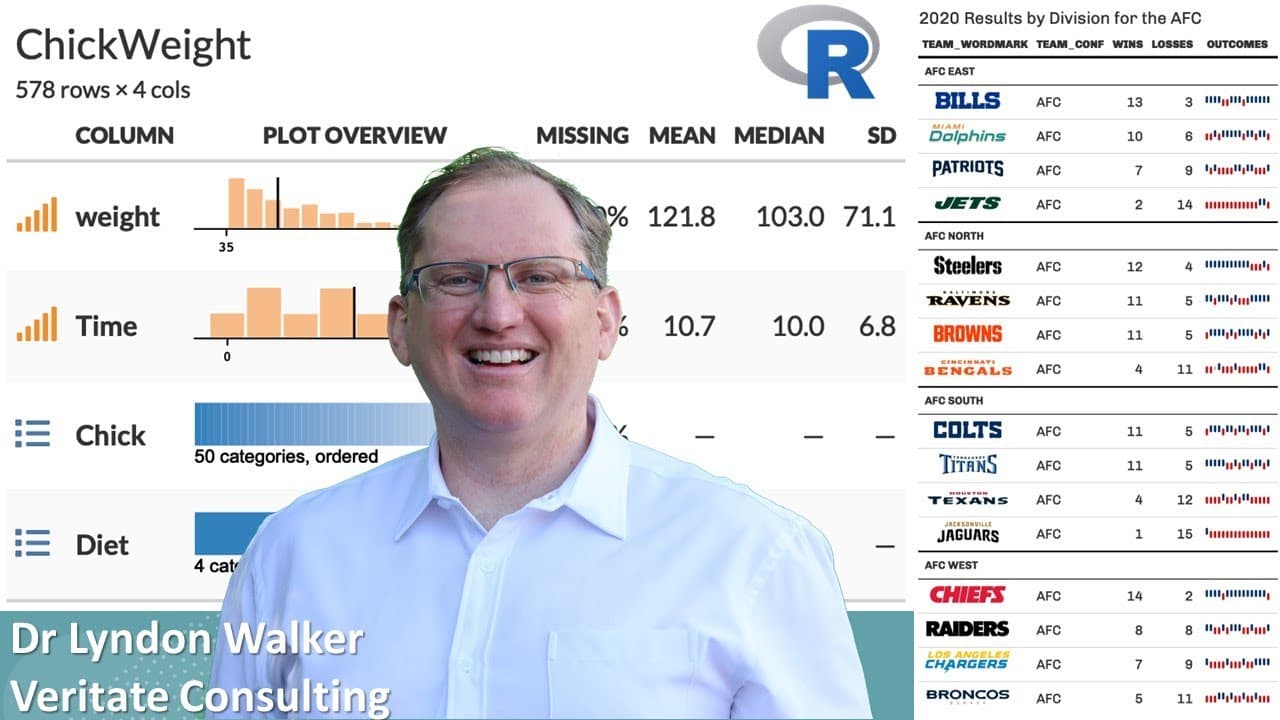
To create enhanced data visualizations in R, use the GT Extras package to generate visually appealing summary statistics, highlight rows, and incorporate images into tables. Key functions like GT PLT summary allow for comprehensive visual summaries, while win-loss plots effectively illustrate trends in sports statistics, making data presentation more engaging and informative.
Transcript
hi friends welcome back to the channel today I have a really handy set of R functions for you it's from a package called GT extras and this is some functions that extend the functionality of the GT package which is a really handy tables and plots and summary statistics and presentation package I've previously done a video on GT summary and how it c... Read More
Key Insights
- 📦 GT Extras significantly enhances the capabilities of the GT package, particularly in summarizing data visually.
- ❓ The GT PLT summary function combines aesthetics with functionality by creating comprehensive visual summaries of datasets.
- 😥 Users can implement effective data storytelling techniques by highlighting critical data points and adding visuals within tables.
- 📦 The ability to incorporate images into tables is a unique feature that differentiates GT Extras from other packages, promoting enhanced presentation quality.
- 💨 The win-loss plotting functionality provides an intuitive way to illustrate trends in sports statistics, valuable for analysts and enthusiasts alike.
- ❓ Data manipulation steps are essential for preparing datasets, demonstrating the necessity of clean data for effective visualization.
- 👨💻 Engagement with the provided sample code allows users to practice and familiarize themselves with R programming for data analysis.
Install to Summarize YouTube Videos and Get Transcripts
Explore YouTube Video Summarizer or Get YouTube Transcript Extractor
Questions & Answers
Q: What is the primary purpose of the GT Extras package?
The primary purpose of the GT Extras package is to extend the functionalities of the GT package by providing additional R functions that enhance data visualization, making it easier to create visually appealing tables and summary statistics, improving the overall user experience.
Q: How does the GT PLT summary function work?
The GT PLT summary function generates a graphic summarizing the dataset, providing visual representation of key statistics like histograms for numeric variables, percentage of missing values, mean, median, and standard deviation, allowing users to quickly assess their data in a visually engaging way.
Q: Can you highlight specific rows in a table using GT Extras?
Yes, GT Extras enables users to highlight specific rows in a table through the GT highlight rows function. This feature allows for elegant presentation of key data points, making it easier for readers to focus on important information within a larger dataset.
Q: How can images be incorporated into tables created with GT Extras?
Users can incorporate images into tables with the GT IMG rows function, which allows the inclusion of local images or images fetched from the web. This is particularly useful for creating enhanced visual representations in tables, such as logos in sports data presentations.
Q: What is the significance of the win-loss plot introduced in the video?
The win-loss plot feature allows users to graphically display wins and losses for different teams over time, providing a clear visual representation for sports statistics. This function organizes and presents the data effectively, making it easier to understand performance trends.
Q: How does data manipulation play a role in the examples shown?
Data manipulation plays a crucial role as it prepares the dataset for effective visualization. Techniques like pivoting data longer or wider are used, alongside filtering and selecting relevant variables, ensuring that the final visualizations are both informative and aesthetically pleasing.
Q: What kind of users will benefit from the functions demonstrated in this video?
Data analysts, sports statisticians, and anyone interested in presenting data visually will benefit from the functions demonstrated. These tools are particularly valuable for those creating reports, blogs, or publications that require clear and engaging representations of data insights.
Q: Is the code from the video accessible for users to try?
Yes, the presenter mentions that all the code discussed in the video will be available on their website, allowing viewers to easily copy, paste, and run the examples on their own systems, facilitating hands-on learning and experimentation.
Summary & Key Takeaways
-
The video showcases various functions from the GT Extras package that extend the GT package's capabilities for creating tables and visualizations for better data presentation.
-
The presenter highlights the utility of functions such as GT PLT summary for generating aesthetically appealing summary statistics and visual data representations in one graphic.
-
Additional features like row highlighting, adding images to tables, and win-loss plots for sports stats provide users with versatile tools for effective data storytelling.
Read in Other Languages (beta)
Share This Summary 📚
Summarize YouTube Videos and Get Video Transcripts with 1-Click
Try YouTube Summary with ChatGPT & Claude or YouTube Transcript Generator
Explore More Summaries from Dr Lyndon Walker 📚






Summarize YouTube Videos and Get Video Transcripts with 1-Click
Try YouTube Summary with ChatGPT & Claude or YouTube Transcript Generator