What Are the New AI Features in MS Paint?
TL;DR
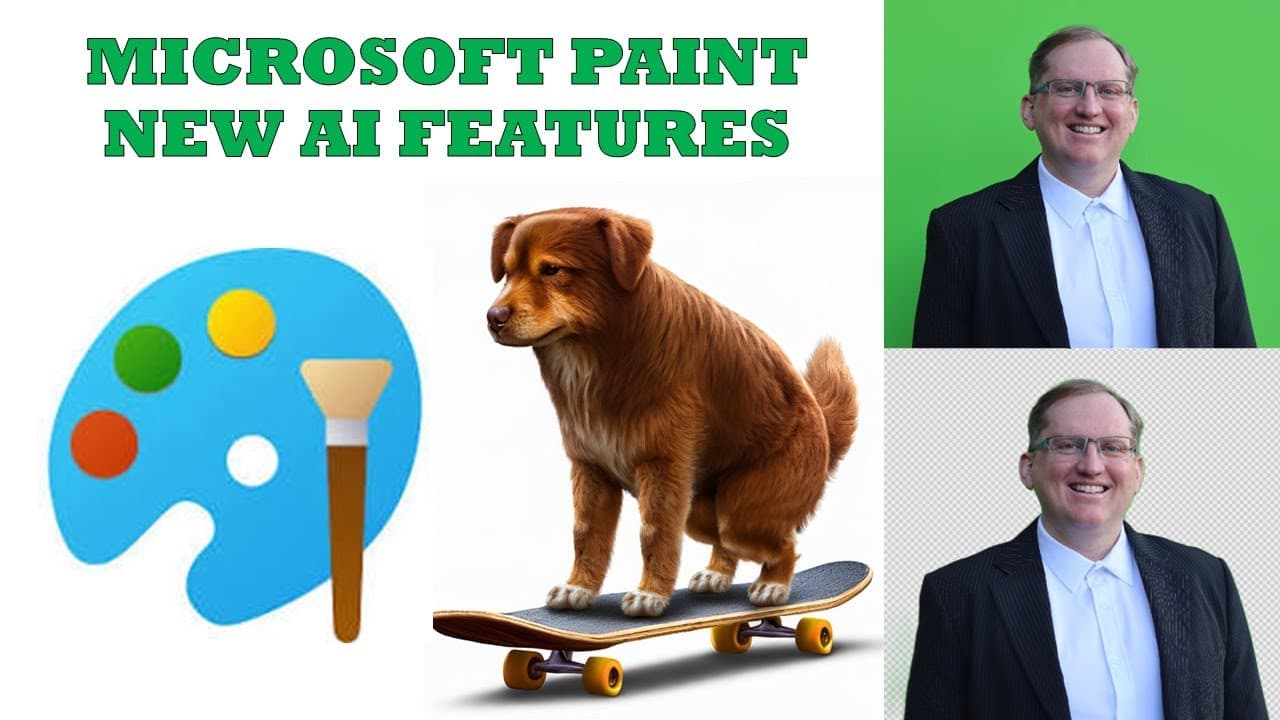
Microsoft Paint now includes AI image generation and background removal features. Users can generate images by entering simple descriptions with the Co-Creator tool, and the background removal function allows for quick editing similar to advanced software like Photoshop, all within the Paint application.
Transcript
hi friends welcome back to the channel if you're anything like me you probably haven't had a look at Ms paint for quite some time but Microsoft has actually been working pretty hard to make some big improvements most recently they've added two different AI features one is AI generation using the D engine and the other is background removal so these... Read More
Key Insights
- 📈 The integration of AI in MS Paint signifies a trend of enhancing basic applications with advanced technology.
- 👤 AI image generation offers a straightforward solution for users seeking custom graphics without extensive design skills or software knowledge.
- ❤️🩹 Background removal supports efficiency in creating professional-looking images without needing high-end editing software.
- 🪡 Microsoft Paint, traditionally a basic tool, is evolving to meet contemporary digital editing and creative needs.
- 👻 These advancements exemplify the democratization of creative tools, allowing a wider audience to engage in graphic design.
- 👤 Users can now harness AI capabilities directly within built-in software on Windows, increasing accessibility and usability.
- 👤 The improvements in MS Paint could encourage more frequent use of this longstanding application, attracting both old and new users.
Install to Summarize YouTube Videos and Get Transcripts
Explore YouTube Video Summarizer or Get YouTube Transcript Extractor
Questions & Answers
Q: What are the new AI features added to Microsoft Paint?
Microsoft Paint has introduced two main AI features: image generation via the Co-Creator, which allows users to generate images based on text descriptions, and a background removal tool that simplifies the editing process, making it easier to isolate subjects from their backgrounds.
Q: How does the AI image generation work in Paint?
The AI image generation feature in Paint works through a text input system where users can provide a description and select various style options. After submitting a prompt, the AI generates an image based on the description, making it a user-friendly alternative to other image generation tools.
Q: How effective is the background removal tool in Microsoft Paint?
The background removal tool performs well, accurately detecting and removing backgrounds from images. Although it occasionally leaves minor artifacts, such as haziness around edges, it serves as an impressive free alternative to complex software like Photoshop, especially for quick tasks.
Q: Can users access these AI features immediately in Paint?
Users might need to join a waitlist to access the AI functionalities initially. However, upon joining, many, including the speaker, quickly gained access, making the features readily available for creative tasks without extensive waiting times.
Summary & Key Takeaways
-
Microsoft has integrated AI functionality into MS Paint, allowing users to generate images with simple descriptions through an AI engine called Co-Creator.
-
The new background removal feature simplifies the editing process, previously available only in more advanced software like Photoshop, but now easily accessible in Paint.
-
Both features aim to enhance user creativity and efficiency, showcasing how basic tools are evolving with AI technology.
Read in Other Languages (beta)
Share This Summary 📚
Summarize YouTube Videos and Get Video Transcripts with 1-Click
Try YouTube Summary with ChatGPT & Claude or YouTube Transcript Generator
Explore More Summaries from Dr Lyndon Walker 📚





Summarize YouTube Videos and Get Video Transcripts with 1-Click
Try YouTube Summary with ChatGPT & Claude or YouTube Transcript Generator