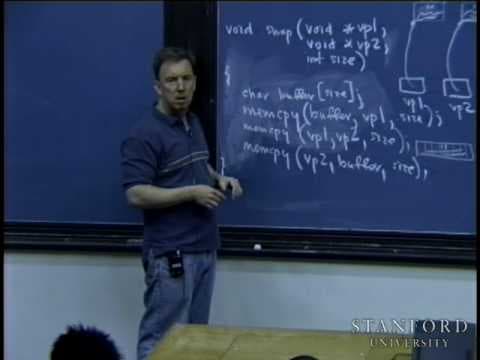
Lecture 2 | Programming Paradigms (Stanford)

TL;DR
Every value in C and C++ is stored as bits, where one byte of eight bits can distinguish 256 different values. A char takes one byte, a short two bytes, an int four bytes, a long four bytes, a float four bytes, and a double eight bytes. Characters like capital A are backed by numbers (65) written in base 2, not decimal.
Transcript
this presentation is delivered by the Stanford center for professional development hey everyone welcome uh I have uh four um super handouts for you today uh if you haven't gotten them yet feel free to just sit down we're going to uh probably make it a point because there's so many people in the class uh to just hand them out while I start lecturing... Read More
Key Insights
- A bit is the smallest unit of memory and can distinguish between two values, storing either a zero or a one; electrical engineers view it as high or low voltage, but computer scientists just treat it as 0 or 1.
- A byte is a group of eight independent bits, and because each bit can independently be 0 or 1, a single byte can distinguish between 2 to the 8th, or 256, different values, which is why the ASCII table is that size.
- Data type sizes assumed in the class are: char one byte, short two bytes, int four bytes, long four bytes, float four bytes, and double eight bytes, with a long long giving eight bytes for very large decimal numbers.
- Characters are backed by numbers stored in base 2, not decimal; capital A is backed by the number 65, which is represented as 2 to the 6th plus 2 to the 0th, or 64 plus 1.
- Recovering a decimal value from a byte uses a power series expansion, weighting each bit position by a power of two counting from zero starting at the rightmost bit.
- A short occupies two neighboring bytes in memory, giving 2 to the 16th different patterns, so it can distinguish between 2 to the 16th different values.
- A zero followed by all ones in binary behaves like zero followed by all nines in decimal; it is one less than a perfect power of two, so a value that is one followed by fifteen zeros minus one becomes 2 to the 15th minus 1.
- Understanding how zeros and ones are faithfully interpreted as characters, numbers, and structs every time makes you a much better C and C++ programmer, and for this low-level discussion C and C++ are treated as the same language.
Install to Summarize YouTube Videos and Get Transcripts
Explore YouTube Video Summarizer or Get YouTube Transcript Extractor
Questions & Answers
Q: How many values can a single byte of memory represent?
A single byte contains eight bits, and each bit can independently take on a value of zero or one regardless of the other bits. Because there are eight independent choices, a byte can distinguish between 2 to the 8th, which equals 256, different values. This is exactly why the ASCII character table is 256 entries in size, allowing 256 different characters to be represented in one byte.
Q: What are the sizes of C and C++ data types in this class?
In this class the assumed sizes are: char is one byte, short is two bytes, int is four bytes, and long is four bytes. Float is four bytes and double is eight bytes. An int can actually be anywhere between two and four bytes on real systems, but the class pretends it is always four. There is also a long long that gives eight bytes for representing very large decimal numbers.
Q: How is a character like capital A stored in memory?
Every character printed to the screen or a file is backed by some number, and capital A is backed by the number 65. Numbers are stored in base 2, not decimal, because binary is easiest to represent in a bit-oriented system. So 65 is stored as 2 to the 6th plus 2 to the 0th, which is 64 plus 1, meaning specific bits in the character byte are set to one while the rest are zero.
Q: What is a bit and how do computer scientists think about it?
A bit, short for binary digit, is a very small unit of memory that can distinguish between two different values. Electrical engineering students think of it in terms of transistors and high or low voltages, but computer scientists do not need that view. They simply assume a single bit can store a zero or a one. Technically a boolean could map to a single bit, though it is not practical to actually do so.
Q: How do you convert a byte's bit pattern into a decimal number?
You perform a power series expansion. Each bit position contributes a power of two, counted from zero starting at the rightmost bit. A one in a position adds that power of two, while a zero adds nothing. For example, a bit in the sixth position from the end contributes 2 to the 6th, and a bit in the zeroth position contributes 2 to the 0th. Summing the contributions of every bit set to one gives the decimal value.
Q: Why does a short use two bytes and how many values can it hold?
A short is two bytes, meaning two neighboring bytes in memory are laid down together. Some programmers use arrays or vectors of shorts when storing many small numbers to save memory. With sixteen bits available, there are 2 to the 16th different bit patterns, so a short can distinguish between 2 to the 16th different values. Each bit position still contributes its corresponding power of two when computing the represented number.
Q: Why is a zero followed by all ones one less than a power of two?
In binary, a zero followed by all ones behaves like a zero followed by all nines in decimal; it is one less than a perfect number that has many zeros at the end. Using a binary odometer analogy, if you back up from one followed by fifteen zeros, every digit gets demoted to a one, producing the all-ones pattern. So that value equals 2 to the 15th minus 1, just as a decimal odometer would show one less than a round number.
Q: Why is understanding low-level memory representation useful for programmers?
Understanding how everything ultimately gets represented as a collection of zeros and ones, and how those are faithfully interpreted every single time as a capital A, the number seven, or a struct representing a fraction, makes you a much better C and C++ programmer. For this discussion C and C++ are treated as the same language. Knowing how data works at this low a level clarifies how simple types like booleans, integers, floats, structs, and classes are stored.
Summary
This presentation discusses the low-level memory mechanics of data representation in memory, particularly focusing on characters, integers, and floating-point numbers in C and C++ programming languages. The speaker explains how different data types are represented in memory using binary digits (bits) and how they can distinguish between different values. The presentation also covers the concept of sign and magnitude representation, two's complement representation for negative numbers, and the representation of fractional parts in floating-point numbers.
Questions & Answers
Q: How are characters represented in memory?
Characters are usually represented by a single byte in memory. Each character is backed by a number, typically from 0 to 255, which represents its ASCII value. The bit pattern of the number is stored in memory, using binary digits. For example, the character 'A' is represented by the number 65, which is stored as the bit pattern 01000001.
Q: How are integers represented in memory?
Integers can be represented using different data types, such as short, int, and long. The bit patterns used to represent integers depend on the data type. The number of bits allocated for an integer can vary, with short typically using 2 bytes and int and long using 4 bytes. The bit pattern represents the magnitude of the number, with the leftmost bit commonly used as the sign bit to indicate whether the number is positive or negative. Two's complement representation is often used for negative numbers in order to simplify addition and subtraction.
Q: What is two's complement representation?
In two's complement representation, the leftmost bit of a binary number represents the sign (0 for positive, 1 for negative) and the remaining bits represent the magnitude. To obtain the negative representation of a number, the bits are inverted (0 becomes 1, 1 becomes 0) and 1 is added to the result. For example, the bit pattern 0111 represents the number 7, and its two's complement representation would be 1001 (which represents -7).
Q: How are floating-point numbers represented in memory?
Floating-point numbers are represented using a combination of sign, exponent, and fraction. The sign bit indicates the sign (0 for positive, 1 for negative), the exponent represents a power of 2 by which the fraction should be multiplied or divided, and the fraction represents the significant digits of the number. The bit pattern is used to store these components in memory according to a specific format, such as IEEE 754.
Q: What happens when an integer is assigned to a float?
When an integer is assigned to a float, the computer evaluates the integer value and converts it to a floating-point representation. The integer's bit pattern is used to initialize the sign, exponent, and fraction components of the floating-point number. The resulting floating-point number may not have the same decimal representation as the original integer due to the differences in how they are represented in memory.
Q: How are negative floating-point numbers represented?
Negative floating-point numbers are represented by setting the sign bit to 1, similar to negative integers. The rest of the floating-point representation, including the exponent and fraction, is calculated based on the binary pattern of the negative number.
Q: Why is two's complement representation used for negative integers?
Two's complement representation is used for negative integers because it simplifies addition and subtraction operations. By using two's complement, the same addition algorithm can be applied to both positive and negative numbers, with the sign propagation occurring naturally in the calculations.
Q: Can all real numbers be represented accurately using floating-point numbers?
No, due to the finite number of bits used to represent floating-point numbers, not all real numbers can be represented accurately. The precision and range of floating-point numbers depend on the number of bits allocated for the sign, exponent, and fraction. This means that some numbers may be rounded or approximated when stored and manipulated as floating-point numbers.
Q: Are there any limitations or trade-offs in using floating-point numbers?
Yes, there are limitations and trade-offs in using floating-point numbers. The precision of floating-point numbers decreases as the number becomes larger or smaller, leading to potential rounding errors. Additionally, operations involving floating-point numbers may be slower than those involving integers due to the extra overhead required to handle the sign, exponent, and fraction components.
Q: How can I convert a float to an integer?
Converting a float to an integer usually involves discarding the fractional part of the float and, optionally, rounding the result. This can be achieved by using casting or rounding functions available in the programming language. However, it is important to consider the potential loss of information when converting between different data types.
Summary & Key Takeaways
-
The lecture opens with course logistics including handouts and a mailing list of 245 email addresses, then shifts to low-level memory mechanics to explain how booleans, integers, floating point numbers, structs, and classes are all ultimately represented as collections of zeros and ones in memory.
-
Professor Cain lays out the scalar data types and their assumed sizes: bool, char at one byte, short at two bytes, int and long at four bytes, float at four bytes, and double at eight bytes, noting a long long provides eight bytes for very large numbers and that ints can actually range from two to four bytes.
-
He explains that a bit stores a 0 or 1, and eight independent bits form a byte capable of 256 values, then shows how characters like capital A map to the number 65 in base 2 and how shorts use two bytes to represent 2 to the 16th values, setting up binary arithmetic and negative number representation.
Read in Other Languages (beta)
Share This Summary 📚
Summarize YouTube Videos and Get Video Transcripts with 1-Click
Try YouTube Summary with ChatGPT & Claude or YouTube Transcript Generator
Explore More Summaries from Stanford 📚



Summarize YouTube Videos and Get Video Transcripts with 1-Click
Try YouTube Summary with ChatGPT & Claude or YouTube Transcript Generator