iPad Desk Setup 2022 ft. iPadOS 16
TL;DR
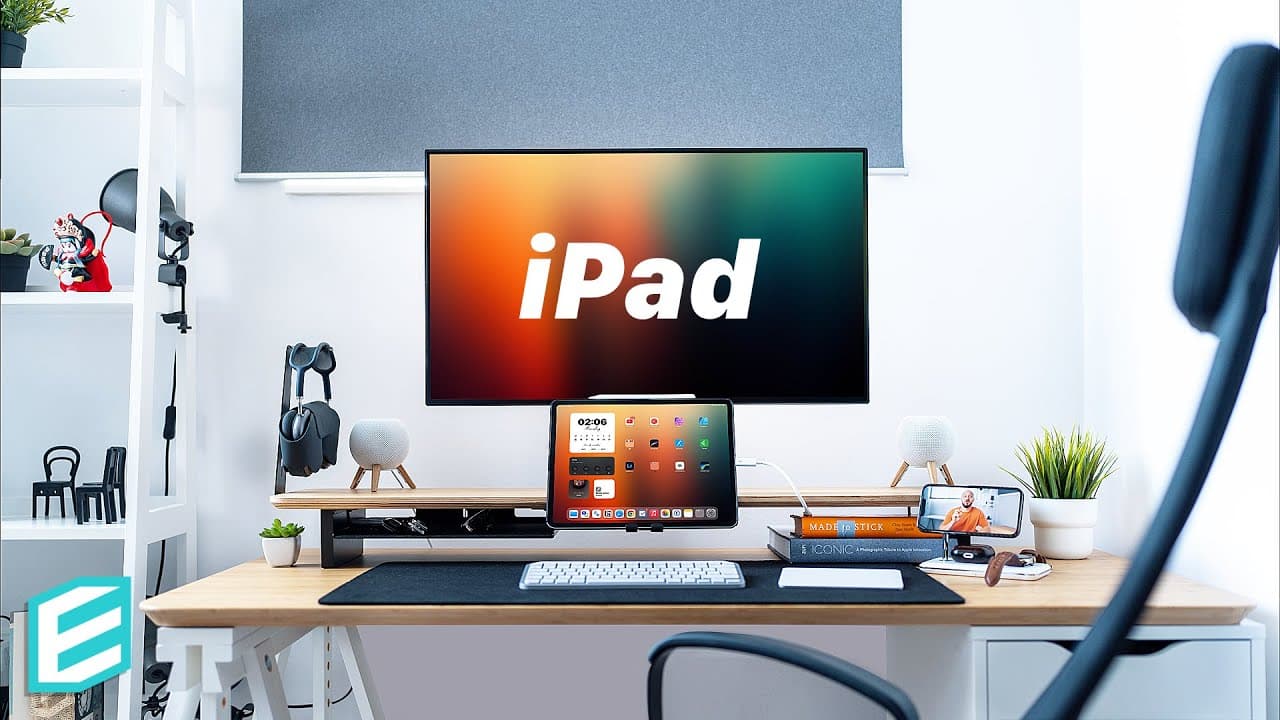
This video showcases an iPad desk setup using iPadOS 16 with external display support, featuring a sturdy IKEA desk, a versatile Balolo desk shelf, a floating iPad setup, and various accessories.
Transcript
This video is brought to you by UGREEN! I've been meaning to do an iPad desk setup video for years. Yet the limitations of the older iPadOS versions never gave it justice because who wants to have a giant mirrored iPad screen with black bars on the sides? With iPadOS 16, we finally have proper external display support, and I was finally able to put... Read More
Key Insights
- 👻 iPadOS 16 with external display support allows for a more versatile desk setup using an iPad as a primary display.
- 💁 The IKEA desk and Balolo desk shelf combination provides a sturdy and well-organized workspace.
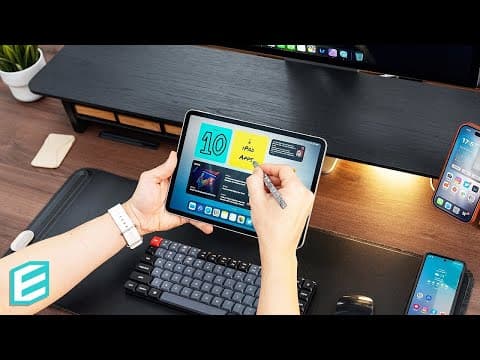
- 😃 The floating iPad setup at eye level enhances ergonomics and reduces clutter.
- 😒 The use of high-quality accessories, such as the HomePod mini stands and AirPods Max, enhances the audio experience.
- 🤟 The Logitech MX Keys mini trackpad and keyboard offer smooth gesture controls and a comfortable typing experience.
- 💁 The Enough mouse pad, made from environmentally friendly materials, complements the desk setup.
- 🈂️ The UGREEN 3-in-1 MagSafe wireless charging station offers a convenient and stylish way to charge multiple Apple devices.
Install to Summarize YouTube Videos and Get Transcripts
Explore YouTube Video Summarizer or Get YouTube Transcript Extractor
Questions & Answers
Q: What are the main components of the iPad desk setup shown in the video?
The main components of the setup include an IKEA desk, a Balolo desk shelf, an M1 12.9-inch iPad Pro running iPadOS 16 Beta, a 32-inch 4K monitor, dual HomePod mini setup, AirPods Max, a trackpad, a Logitech keyboard, and a 3-in-1 MagSafe wireless charging station.
Q: How does the Balolo desk shelf enhance the desk setup?
The Balolo desk shelf serves as the central hub for desk accessories and allows for easy mounting and organization. It is made from high-quality wood and comes in two finishes - American Walnut and Oak Wood - to match the overall aesthetic of the setup.
Q: What are the benefits of the floating iPad setup?
The floating iPad setup places the iPad at eye level, creating an ergonomic arrangement. It eliminates the need for monitor stands or legs, ensuring a clutter-free and comfortable workspace. The iPad is powered by the monitor, reducing cable clutter.
Q: How does the UGREEN 3-in-1 MagSafe wireless charging station enhance the desk setup?
The UGREEN 3-in-1 MagSafe wireless charging station is a sleek and versatile charger that can handle multiple Apple devices, including the iPhone, Apple Watch, and AirPods. It provides fast charging with over-voltage, over-current, and over-temperature protection.
Key Insights:
- iPadOS 16 with external display support allows for a more versatile desk setup using an iPad as a primary display.
- The IKEA desk and Balolo desk shelf combination provides a sturdy and well-organized workspace.
- The floating iPad setup at eye level enhances ergonomics and reduces clutter.
- The use of high-quality accessories, such as the HomePod mini stands and AirPods Max, enhances the audio experience.
- The Logitech MX Keys mini trackpad and keyboard offer smooth gesture controls and a comfortable typing experience.
- The Enough mouse pad, made from environmentally friendly materials, complements the desk setup.
- The UGREEN 3-in-1 MagSafe wireless charging station offers a convenient and stylish way to charge multiple Apple devices.
- The Markus chair from IKEA is a comfortable and adjustable seating option for long hours of work or editing sessions.
Summary & Key Takeaways
-
The video presents a desk setup using iPadOS 16 and external display support, featuring an IKEA desk and a Balolo desk shelf, which serves as the central hub for desk accessories.
-
The iPad is showcased in a floating setup at ideal eye level, powered by an M1 12.9-inch iPad Pro running iPadOS 16 Beta, with additional settings for extending the display to a 32-inch 4K monitor.
-
Various accessories are highlighted, including a dual HomePod mini setup on Balolo tripod stands, AirPods Max, a trackpad, a Logitech keyboard, a mouse pad, and a 3-in-1 MagSafe wireless charging station from UGREEN.
Read in Other Languages (beta)
Share This Summary 📚
Summarize YouTube Videos and Get Video Transcripts with 1-Click
Try YouTube Summary with ChatGPT & Claude or YouTube Transcript Generator
Explore More Summaries from ThisIsE 📚
Summarize YouTube Videos and Get Video Transcripts with 1-Click
Try YouTube Summary with ChatGPT & Claude or YouTube Transcript Generator