How to Use SciSpace Features for PDF Analysis and Note-Taking
TL;DR
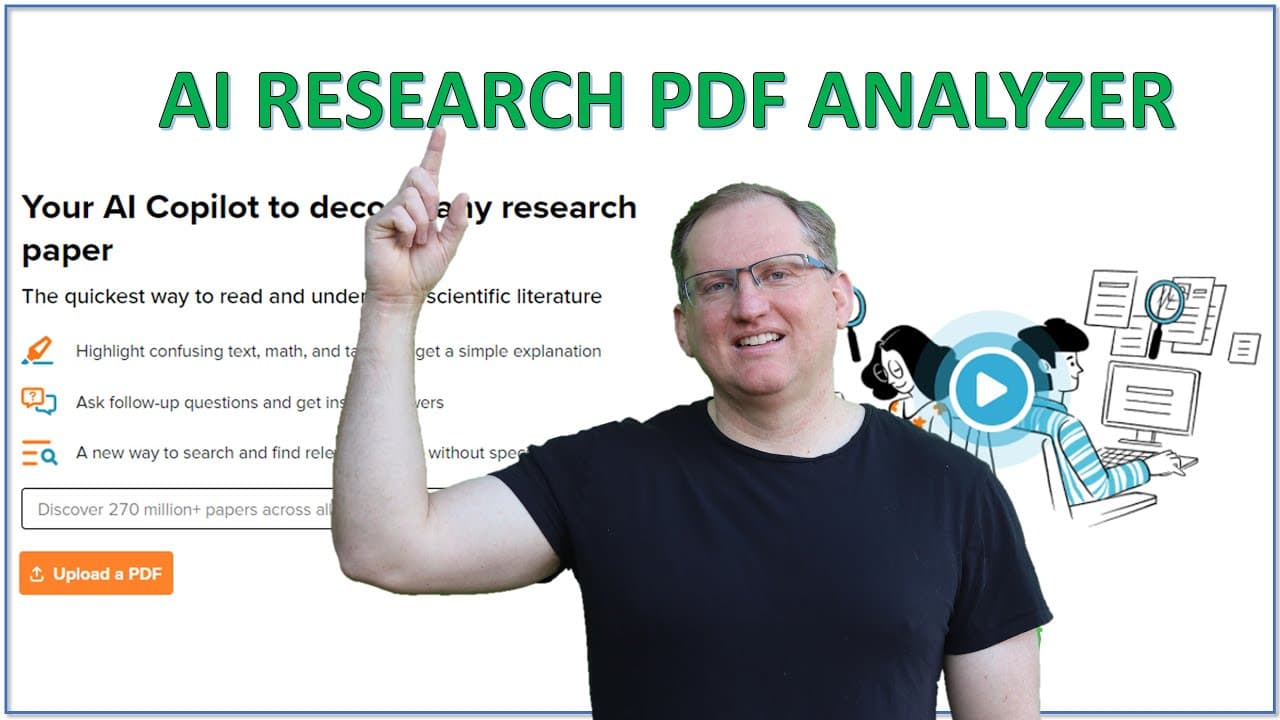
To enhance research efficiency using SciSpace, utilize the PDF upload feature to extract data and customize your analysis. The new notebook function allows you to compile notes and insights, helping to organize your research in one place while benefiting from AI writing enhancements.
Transcript
hi friends welcome back to the channel today we're looking at a couple of new features on sspace sspace is an AI powered research app has a number of excellent features like literature review co-pilot and the two new ones that we're going to be looking at which is the ability to upload your own PDFs and have it do breakdowns and summarization and a... Read More
Key Insights
- 👻 Sspace's new PDF upload feature simplifies the literature review process by allowing direct data extraction from user-uploaded documents.
- 👨🔬 Customizable data columns in PDF extraction enable users to tailor their research inquiries to their specific needs.
- 📔 The introduction of a notebook promotes better organization and accessibility of research notes within the app's ecosystem.
- 🥶 Expertise in complex concepts is enhanced through the tailored explanations provided by the AI co-pilot, aiding user comprehension.
- 👨🔬 Integrating note-taking and writing enhancements streamlines the user experience, making it easier to transform research insights into coherent narratives.
- 💦 The ability to capture and organize different pieces of information in one location is particularly beneficial for researchers working on extensive projects.
- 👨🔬 Users can leverage discount codes shared by the presenter to access Sspace’s features at a reduced cost, optimizing their investment in research tools.
Install to Summarize YouTube Videos and Get Transcripts
Explore YouTube Video Summarizer or Get YouTube Transcript Extractor
Questions & Answers
Q: What new features have been added to the Sspace app?
The Sspace app has introduced the ability to upload PDFs for data extraction and a notebook feature that allows for note-taking and AI-assisted writing. Users can now enhance their research process by organizing their notes and summarizing uploaded content effectively.
Q: How does the PDF extraction feature work in Sspace?
The PDF extraction feature allows users to upload their own documents and choose options for data extraction. This includes built-in options and the ability to create custom columns. Once uploaded, Sspace analyzes the PDF and provides insights like conclusions and summaries, aiding in efficient research.
Q: What is the functionality of the AI writer in the notebook feature?
The AI writer within the notebook helps users create and refine content by rewriting or generating text based on existing notes. This feature is beneficial for turning fragmented research notes into coherent documents, enhancing clarity and writing quality for users compiling their findings.
Q: Can the Sspace co-pilot assist with understanding complex research concepts?
Yes, the Sspace co-pilot feature allows users to ask questions and receive tailored explanations about research topics or methods used in their documents. While it currently can’t search the internet for recent publications, it effectively explains concepts in context to the user's specific research work.
Q: How does the notebook feature integrate into the user's research workflow?
The notebook feature integrates by allowing users to save and organize notes based on their research activities. Users can easily copy relevant text from different sections, add them to their notebook, and use AI features to summarize or expand on their research, promoting a more organized workflow.
Q: Are there any limitations in the PDF data extraction feature?
While the PDF data extraction feature is effective, it may have limitations in extracting nuanced insights, and users need to be specific with custom column names for optimal results. Initial interpretations can be generalized, and users must ensure clarity in their queries for better outcome accuracy.
Q: How does the ability to upload PDFs enhance user experience in Sspace?
Uploading PDFs enhances the user experience by allowing researchers to directly interact with their content, streamline data extraction, and minimize manual processing. This convenience supports a smoother workflow, helping users focus on analysis and interpretation without getting bogged down by logistical issues.
Q: What improvements could be made to Sspace's features in the future?
Future improvements for Sspace could include adding real-time internet access for the co-pilot feature to fetch recent research articles, enhancing the AI writer's contextual understanding, and refining the PDF extraction tool for more detailed and nuanced insights, further facilitating the research process.
Summary & Key Takeaways
-
Sspace, an AI-powered research app, has introduced two significant features: PDF uploads for data extraction and a notebook for note-taking and writing enhancement.
-
Users can upload their own PDFs, extract relevant data, and customize columns for more detailed summarizations, improving research efficiency.
-
The notebook feature allows users to compile notes and research insights in one place, leveraging AI tools for writing enhancements and organization.
Read in Other Languages (beta)
Share This Summary 📚
Summarize YouTube Videos and Get Video Transcripts with 1-Click
Try YouTube Summary with ChatGPT & Claude or YouTube Transcript Generator
Explore More Summaries from Dr Lyndon Walker 📚





Summarize YouTube Videos and Get Video Transcripts with 1-Click
Try YouTube Summary with ChatGPT & Claude or YouTube Transcript Generator