App vs. Spreadsheet - Which Should You Use for Budgeting?
TL;DR
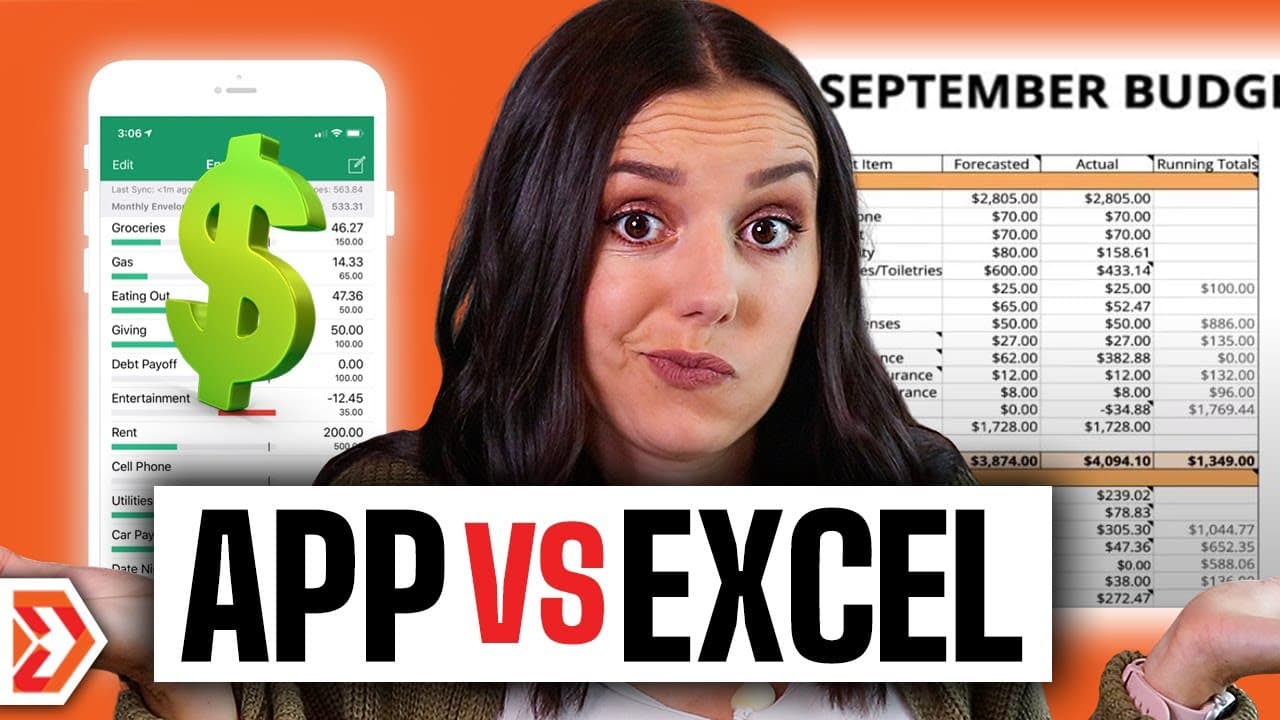
Choose a spreadsheet for customizable, hands-on budgeting, Simplify by Quicken for consolidated account tracking, or combine both approaches. Spreadsheets support granular categories and next-month forecasting but require manual transaction entry, while the app displays bank accounts, credit cards, investments, bills, paychecks, savings goals, and watch lists in one dashboard. Read on to compare the practical tradeoffs.
Transcript
if you are ready to budget you are ready to actually put your income and expenses down where you can see it and simplify it customize it what do you use what do you use do you use an app do you use a spreadsheet do you use a different method altogether in this video we are going to be talking about whether or not you should be using an app or a spr... Read More
Key Insights
- "the biggest pro to using a spreadsheet is that it's customizable" (1:31)
- "with a spreadsheet it forces you to feel those transactions because you are manually entering them" (3:06)
- "it can be very time consuming to track down all of these transactions and input it into your budget" (4:30)
- "the app does cost 3.99 per month" (5:58)
Install to Summarize YouTube Videos and Get Transcripts
Explore YouTube Video Summarizer or Get YouTube Transcript Extractor
Questions & Answers
Q: Should I use an app or a spreadsheet for budgeting?
Use a spreadsheet if you value customization, granular categories, manual transaction awareness, and flexible forecasting. Consider Simplify by Quicken if you want bank accounts, credit cards, investments, bills, paychecks, savings goals, and spending watch lists accessible through one dashboard.
Q: What are the main advantages of using a budget spreadsheet?
A spreadsheet is customizable, so you can structure it around how your brain works and make categories broad or granular. You can also create formulas, manually review each transaction, and duplicate a previous month to forecast the next one.
Q: How does manual transaction entry affect spending awareness?
Manual entry forces you to see how often you spend at restaurants, shop on Amazon, or make other purchases. The presenter says this can restore an emotional attachment to spending that may be lost when purchases happen digitally.
Q: Can a spreadsheet help forecast next month's budget?
Yes. You can duplicate the previous month's spreadsheet and adjust it for upcoming circumstances, such as holiday spending in November and December, summer birthdays, anniversaries, or a Fourth of July party.
Q: What are the disadvantages of budgeting with a spreadsheet?
You must locate transactions across checking, savings, credit card, investment, and 401k accounts. Recording all of those transactions manually can be time-consuming.
Q: What budgeting information does Simplify by Quicken show?
Simplify by Quicken can show bank accounts, credit card statements, and investments in one dashboard. It also displays paid bills and upcoming paychecks, including paychecks before they reach the checking account.
Q: How does Simplify by Quicken support savings and spending goals?
The app lets you create savings goals and include them in your spending plan so you can prioritize the month. You can also create watch lists to monitor shopping and spending habits and decide what to prioritize or deprioritize.
Q: How much does Simplify by Quicken cost?
The stated price is 3.99 per month. The presenter also says viewers using the description link can test it free for 30 days.
Summary & Key Takeaways
-
Excel spreadsheets offer customization, manual entry, and granular tracking of income and expenses.
-
Budgeting apps like Simplify by Quicken automate transactions, provide real-time updates, and aid in setting financial goals.
-
A hybrid model of using both spreadsheet and app can combine customization and automation for effective budgeting.
Read in Other Languages (beta)
Share This Summary 📚
Summarize YouTube Videos and Get Video Transcripts with 1-Click
Try YouTube Summary with ChatGPT & Claude or YouTube Transcript Generator
Explore More Summaries from Debt Free Millennials 📚



Summarize YouTube Videos and Get Video Transcripts with 1-Click
Try YouTube Summary with ChatGPT & Claude or YouTube Transcript Generator