FAVOURITE Products, Apps, and Tools (For HIGH QUALITY Content Creation!)
TL;DR
Discover essential tools and apps for efficient content creation.
Transcript
What's up, everyone! Welcome back to my channel! The best place for new coaches, content, creators, and entrepreneurs. In today's video, we are going to do some fun stuff today. I'm going to share with you some of my favorite tools, products, apps, hacks that I use almost on a day to day basis when it comes to creating mass content on Instagram, Yo... Read More
Key Insights
- The video introduces a variety of tools and apps that aid in content creation, emphasizing their utility for both new and experienced creators aiming to streamline their processes.
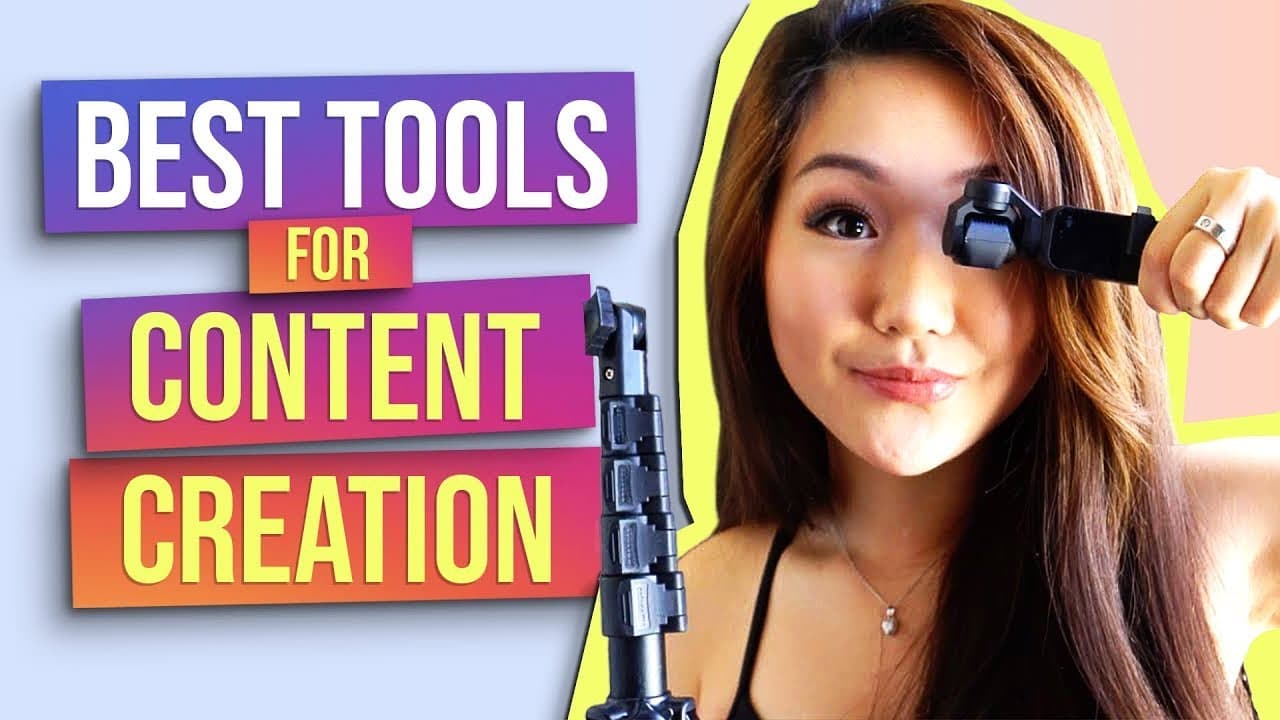
- A sturdy selfie stick from Amazon is highlighted, praised for its versatility in facilitating simultaneous live streaming on different platforms like Facebook and Instagram.
- The DJI Osmo Pocket camera is recommended for its compact size, 4K filming capability, and excellent audio quality, making it ideal for vlogging and on-the-go content creation.
- Airtable is showcased as a powerful organizational tool for managing content workflows, offering features like spreadsheets, calendars, and Kanban boards to streamline content scheduling and management.
- Cam Link is discussed as a solution to convert DSLR cameras into high-quality webcams, enhancing the video quality for online meetings, courses, and digital events.
- The importance of a dummy battery is highlighted, offering a solution for continuous camera operation without the need for frequent battery changes, particularly useful for lengthy filming sessions.
- ScreenFlow is recommended for recording and editing screen captures in high quality, providing features that enhance tutorial-based content by making it more engaging.
- The video stresses the value of investing in quality equipment, such as the Sony 6400 camera and Sigma lens, to significantly improve the production quality of YouTube videos.
Install to Summarize YouTube Videos and Get Transcripts
Explore YouTube Video Summarizer or Get YouTube Transcript Extractor
Questions & Answers
Q: What is the main purpose of the video content?
The main purpose of the video is to share valuable tools, apps, and hacks that the host uses regularly to enhance content creation. It aims to help aspiring or active content creators improve their efficiency and elevate their content quality across platforms like Instagram, YouTube, and podcasts.
Q: How does the selfie stick mentioned in the video assist content creators?
The selfie stick mentioned in the video assists content creators by providing a sturdy and adjustable stand that can hold a phone for dual live streaming on platforms such as Facebook and Instagram. Its versatility allows for different angles and heights, making it ideal for solo creators who need to film themselves without additional help.
Q: What are the benefits of using the DJI Osmo Pocket camera?
The DJI Osmo Pocket camera offers several benefits including its compact size, which makes it easy to carry and use for vlogging. It films in 4K with impressive audio quality without needing an external microphone. Additionally, it features face tracking and can be connected to a smartphone for enhanced control, making it suitable for creating high-quality content on the go.
Q: How does Airtable improve content workflow management?
Airtable improves content workflow management by offering a versatile platform that combines the functionality of spreadsheets with additional features like calendars and Kanban boards. It allows creators to organize and track their content production process, manage schedules, and store all related assets in one place, thereby streamlining the workflow for podcasts, Instagram, and other content forms.
Q: What is Cam Link and how does it benefit content creators?
Cam Link is a tool that enables content creators to use their DSLR cameras as webcams. This significantly enhances video quality for online meetings, digital events, and course recordings. By connecting the camera to a computer via Cam Link, creators can achieve high-resolution video output without investing in a separate 4K webcam, making it a cost-effective solution for professional-grade video quality.
Q: Why is a dummy battery recommended for content creators?
A dummy battery is recommended for content creators because it allows cameras to be powered continuously by plugging into a wall outlet, eliminating the need for frequent battery changes. This is particularly beneficial for extended filming sessions or live streaming, ensuring that the camera remains operational without interruptions due to battery depletion, thus enhancing productivity and efficiency.
Q: What features does ScreenFlow offer for content creation?
ScreenFlow offers features that enhance content creation by allowing creators to record their screens in high quality and edit the recordings with advanced tools. It supports 4K resolution and provides options to highlight mouse movements, add annotations, and create engaging tutorials. These capabilities make it an essential tool for creators producing instructional or tutorial-based content, ensuring clarity and viewer engagement.
Q: What equipment upgrades are suggested to improve YouTube video quality?
To improve YouTube video quality, the video suggests equipment upgrades including the Sony 6400 camera paired with a Sigma lens for achieving a professional look with a blurred background. Additionally, using a Rode VideoMic Pro enhances audio quality. These upgrades significantly elevate the production value of YouTube videos, making them more visually appealing and professional.
Summary & Key Takeaways
-
The video provides a comprehensive guide on various tools and apps that enhance content creation, targeting both novice and seasoned creators. The host shares personal recommendations, emphasizing tools that improve efficiency and quality across multiple platforms.
-
Highlighted products include a versatile selfie stick, the compact DJI Osmo Pocket camera, and Airtable for content management. These tools are praised for their ability to facilitate simultaneous streaming and efficient workflow organization.
-
Additional recommendations focus on enhancing video quality and production efficiency, such as using Cam Link to convert DSLR cameras into webcams, employing dummy batteries for uninterrupted filming, and utilizing ScreenFlow for engaging screen capture content.
Read in Other Languages (beta)
Share This Summary 📚
Summarize YouTube Videos and Get Video Transcripts with 1-Click
Try YouTube Summary with ChatGPT & Claude or YouTube Transcript Generator
Explore More Summaries from Vanessa Lau 📚

Summarize YouTube Videos and Get Video Transcripts with 1-Click
Try YouTube Summary with ChatGPT & Claude or YouTube Transcript Generator