How to Train Your Dog to Use Communication Buttons
TL;DR
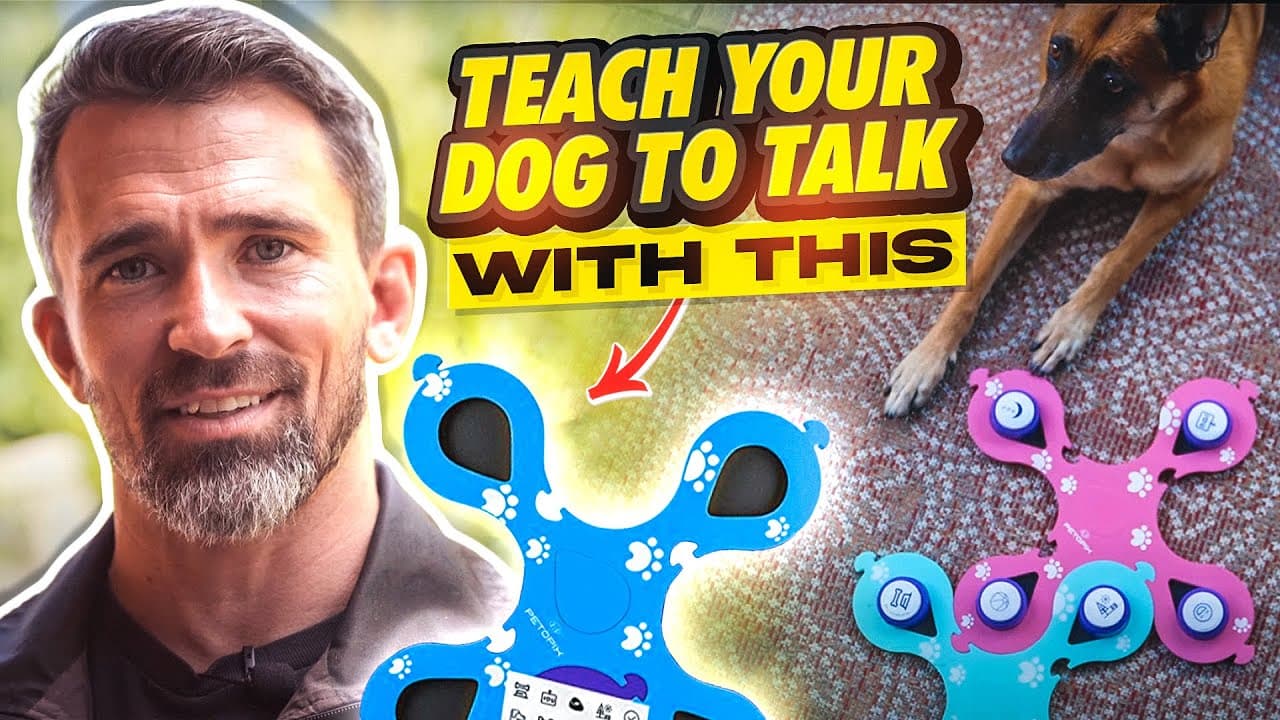
Train your dog to communicate using buttons with three simple techniques. Start by associating button pressing with rewards such as treats or playtime. Gradually introduce more buttons and commands, ensuring consistency and patience throughout the process. This method enhances your bond and impresses others.
Transcript
today's video was made possible by Peta picks click the link below to get your pet talking button set today hi I'm Nate shomer certified professional and master dog trainer I've been training dogs for over a decade now I was an instructor at a school for professional dog trainers I've trained across the country in many different States including Co... Read More
Key Insights
- PETOPIX button set allows dogs to communicate specific needs.
- Three techniques to teach button pressing: sticky pad, food under button, and shake command.
- Consistency in button placement helps dogs learn associations faster.
- Start with simple commands like 'treat' before progressing to complex actions.
- Use markers like 'yes' to reinforce desired behaviors immediately.
- Leash pressure can prevent dogs from chewing button mats.
- Patience is crucial; dogs may take days to months to master button communication.
- Ensure each button press leads to the promised reward to maintain motivation.
Install to Summarize YouTube Videos and Get Transcripts
Explore YouTube Video Summarizer or Get YouTube Transcript Extractor
Questions & Answers
Q: How to teach a dog to use communication buttons?
To teach a dog to use communication buttons, start with simple commands like 'treat' using techniques such as sticky pads, placing food under buttons, or the shake command. Consistency in button placement and immediate reinforcement with markers like 'yes' are crucial. Gradually introduce more buttons and commands, ensuring each press results in a reward to maintain motivation.
Q: What are the benefits of using PETOPIX buttons for dogs?
PETOPIX buttons allow dogs to communicate specific needs, enhancing the bond between pet and owner. They provide a fun and engaging way for dogs to express desires, such as wanting a treat or going for a walk. This method also impresses others and can improve a dog’s cognitive abilities through consistent training and reinforcement.
Q: What is the sticky pad technique for button training?
The sticky pad technique involves placing a treat on a sticky pad to attract the dog’s attention. Once the dog is accustomed to touching the pad for a treat, transition to showing the pad without a treat. When the dog touches the pad, use a marker like 'yes' and reward them from your hand, reinforcing the behavior of pressing the button.
Q: How can leash pressure prevent mat chewing?
Leash pressure can prevent mat chewing by teaching the dog to follow leash cues. When the dog bites the mat, apply gentle leash pressure and use a word like 'wrong' to signal the undesired behavior. Release the pressure and praise the dog when they stop biting, reinforcing that biting the mat is not acceptable without causing avoidance.
Q: Why is consistency important in button training?
Consistency in button training is crucial because it helps dogs learn associations faster. Placing buttons in the same spot ensures the dog knows where to find them and what each button predicts, reinforcing the learning process. Consistent rewards for button presses maintain motivation and encourage the dog to use the buttons reliably.
Q: How long does it take for a dog to learn button communication?
The time it takes for a dog to learn button communication varies based on the dog’s motivation and training consistency. Some dogs may learn quickly within days, especially if they are food-motivated, while others may take weeks or even months. Patience and consistent practice are key to successfully teaching a dog to use communication buttons.
Q: What role do markers play in button training?
Markers, such as the word 'yes,' play a crucial role in button training by providing immediate feedback to the dog when they perform the desired behavior. This instant reinforcement helps the dog understand which actions are correct and should be repeated. Markers bridge the gap between the action and the reward, making training more effective.
Q: How to introduce multiple buttons for different commands?
To introduce multiple buttons, start by ensuring the dog is proficient with one button and its associated command. Gradually add additional buttons one at a time, each linked to a different command or activity. Use consistent markers and rewards for each button press, and practice regularly to reinforce the associations. Begin with simple commands before progressing to more complex ones.
Summary & Key Takeaways
-
Train your dog to use communication buttons with three techniques: sticky pad, food under button, and shake command. Start with simple commands and gradually introduce more. Consistency in button placement enhances learning, and markers reinforce desired behaviors. Leash pressure can prevent mat chewing.
-
Ensure each button press results in the promised reward to keep your dog motivated. Patience is key, as dogs may take varying times to master button communication. This method strengthens your bond and impresses others.
-
Using PETOPIX buttons, dogs can express needs like treats or playtime. Begin with basic commands and gradually increase complexity. Consistency, patience, and reinforcement are essential for successful training.
Read in Other Languages (beta)
Share This Summary 📚
Summarize YouTube Videos and Get Video Transcripts with 1-Click
Try YouTube Summary with ChatGPT & Claude or YouTube Transcript Generator
Explore More Summaries from Nate Schoemer 📚






Summarize YouTube Videos and Get Video Transcripts with 1-Click
Try YouTube Summary with ChatGPT & Claude or YouTube Transcript Generator