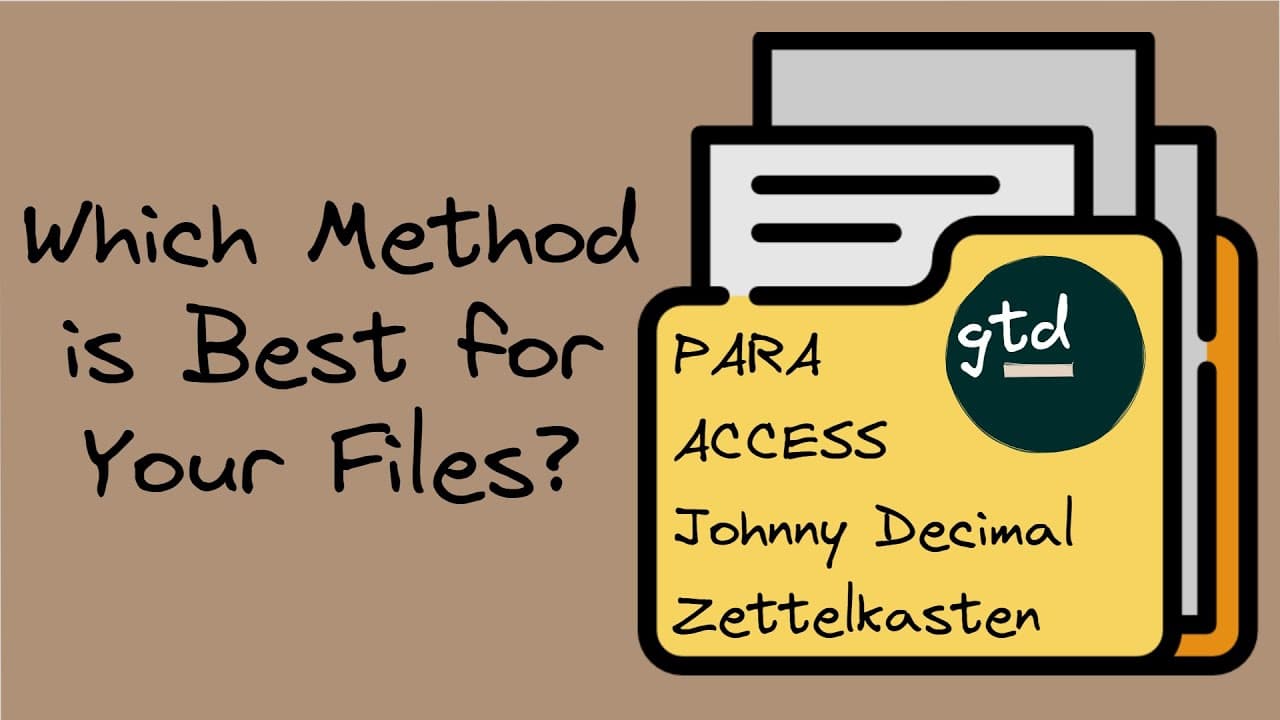
The Ultimate Guide to File Organization: 5 System You Must To Know
TL;DR
Discover five effective systems for organizing digital files that will improve findability, reduce clutter, and optimize your workflow.
Transcript
are you feeling overwhelmed by your digital files ever find yourself scrolling through endless folders looking for that one elusive document I used to have that problem all the time but every time this happens to me I like to do an after action review and ask myself how in the end did I find that file and tweak my system to improve findability my f... Read More
Key Insights
- 📁 Organizing digital files is essential for optimizing workflow and improving productivity.
- 📁 Different systems, such as Pera, Johnny Decimal, Access, Flat File Structure, and Zettelcaston, offer unique approaches to file organization.
- ⚾ The Pera system categorizes files based on projects, areas, resources, and archives.
- 😒 The Johnny Decimal System uses a numbering scheme to create a consistent and logical file structure.
- 📁 The Access system focuses on six main folders to maximize productivity and clarity.
- 📁 The Flat File Structure emphasizes file naming and linking rather than complex folder hierarchies.
- 🍻 Zettelcaston is a link-based system that prioritizes knowledge management and exploration.
Install to Summarize YouTube Videos and Get Transcripts
Explore YouTube Video Summarizer or Get YouTube Transcript Extractor
Questions & Answers
Q: Which system is recommended for organizing digital files if your primary aim is to get things delivered?
Pera is a highly effective system for organizing digital files, especially if your goal is to prioritize and manage projects effectively. It categorizes files into projects, areas, resources, and archives based on their relevance and urgency.
Q: How does the Johnny Decimal System work?
The Johnny Decimal System involves dividing your files into broad areas (10 to 90) and further categorizing them into specific categories (0 to 9). Files are then named with a descriptive title and corresponding area and category numbers, making it easy to locate them.
Q: What is the main focus of the Access system?
The Access system focuses on six main folders: Atlas, Calendar, Cards, Extras, Sources, and Spaces. These folders help maximize productivity and clarity in managing both knowledge and actions. It emphasizes organizing files based on their function and purpose.
Q: How does the Flat File Structure differ from traditional folder hierarchies?
The Flat File Structure places more emphasis on file naming and linking rather than organizing files into complex folder hierarchies. All files and folders are stored at the same level, making it easier to find and link related files.
Key Insights:
- Organizing digital files is essential for optimizing workflow and improving productivity.
- Different systems, such as Pera, Johnny Decimal, Access, Flat File Structure, and Zettelcaston, offer unique approaches to file organization.
- The Pera system categorizes files based on projects, areas, resources, and archives.
- The Johnny Decimal System uses a numbering scheme to create a consistent and logical file structure.
- The Access system focuses on six main folders to maximize productivity and clarity.
- The Flat File Structure emphasizes file naming and linking rather than complex folder hierarchies.
- Zettelcaston is a link-based system that prioritizes knowledge management and exploration.
- Each system has its own strengths and weaknesses, and the choice depends on individual preferences and workflow requirements.
Summary & Key Takeaways
-
The video introduces five powerful systems for organizing digital files: Pera, Johnny Decimal, Access, Flat File Structure, and Zettelcaston.
-
Pera is a system that categorizes files into projects, areas, resources, and archives, based on their relevance and purpose.
-
Johnny Decimal uses a numbering scheme to create a consistent and logical file structure, making it easy to find and access files.
-
Access focuses on six main folders, including Atlas, Calendar, Cards, Extras, Sources, and Spaces, to maximize productivity and clarity.
-
The Flat File Structure emphasizes file naming and linking rather than complex folder hierarchies.
-
Zettelcaston is a link-based system that emphasizes knowledge management and exploration.
Read in Other Languages (beta)
Share This Summary 📚
Summarize YouTube Videos and Get Video Transcripts with 1-Click
Try YouTube Summary with ChatGPT & Claude or YouTube Transcript Generator
Explore More Summaries from Zsolt's Visual Personal Knowledge Management 📚

Summarize YouTube Videos and Get Video Transcripts with 1-Click
Try YouTube Summary with ChatGPT & Claude or YouTube Transcript Generator