Rethinking PKM Part 2: Links, Tags, and Filepaths
TL;DR
This video discusses the differences between file names, folders, tags, and links in personal knowledge management systems and how they can be used to organize and categorize information effectively.
Transcript
hey everyone since my last video i've been pretty busy and if you've been following me on twitter that you've seen all of the different things that i was doing so first of all thank you for the feedback on the previous mind map i added couple of additional items to the mind map and i think it's a bit more complete now then i went on to start to cre... Read More
Key Insights
- 📁 The "magic number" of 21 files in a folder suggests the creation of subfolders to maintain efficiency in navigating file structures.
- 👨🔬 People tend to prefer navigating files instead of using search, possibly due to the cognitive energy required for typing in search terms.
- 💁 File names, tags, and links serve different purposes in organizing information in a personal knowledge management system.
- 🍉 File names are rigid and provide a long-term structure, while tags and links offer flexibility and help in categorizing and establishing relationships.
- 👾 Tags can create virtual spaces and aid pattern recognition, while links provide ontology and context to notes.
- 👻 Using file paths ensures platform-independent organization, allowing long-term access to knowledge.
- 👣 File paths, links, and tags can be used to track versions, workflow status, and context of notes.
Install to Summarize YouTube Videos and Get Transcripts
Explore YouTube Video Summarizer or Get YouTube Transcript Extractor
Questions & Answers
Q: What are the main differences between file names, folders, tags, and links in organizing information?
File names are used to provide detailed information and can include version numbers, dates, owners, and workflow status. Folders provide a long-term structure or archive for organizing notes. Tags are labels that create virtual spaces and aid in pattern recognition. Links establish relationships between notes and can form an ontology for a knowledge graph.
Q: How can tags and links be used to categorize and classify information?
Tags can be used to group notes based on different aspects of similarity, such as types, relevance to a project, or status. They help in creating a taxonomy and labeling notes. Links can also classify notes by linking them to specific contexts, projects, or geographical locations, making them easily resurface in relevant situations.
Q: Can file names track the version and workflow status of notes?
Yes, file names can be used to track the version of notes by including version numbers or other indicators. Similarly, file names can also indicate the workflow status of notes by incorporating a naming convention. However, tags can also be used for versioning and tracking workflow status, providing more flexibility.
Q: How do file paths contribute to platform-independent organization of files?
File paths, created through folder structures, provide organization that is platform-independent. As long as the file names and folders do not contain any incompatible characters, the structure will work on various platforms and can be relied upon for long-term organization and access to knowledge.
Key Insights:
- The "magic number" of 21 files in a folder suggests the creation of subfolders to maintain efficiency in navigating file structures.
- People tend to prefer navigating files instead of using search, possibly due to the cognitive energy required for typing in search terms.
- File names, tags, and links serve different purposes in organizing information in a personal knowledge management system.
- File names are rigid and provide a long-term structure, while tags and links offer flexibility and help in categorizing and establishing relationships.
- Tags can create virtual spaces and aid pattern recognition, while links provide ontology and context to notes.
- Using file paths ensures platform-independent organization, allowing long-term access to knowledge.
- File paths, links, and tags can be used to track versions, workflow status, and context of notes.
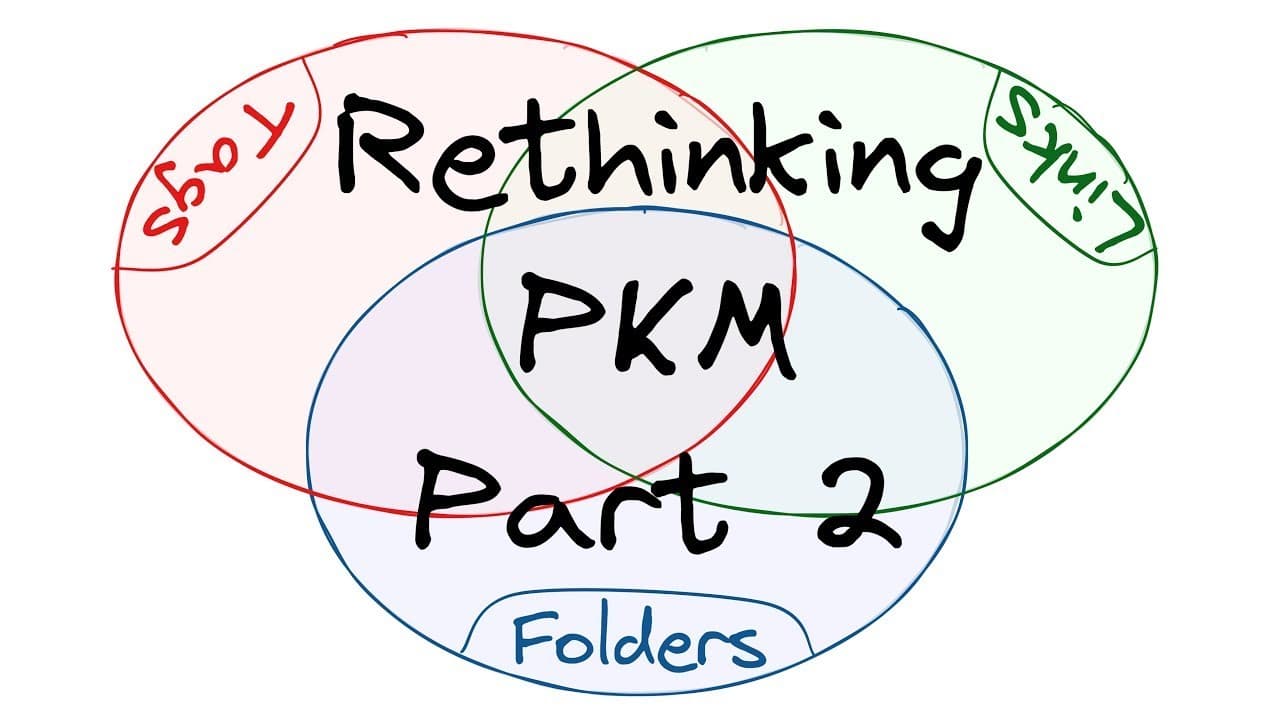
- Further exploration is needed to find a suitable concept to fit into the empty space between links and file paths in the Venn diagram.
Summary & Key Takeaways
-
The content creator provides an update on their personal knowledge management system (PKM), including additions to their mind map and the creation of an overview map.
-
They share two important insights from a book they read, including the concept of the "magic number" of 21 files in a folder before creating a subfolder and the preference for navigating files over using search.
-
The video focuses on exploring the differences between file names, folders, tags, and links in relation to their own PKM system, using circle maps and Venn diagrams.
Read in Other Languages (beta)
Share This Summary 📚
Summarize YouTube Videos and Get Video Transcripts with 1-Click
Try YouTube Summary with ChatGPT & Claude or YouTube Transcript Generator
Explore More Summaries from Zsolt's Visual Personal Knowledge Management 📚


Summarize YouTube Videos and Get Video Transcripts with 1-Click
Try YouTube Summary with ChatGPT & Claude or YouTube Transcript Generator