Building Your Own Console with Steam Deck OS!!
TL;DR
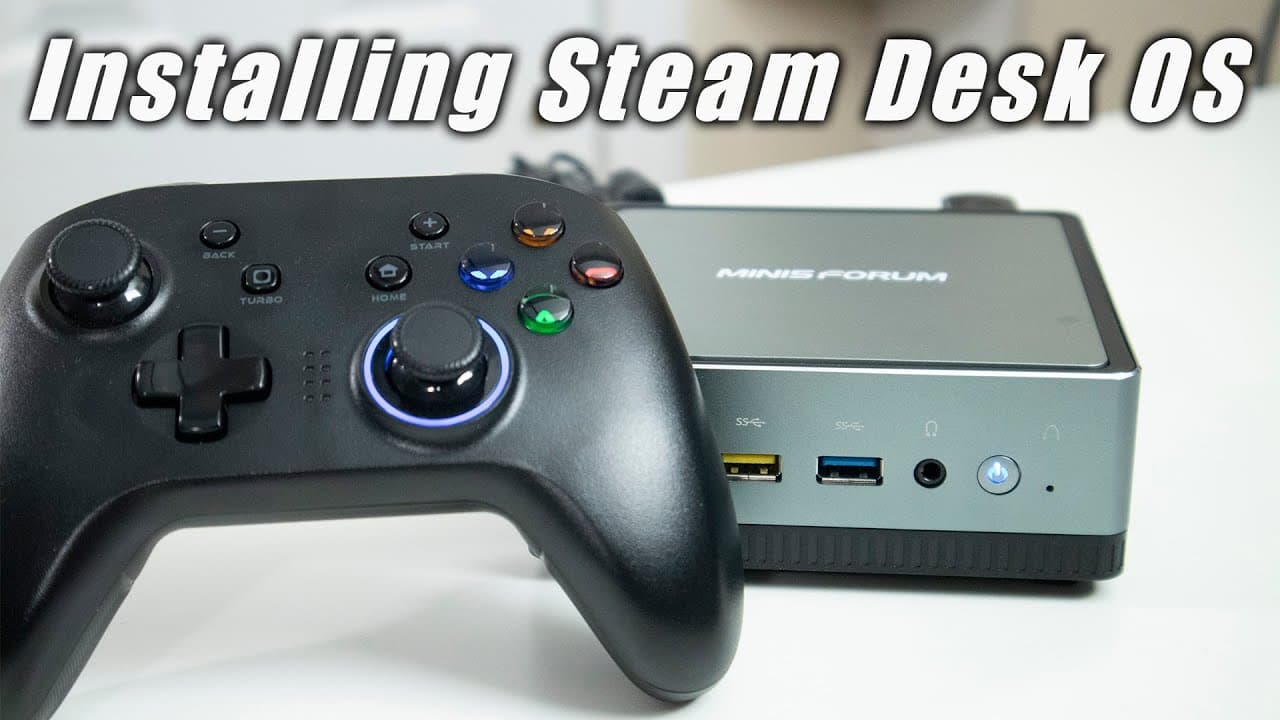
Steam Deck OS has a beta version for x86 PCs with installation guidance and gameplay testing.
Transcript
hey guys what's going on it's don here from novusberrytech and welcome back to our channel and there is now an installable version of steam deck os onto our x86 pcs so we're going to be testing it out on our um 700 mini forms pc so let's get started now i'm going to leave all the links down in the description below to where you can get this iso ima... Read More
Key Insights
- 👾 Steam Deck OS is now accessible on x86 PCs, enhancing versatility for gaming enthusiasts.
- 🫥 The installation process is non-traditional, operating primarily through a command-line interface due to the beta nature.
- 😤 Users will find a full-steam library; however, some functionalities from the actual Steam Deck, such as performance menus, are missing.
- 😚 The beta state of the OS means constant updates may alter performance and fix bugs, requiring users to adapt quickly.
- 👻 Steam Deck OS supports familiar gaming genres, working well even on lower-end hardware.
- 👾 Using external tools like Steam Cache can help streamline game management and storage concerns during the testing phase.
- 🖤 The desktop experience is functional, featuring KDE but lacks some performance optimizations available in gaming mode on the handheld device.
Install to Summarize YouTube Videos and Get Transcripts
Explore YouTube Video Summarizer or Get YouTube Transcript Extractor
Questions & Answers
Q: What are the system requirements for installing the Steam Deck OS on an x86 PC?
The minimum system requirements for installing the Steam Deck OS generally include a compatible x86 architecture processor, at least 4GB of RAM, and sufficient storage for the operating system and games. It's also recommended to have a fast internet connection for downloading the beta version and installing games. Additionally, users should have a USB drive to create a bootable installation media for the OS.
Q: How can users navigate the installation process without a GUI?
The installation process of Steam Deck OS on x86 PCs relies on console commands. Users will need to boot into a Linux environment and use short commands to install the OS. Familiarity with terminal commands is essential; actions such as selecting the installation drive and configuring network settings must be performed manually through the command line, typically using commands like "iwctl" for setting up Wi-Fi.
Q: What kind of performance can users expect when playing games on the Steam Deck OS installed on PCs?
Users can expect decent performance while playing games on Steam Deck OS, particularly with less resource-intensive games like Cuphead. However, the lack of a performance menu on desktop setups may limit fine-tuning options for games that would otherwise benefit from settings adjustments like FPS caps and graphical scaling. Performance may vary depending on the individual specifications of the PC.
Q: Is the Steam Deck OS still in beta, and what implications does this have for users?
Yes, the Steam Deck OS is still in beta, which signifies that there may be unresolved bugs and compatibility issues. Users should be prepared for potential crashes, limited features, and instability throughout their experience. Frequent updates are expected, and feedback from users may influence the development and improvement of the operating system.
Summary & Key Takeaways
-
A beta version of Steam Deck OS is now installable on x86 PCs, allowing broader access to a console-like experience.
-
The installation process requires a USB and involves navigating through console commands, as there's no graphical interface.
-
Users can play popular games like Ascent and Cuphead, but performance features are limited without a battery indicator on desktop configurations.
Read in Other Languages (beta)
Share This Summary 📚
Summarize YouTube Videos and Get Video Transcripts with 1-Click
Try YouTube Summary with ChatGPT & Claude or YouTube Transcript Generator
Explore More Summaries from Novaspirit Tech 📚






Summarize YouTube Videos and Get Video Transcripts with 1-Click
Try YouTube Summary with ChatGPT & Claude or YouTube Transcript Generator