How I edit my Fuji raw files | Fujifilm Lightroom Presets
TL;DR
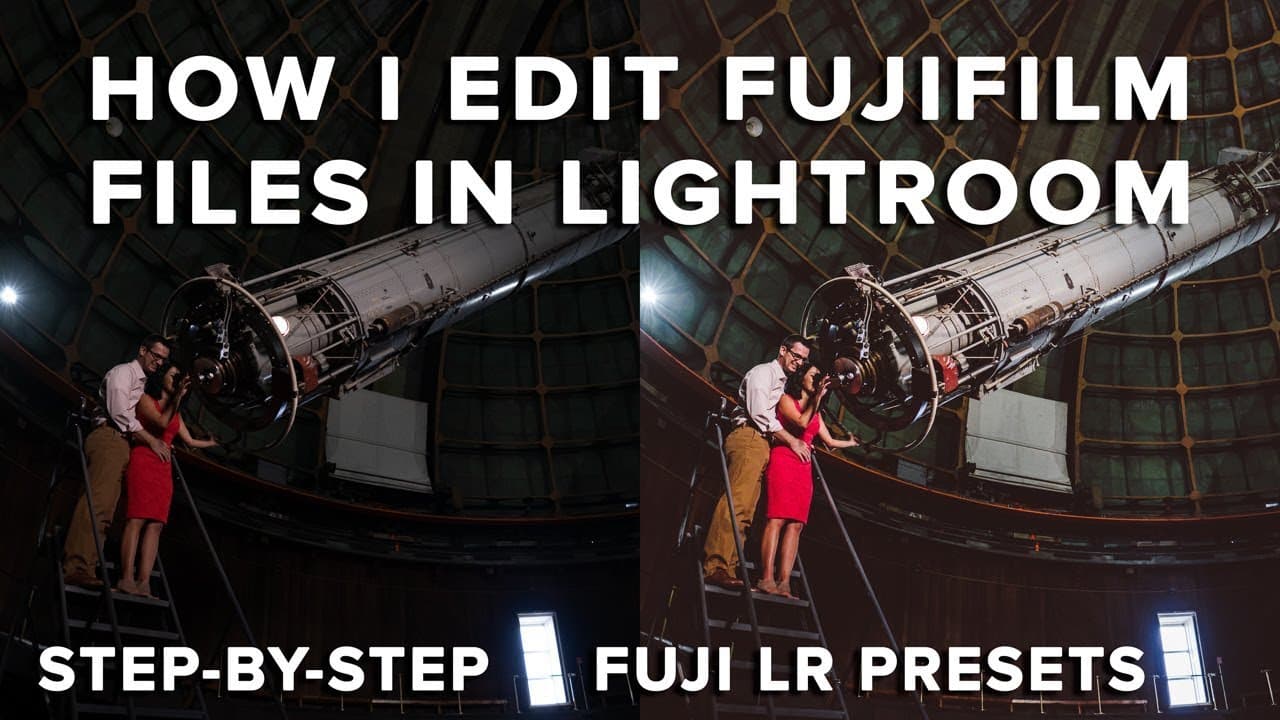
A step-by-step guide to editing Fujifilm images in Lightroom using presets effectively.
Transcript
in this video I'm gonna show you guys step-by-step how I edit my Fujifilm files in Lightroom using these example photos what's up guys Reggie be photo here and welcome back to the channel for those of you you're new my name is Reggie Ballesteros and I'm a wedding photographer based in the San Francisco Bay Area and in today's video I'm gonna show y... Read More
Key Insights
- ⚖️ Efficient editing using presets can significantly streamline the workflow for photographers balancing multiple responsibilities.
- 🧘 Understanding Lightroom’s diverse tools is crucial for achieving unique and professional photo edits, rather than relying solely on presets.
- 📺 Regularly applying and adjusting presets can help photographers develop a customized editing style that fits their artistic vision.
- 🤍 The white balance setting is essential in portrait photography for maintaining accurate skin tones and creating a natural appearance.
- 🙂 Graduated filters can effectively manipulate light in an image to create depth and focus without being too obvious in their application.
- 😄 Different lighting conditions require tailored adjustments, with tools like D haze being invaluable for restoring contrast and clarity.
- 🥰 Reggie emphasizes continuous learning and experimentation in Lightroom to truly master the art of photo editing.
Install to Summarize YouTube Videos and Get Transcripts
Explore YouTube Video Summarizer or Get YouTube Transcript Extractor
Questions & Answers
Q: Why does Reggie prefer using presets in his workflow?
Reggie utilizes presets primarily for efficiency, allowing him to edit photos quickly since he often juggles parental duties. Presets provide a foundation of settings that can be fine-tuned for individual images, balancing speed and quality in his editing process.
Q: What is Reggie’s stance on using one-click presets?
Reggie does not endorse the one-click preset mentality, arguing that each photograph is unique and requires a tailored approach to editing. He believes that while presets aid in streamlining the workflow, understanding the functions and nuances of Lightroom tools is essential for creating high-quality edits.
Q: How does Reggie recommend adjusting presets after applying them?
After applying a preset, Reggie suggests making individual adjustments using Lightroom's sliders for exposure, contrast, shadows, and white balance. He emphasizes the importance of evaluating each change, ensuring that the final image aligns closely with the photographer's vision and style.
Q: Can Reggie's presets be used with cameras other than Fujifilm?
Yes, while Reggie's presets are primarily designed for Fujifilm cameras, they can be adapted for use with files from other brands like Nikon. However, he advises checking the compatibility with different camera profiles and adjusting as needed for optimal results.
Q: What editing techniques does Reggie use to enhance portraits?
Reggie focuses on white balance adjustments and contrast enhancements to ensure skin tones appear natural in portrait photography. He often employs graduated filters and adjustment layers to draw attention to the subjects while maintaining a balanced and pleasing image overall.
Q: How does Reggie handle challenging lighting situations during editing?
In challenging lighting situations, such as backlit or low-light conditions, Reggie uses tools like D haze and contrast adjustments to restore depth and detail. He follows up with targeted adjustments to enhance specific areas of the image, ensuring a well-balanced final product.
Summary & Key Takeaways
-
Reggie Ballesteros shares his Lightroom editing workflow for Fujifilm photos, emphasizing the importance of presets but also individual adjustments for each image.
-
He demonstrates how to edit nine different photos, showcasing techniques for handling various lighting conditions using tools like exposure, contrast, and white balance.
-
Reggie encourages photographers to learn the intricacies of Lightroom rather than solely relying on presets to enhance their images and develop a unique style.
Read in Other Languages (beta)
Share This Summary 📚
Summarize YouTube Videos and Get Video Transcripts with 1-Click
Try YouTube Summary with ChatGPT & Claude or YouTube Transcript Generator
Explore More Summaries from Reggie Ballesteros 📚
Summarize YouTube Videos and Get Video Transcripts with 1-Click
Try YouTube Summary with ChatGPT & Claude or YouTube Transcript Generator