Custom Events in Google Analytics

TL;DR
Learn how to create and track custom events in Google Analytics using Google Tag Manager.
Transcript
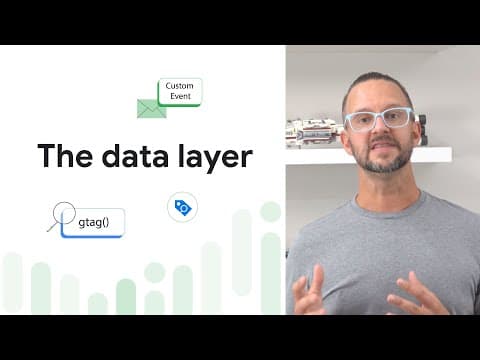
[MUSIC PLAYING] MATT LANDERS: Hello, and welcome back to the Google Analytics Tutorial Series. I'm Matt Landers. And in this tutorial, we're going to implement a custom event. Now, in the previous tutorial, we implemented a recommended event, the share event, and that's an event that's already known by GA. But a custom event is an event that's spec... Read More
Key Insights
- ⏮️ Custom events in Google Analytics are useful for tracking specific actions or behaviors on your website that are not covered by pre-defined events.
- 👻 Google Tag Manager simplifies the process of implementing custom events by providing a user-friendly interface and allowing for easy configuration of tags, triggers, and variables.
- 👻 Configuring custom event parameters allows for more detailed reporting and analysis by capturing specific data related to the event.
- 👣 Real-time reporting in Google Analytics enables immediate visibility into the custom events that are being tracked.
- 🫢 It is important to wait for GA to process the data before it appears in your actual reports, which can take up to 24 hours.
- 🛃 Custom dimensions and metrics can be used to further enhance the analysis of custom events, but this topic is covered in a separate tutorial.
Install to Summarize YouTube Videos and Get Transcripts
Explore YouTube Video Summarizer or Get YouTube Transcript Extractor
Questions & Answers
Q: What is the difference between a recommended event and a custom event in Google Analytics?
A recommended event is a pre-defined event known by GA, while a custom event is specific to your business and needs to be configured separately.
Q: How do you track newsletters signups using custom events in Google Analytics?
By adding forms for newsletter signups and configuring a custom event in Google Tag Manager with event parameters that capture the form ID used for each signup.
Q: What are the benefits of tracking custom events?
Tracking custom events allows you to gather data on specific actions or behaviors on your website that are unique to your business, enabling more personalized reporting and analysis.
Q: Can custom events be tracked in real-time in Google Analytics?
Yes, once the custom event is configured and the tag is fired, you can see the events in the real-time reporting section of Google Analytics.
Key Insights:
- Custom events in Google Analytics are useful for tracking specific actions or behaviors on your website that are not covered by pre-defined events.
- Google Tag Manager simplifies the process of implementing custom events by providing a user-friendly interface and allowing for easy configuration of tags, triggers, and variables.
- Configuring custom event parameters allows for more detailed reporting and analysis by capturing specific data related to the event.
- Real-time reporting in Google Analytics enables immediate visibility into the custom events that are being tracked.
- It is important to wait for GA to process the data before it appears in your actual reports, which can take up to 24 hours.
- Custom dimensions and metrics can be used to further enhance the analysis of custom events, but this topic is covered in a separate tutorial.
- Google Tag Manager is recommended as the preferred method for managing tags on websites due to its ease of use and comprehensive features.
Summary & Key Takeaways
-
This tutorial explains how to implement a custom event in Google Analytics, which is specific to your business and not already known by GA.
-
The process involves adding forms for newsletter signups and creating a custom event to track signups and the form used.
-
Google Tag Manager is used to configure the custom event, set up event parameters, and create triggers for form submissions.
Read in Other Languages (beta)
Share This Summary 📚
Summarize YouTube Videos and Get Video Transcripts with 1-Click
Try YouTube Summary with ChatGPT & Claude or YouTube Transcript Generator
Explore More Summaries from Google Analytics 📚
Summarize YouTube Videos and Get Video Transcripts with 1-Click
Try YouTube Summary with ChatGPT & Claude or YouTube Transcript Generator