Document editing in Notion
TL;DR
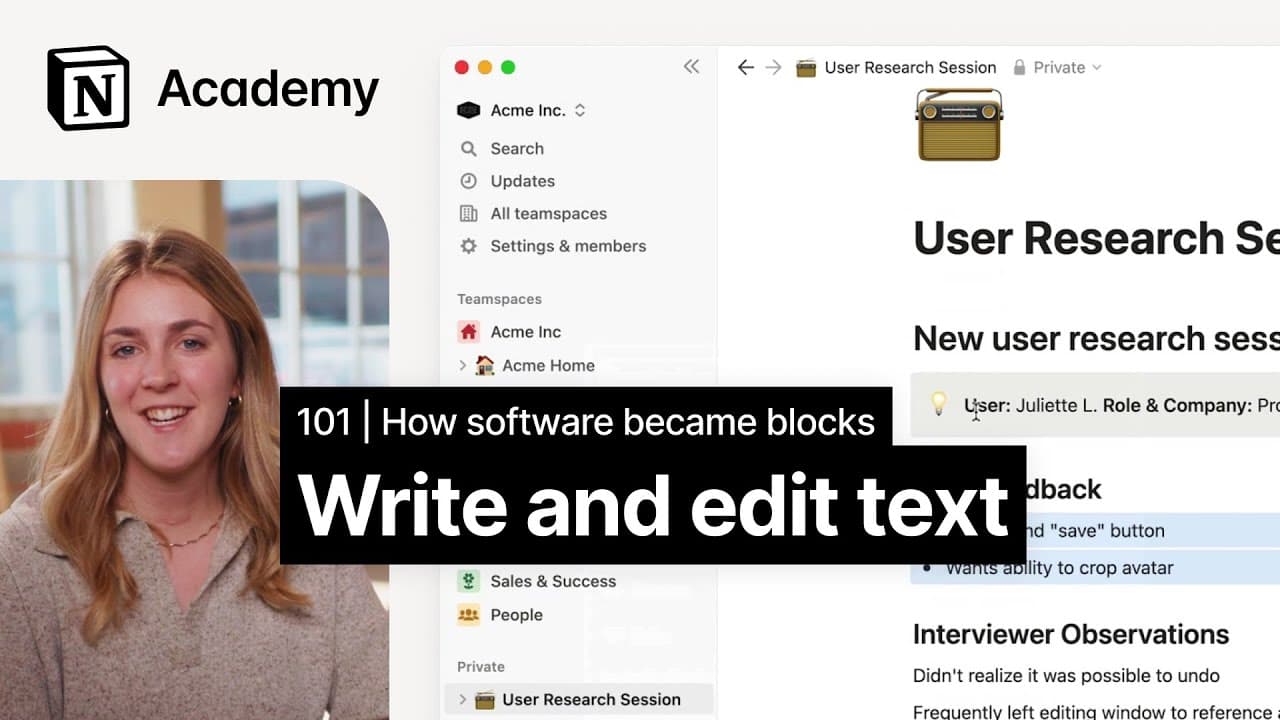
In this video, learn how to write and transform text in Notion using the block handle, and apply that knowledge to create a simple personal task list.
Transcript
foreign we'll learn how to write and transform text in notion using the block handle and then apply that knowledge to create a simple personal task list if you've played around a notion at all you've encountered the idea of blocks and Pages whether you realized it or not you've consumed content on a page if you saw something that looked like this i... Read More
Key Insights
- 🚫 Blocks in Notion provide flexibility and customization options for content creation.
- 👻 Notion allows for easy transformation of text through block types and styling options.
- 🚫 The block handle in Notion enables users to move and rearrange blocks within a page.
- 🚫 To-do lists can be created in Notion using different block types and the block handle for organization.
- ❓ Notion provides color customization options to enhance visual representation of content.
- 📟 Pages in the private section of Notion are ideal for individual learning and experimentation.
- 💁 Formatting options in Notion include markdown syntax and the block menu.
Install to Summarize YouTube Videos and Get Transcripts
Explore YouTube Video Summarizer or Get YouTube Transcript Extractor
Questions & Answers
Q: What are blocks in Notion?
Blocks in Notion are the fundamental units of content that can be formatted in various ways. Each piece of text in Notion is a block, providing flexibility and customization options.
Q: How can I create sections using headings in Notion?
To create headings in Notion, you can use the block handle and select "turn into" from the six-dot menu. This gives you the option to choose headings or use markdown syntax (pound sign) to format headings.
Q: Can I move blocks around in Notion?
Yes, you can use the block handle to easily move blocks within your page. Simply drag and drop a block to reorder it or move it to a different location within the page.
Q: How can I create a to-do list in Notion?
To create a to-do list, you can use block types like bullet points, numbered lists, or toggle lists. You can also use the block handle to drag and drop blocks to organize your to-do items.
Key Insights:
- Blocks in Notion provide flexibility and customization options for content creation.
- Notion allows for easy transformation of text through block types and styling options.
- The block handle in Notion enables users to move and rearrange blocks within a page.
- To-do lists can be created in Notion using different block types and the block handle for organization.
- Notion provides color customization options to enhance visual representation of content.
- Pages in the private section of Notion are ideal for individual learning and experimentation.
- Formatting options in Notion include markdown syntax and the block menu.
- Notion's block-based approach allows for seamless editing and collaboration within a page.
Summary & Key Takeaways
-
The video introduces the concept of blocks and pages in Notion for document creation.
-
It explains how to create a private page in Notion and add and format text using block types and styling.
-
It provides a step-by-step guide to creating a practical lightweight to-do list template in Notion.
Read in Other Languages (beta)
Share This Summary 📚
Summarize YouTube Videos and Get Video Transcripts with 1-Click
Try YouTube Summary with ChatGPT & Claude or YouTube Transcript Generator
Explore More Summaries from Notion 📚


Summarize YouTube Videos and Get Video Transcripts with 1-Click
Try YouTube Summary with ChatGPT & Claude or YouTube Transcript Generator