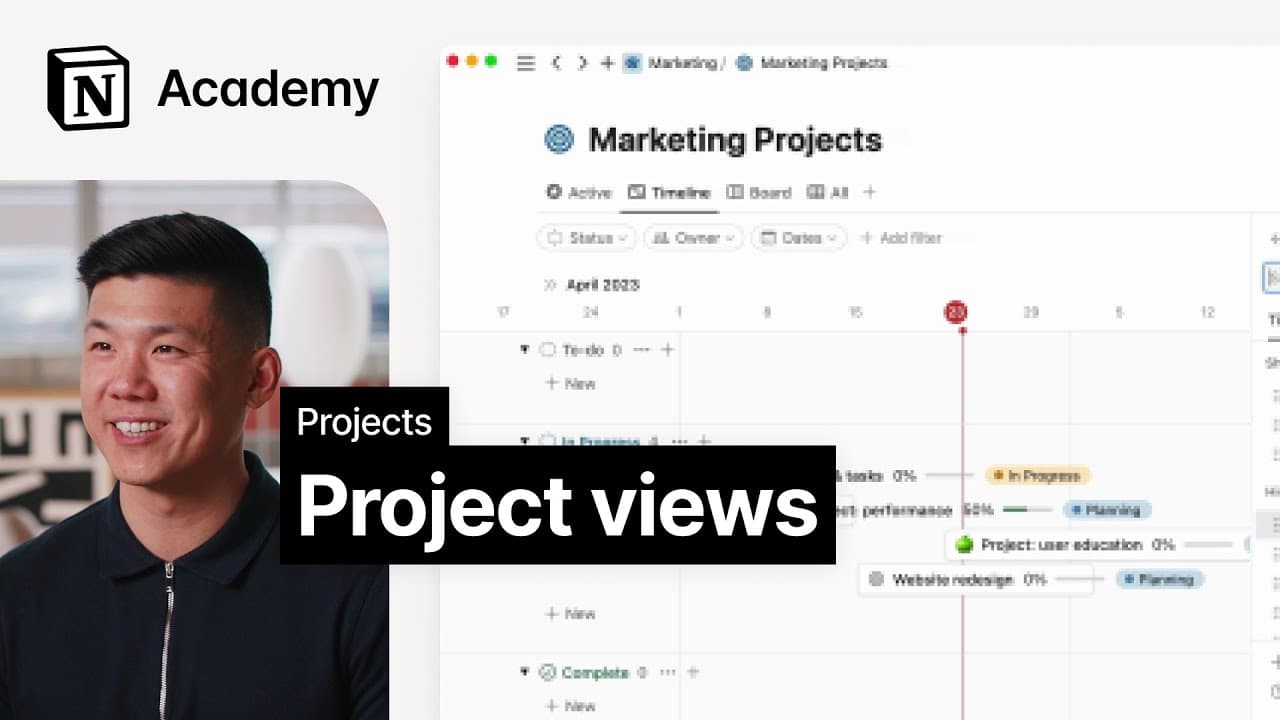
Views for project management
TL;DR
Learn how to tailor your project setup in Notion to suit your team's unique workflow and incorporate different teams for increased customization and productivity.
Transcript
foreign and I work in customer success at notion together we'll talk through more ways to customize your project setup and incorporate additional teams in your workspace in this lesson we'll consider how to use the information we've curated thus far to view tasks in new ways unlike other project management tools notion doesn't force your team to wo... Read More
Key Insights
- 😤 Notion offers extensive customization options for project setup, enabling each team member to work in a way that suits them best.
- 🫵 Different views and layouts, such as tasks grouped by project, kanban boards, timelines, and sprints, cater to various productivity methodologies.
- 😤 The ability to create custom views in Notion ensures maximum productivity and efficiency for teams.
- 👻 Notion's project management features go beyond just providing a consistent structure, allowing for flexible and personalized workflows.
- 🫵 Engineering managers can benefit from the timeline view with dependencies to identify crucial projects and address potential issues.
- 👻 Personal tasks can be seamlessly integrated within a project in Notion, allowing for a holistic view of all tasks and workflows.
- 😤 Notion's custom views empower teams to visualize projects in multiple ways, enhancing collaboration and understanding.
Install to Summarize YouTube Videos and Get Transcripts
Explore YouTube Video Summarizer or Get YouTube Transcript Extractor
Questions & Answers
Q: How does Notion's project setup differ from other project management tools?
Unlike other tools, Notion allows for custom views and layouts that can be personalized to fit each team member's workflow, ensuring maximum productivity.
Q: How can I create a custom view in Notion?
To create a custom view, click on the three-dot menu in the top right-hand corner and select "layout." From there, you can choose how information is displayed, filter and sort data, and group tasks based on specific criteria.
Q: What are some recommended views for different team members?
Engineers can use the "my tasks" view to track daily and weekly tasks, project managers can utilize the timeline view to monitor project status and ownership, and engineering managers can benefit from the timeline view with dependencies to identify important projects and address potential bottlenecks.
Q: How can I manage personal tasks within a project in Notion?
Notion allows you to customize your views accordingly by incorporating personal tasks and creating personalized workflows for each team member.
Key Insights:
- Notion offers extensive customization options for project setup, enabling each team member to work in a way that suits them best.
- Different views and layouts, such as tasks grouped by project, kanban boards, timelines, and sprints, cater to various productivity methodologies.
- The ability to create custom views in Notion ensures maximum productivity and efficiency for teams.
- Notion's project management features go beyond just providing a consistent structure, allowing for flexible and personalized workflows.
- Engineering managers can benefit from the timeline view with dependencies to identify crucial projects and address potential issues.
- Personal tasks can be seamlessly integrated within a project in Notion, allowing for a holistic view of all tasks and workflows.
- Notion's custom views empower teams to visualize projects in multiple ways, enhancing collaboration and understanding.
- Access to a variety of views and layouts in Notion ensures that different roles within a team can work efficiently and effectively.
Summary & Key Takeaways
-
Notion allows you to customize your project setup and work with different teams by providing a variety of views and layouts.
-
You can create custom views tailored to your team's workflow, ensuring productivity for everyone.
-
Different views such as tasks grouped by project, kanban boards, timelines, and sprints can be used for various productivity methodologies.
Read in Other Languages (beta)
Share This Summary 📚
Summarize YouTube Videos and Get Video Transcripts with 1-Click
Try YouTube Summary with ChatGPT & Claude or YouTube Transcript Generator
Explore More Summaries from Notion 📚
Summarize YouTube Videos and Get Video Transcripts with 1-Click
Try YouTube Summary with ChatGPT & Claude or YouTube Transcript Generator