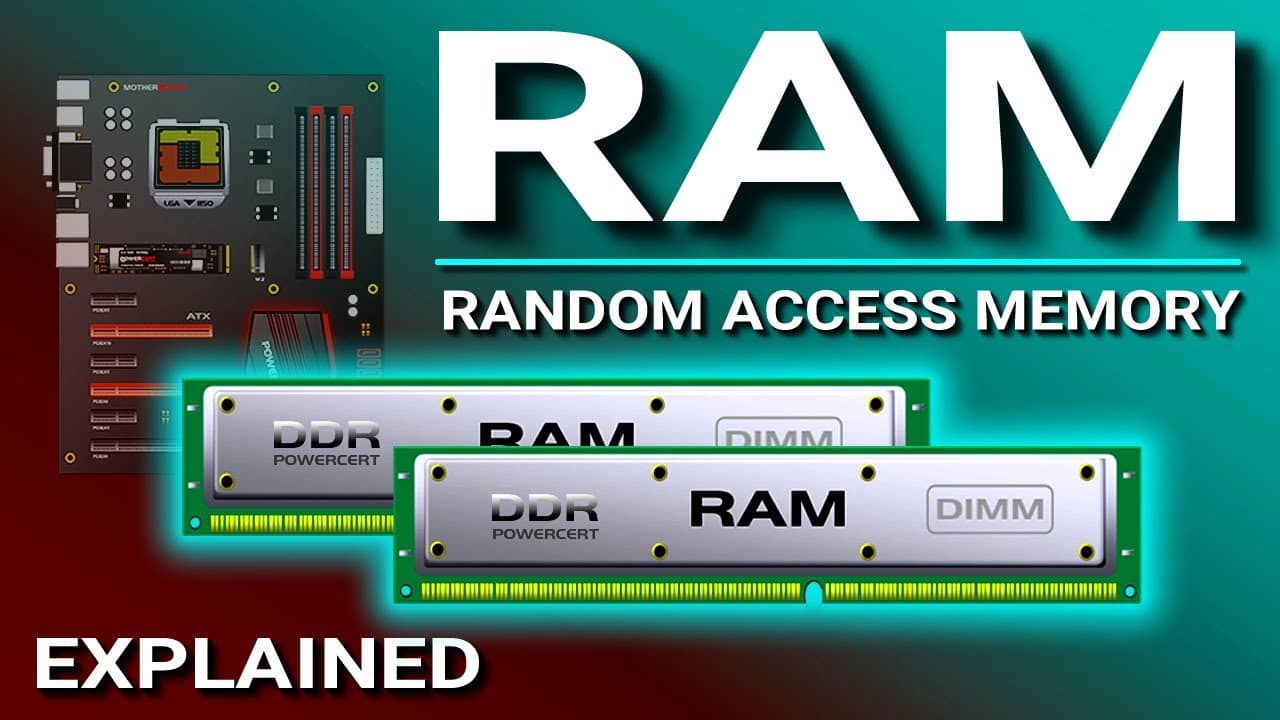
RAM Explained - Random Access Memory
TL;DR
RAM is crucial for computer performance and comes in various types.
Transcript
Hello everyone, in this video we're going to talk about one of the most important parts of a computer and we're going to be talking about primary memory or temporary storage, and this is called RAM. RAM stands for Random Access Memory. RAM is stored on the motherboard in modules that are called DIMMs. DIMM stands for Dual Inline M... Read More
Key Insights
- RAM, or Random Access Memory, is a type of primary memory stored on the motherboard in modules called DIMMs, which stands for Dual Inline Memory Module.
- DIMMs have a 64-bit data path, allowing them to transfer 64 bits of data per clock cycle, making them faster than older SIMMs with a 32-bit data path.
- Dynamic RAM (DRAM) requires constant refreshing due to its capacitors, while Synchronous DRAM (SDRAM) operates in sync with the system clock, providing faster performance.
- DDR (Double Data Rate) RAM improves data transfer rates by utilizing both rising and falling edges of the clock signal, effectively doubling the data rate compared to non-DDR RAM.
- DDR2 and DDR3 are advancements over DDR, offering higher bus speeds and lower power consumption, with DDR4 providing even greater speed and efficiency.
- RDRAM, developed by Rambus Inc., was once a fast memory option but has been surpassed by newer DIMM technologies due to its narrower bus width.
- ECC (Error Correcting Code) RAM is used in servers where data integrity is critical, as it can detect and correct memory errors, ensuring reliable operation.
- RAM speed is measured in MHz and affects the maximum data transfer rate, with higher speeds allowing for faster data processing and improved computer performance.
Install to Summarize YouTube Videos and Get Transcripts
Explore YouTube Video Summarizer or Get YouTube Transcript Extractor
Questions & Answers
Q: What is the primary function of RAM in a computer?
RAM, or Random Access Memory, serves as the computer's primary memory, providing temporary storage for data and programs that the CPU needs to access quickly. This allows for efficient processing and execution of tasks, as data must be loaded into RAM from the hard drive before the CPU can use it.
Q: How does SDRAM differ from DRAM?
SDRAM, or Synchronous DRAM, differs from DRAM in that it operates in sync with the system clock, allowing for faster data transfer rates. DRAM requires constant refreshing due to its capacitors, which store data in the form of electrical charges that leak over time, while SDRAM's synchronization with the clock provides better timing control.
Q: What advancements does DDR RAM offer over non-DDR RAM?
DDR, or Double Data Rate RAM, offers significant advancements over non-DDR RAM by utilizing both the rising and falling edges of the clock signal to transfer data. This effectively doubles the data rate, allowing for faster data processing and improved overall performance in computing tasks compared to single data rate RAM.
Q: Why is ECC RAM important in servers?
ECC, or Error Correcting Code RAM, is crucial in servers because it can detect and correct memory errors, ensuring data integrity and reliability. In environments where data corruption cannot be tolerated, such as financial, medical, or government systems, ECC RAM provides an extra layer of protection against potential data loss or corruption.
Q: What are the key differences between DDR2 and DDR3 RAM?
DDR3 RAM offers improvements over DDR2 by providing higher bus speeds and greater efficiency, allowing for faster data processing and lower power consumption. Both DDR2 and DDR3 have 240 pins, but DDR3's design includes different notch placements, preventing compatibility with DDR2 slots, reflecting advancements in technology for increased performance.
Q: How does RAM speed affect computer performance?
RAM speed, measured in MHz, directly impacts a computer's performance by determining the maximum rate at which data can be transferred between the RAM and the CPU. Higher RAM speeds allow for faster data access and processing, reducing latency and improving the overall efficiency of running applications and multitasking on a computer.
Q: What led to the decline of RDRAM technology?
RDRAM, developed by Rambus Inc., initially offered high-speed memory solutions but declined due to its narrow 2-byte bus width compared to SDRAM's 8-byte width. Despite its higher clock speeds, the limited bus width resulted in lower overall bandwidth, and advancements in DIMM technology eventually surpassed RDRAM's capabilities, leading to its obsolescence.
Q: What is the significance of the data path width in RAM modules?
The data path width in RAM modules, such as the 64-bit path in DIMMs, is significant because it determines the amount of data that can be transferred in a single clock cycle. A wider data path allows for more data to be processed simultaneously, enhancing the speed and efficiency of data transfer and overall computer performance.
Summary & Key Takeaways
-
RAM, or Random Access Memory, is essential for running programs on a computer, as it provides temporary storage for data that the CPU needs to access quickly. It is stored on the motherboard in modules called DIMMs, which come in various sizes and speeds, affecting overall computer performance.
-
Different types of RAM, such as DRAM and SDRAM, offer varying speeds and efficiencies. SDRAM synchronizes with the system clock for faster performance, while DDR technology further enhances data transfer rates by utilizing both edges of the clock signal, with DDR4 being the latest and most efficient version.
-
ECC RAM is used in critical systems like servers to ensure data integrity by detecting and correcting errors. Despite advances in technology reducing memory errors, ECC remains crucial for applications where data corruption cannot be tolerated. RAM speed and type significantly impact computer speed and reliability.
Read in Other Languages (beta)
Share This Summary 📚
Summarize YouTube Videos and Get Video Transcripts with 1-Click
Try YouTube Summary with ChatGPT & Claude or YouTube Transcript Generator
Explore More Summaries from PowerCert Animated Videos 📚


Summarize YouTube Videos and Get Video Transcripts with 1-Click
Try YouTube Summary with ChatGPT & Claude or YouTube Transcript Generator