How to Fix RTools Error Message in R Installation
TL;DR
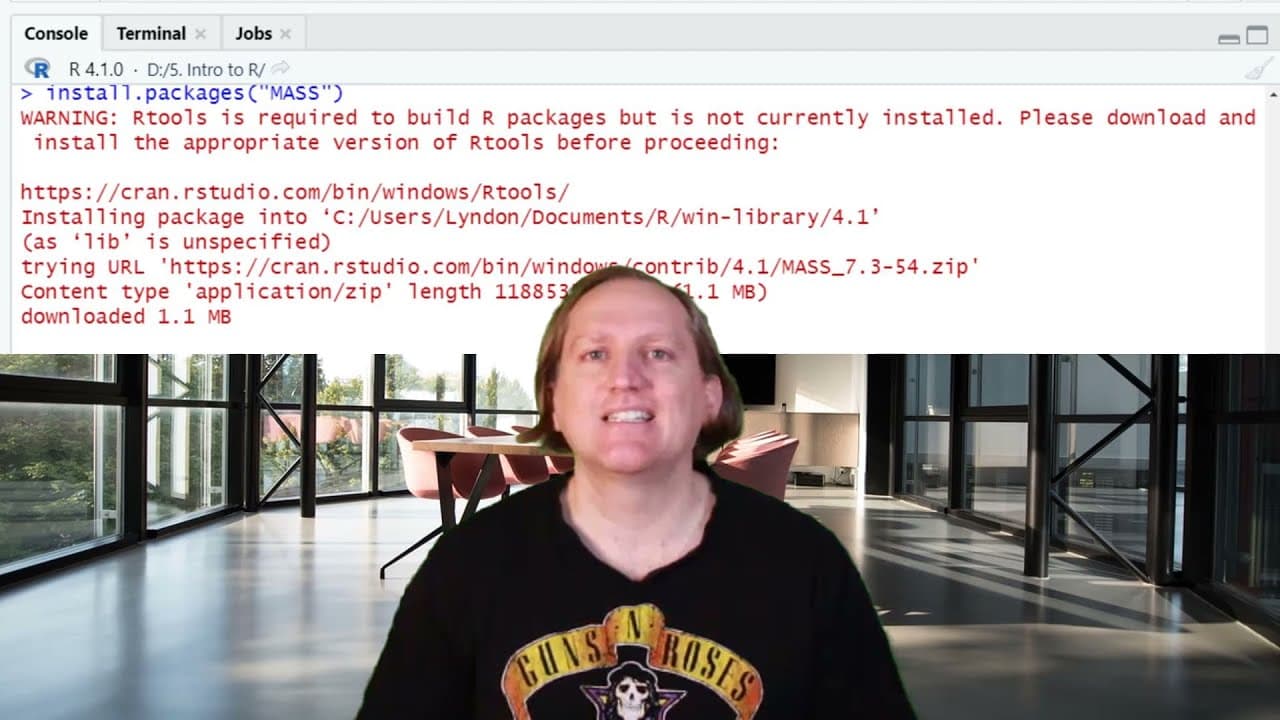
To fix the RTools error message when installing packages in R, download the appropriate RTools executable for your system and run it. For Windows, use the 64-bit version typically, while Mac users should install Xcode from the Apple App Store. Following these steps ensures smooth package installation without errors.
Transcript
hi friends it's a little bit different from my normal videos where i am providing resources that help postgraduate students and researchers but for those of you that use r this is hopefully going to be useful we can see here an error message that came out recently when i tried to install a package and it's requesting our tools so for many of you if... Read More
Key Insights
- 👤 The recent error message encountered by users upgrading R to version 4 relates primarily to the installation of complex packages.
- 👤 Most common R packages do not require R tools to install, minimizing the issue for typical users.
- 🫦 Windows users should prioritize the 64-bit executable for modern computers to avoid compatibility issues.
- 👨💻 Testing the installation by running sample code is recommended to confirm that R tools are functioning as intended.
- 🤲 For Mac users, getting Xcode is essential as it provides the necessary development environment for R packages.
- 👤 The video emphasizes that eliminating warning messages can enhance the user experience in R.
- 😀 The creator's search did not reveal significant issues others faced in installing R tools, suggesting it’s generally a seamless process.
Install to Summarize YouTube Videos and Get Transcripts
Explore YouTube Video Summarizer or Get YouTube Transcript Extractor
Questions & Answers
Q: What common error message do users face after upgrading to R version 4?
After upgrading to R version 4, many users encounter an error message related to installing packages that require R tools, particularly those built using C or Fortran. For most users, this error isn’t significant unless they are trying to install specific complex packages.
Q: How can Windows users resolve the R tools error?
Windows users can resolve the R tools error by downloading the appropriate executable (exe) file for either 64-bit or 32-bit from the R project site, depending on their computer architecture. They should then run the file and paste a command in R to activate the tools effectively.
Q: What solution is suggested for Mac users who face R tools issues?
Mac users are suggested to download the Xcode program from the Apple App Store to resolve R tools issues. While the creator hasn't tested this process, they offer a website with detailed instructions to assist users in the installation.
Q: Is the R tools installation process complicated for users?
The installation process for R tools is described as straightforward for both Windows and Mac users. Users can follow guided steps to resolve any related error messages and ensure their R installation functions smoothly, making it accessible even for those less experienced with coding.
Summary & Key Takeaways
-
The video addresses a common error message encountered by users upgrading to R version 4, specifically when installing packages that utilize C or Fortran. The error is typically minor for most users.
-
For Windows users, a step-by-step guide is provided, including downloading the appropriate executable file and running commands in R to activate R tools.
-
Mac users are advised to install Xcode from the Apple App Store, with a recommendation to follow specific online instructions, though the creator could not personally verify the process.
Read in Other Languages (beta)
Share This Summary 📚
Summarize YouTube Videos and Get Video Transcripts with 1-Click
Try YouTube Summary with ChatGPT & Claude or YouTube Transcript Generator
Explore More Summaries from Dr Lyndon Walker 📚






Summarize YouTube Videos and Get Video Transcripts with 1-Click
Try YouTube Summary with ChatGPT & Claude or YouTube Transcript Generator