How to Add Marginal Density Curves in R Plots
TL;DR
To add marginal density curves to plots in R, use the GG extra package for straightforward implementations or the GG side package for more complex visualizations with facets. These packages enhance data interpretation by showing variable distributions alongside scatter plots, making it easier to identify relationships and trends.
Transcript
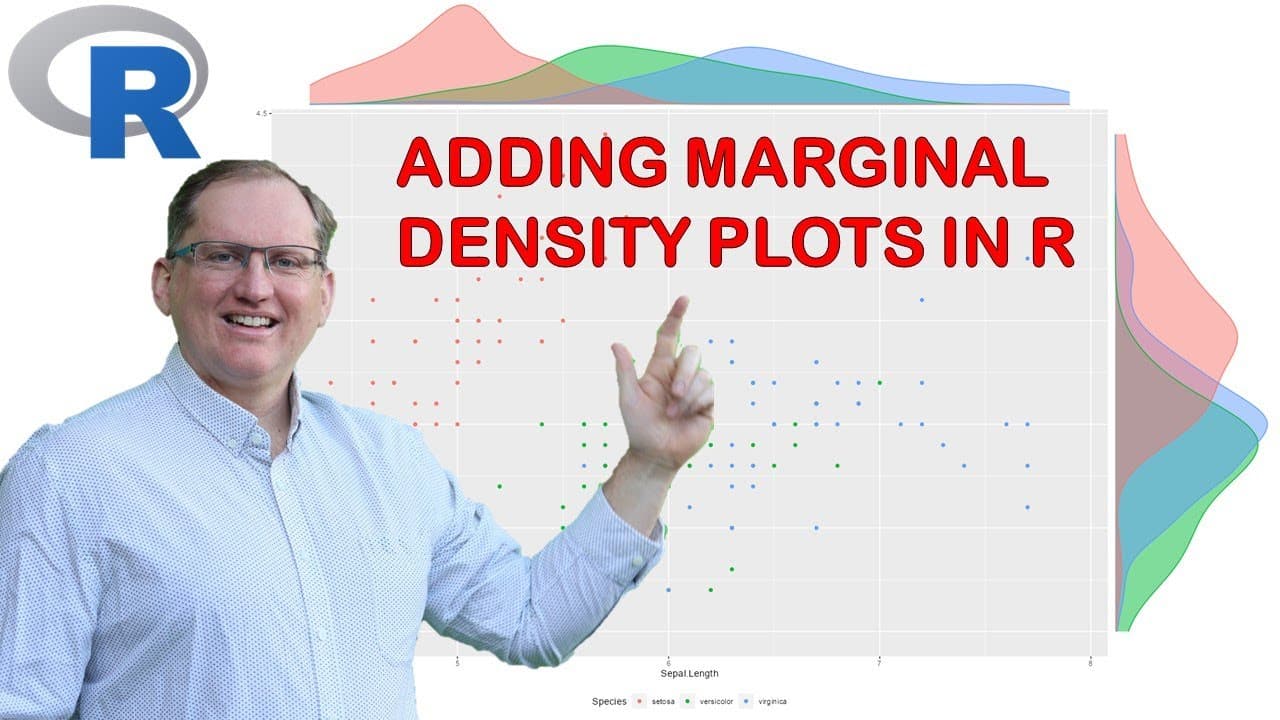
hi friends welcome back to the channel today we are going to be looking at how to produce plots that have a marginal density curve or some other sort of marginal density graphic along the side of the main plot so if we take a look at an example a marginal density curve here on a scatter plot lets us see the individual distributions of the variables... Read More
Key Insights
- 🛀 Marginal density curves provide additional context to scatter plots by showing variable distributions, enhancing data interpretation.
- 🥴 The GG extra and GG side packages in R serve distinct purposes, catering to different user needs for data visualization.
- 💄 The iris dataset is frequently used in tutorials due to its accessibility and well-defined structure, making it a suitable choice for visualization examples.
- 👥 Color-coding in plots can significantly enhance the reader's ability to understand differences among groups, though it should be used judiciously.
- 👻 Facet grids allow for detailed comparisons across multiple dimensions, helping to disentangle complex relationships within the dataset.
- 💁 The video includes tips on optimizing plot aesthetics, such as adjusting legend positions and reducing overlap for clearer interpretation.
- 🏗️ Utilizing built-in datasets in R can streamline learning and experimentation with data visualization techniques, making it easier for beginners to practice.
Install to Summarize YouTube Videos and Get Transcripts
Explore YouTube Video Summarizer or Get YouTube Transcript Extractor
Questions & Answers
Q: What are marginal density plots and why are they useful?
Marginal density plots visualize the distribution of individual variables alongside the relationships displayed in a main plot. They are useful for identifying patterns, such as normality or skewness, in the data and help in understanding the underlying distributions, thus enhancing exploratory data analysis.
Q: Can you explain the difference between GG extra and GG side?
GG extra is designed for simpler applications, allowing users to quickly add marginal plots to existing scatter plots without much complexity. In contrast, GG side provides more advanced functionalities, including facets and the ability to integrate multiple categorical variables, requiring additional setup but allowing for richer visualizations.
Q: How do you install the GG extra package in R?
To install the GG extra package, you can simply navigate to the R console, use the command 'install.packages("ggExtra")', and then load the package using 'library(ggExtra)'. This will make the functions within the package available for use in your R session.
Q: What is the process for creating a color-coded scatter plot with marginal density curves?
Begin by creating a basic scatter plot using the iris dataset. Then, apply the GG marginal function from the GG extra package, specifying group colors for the different species. This process combines both the scatter plot and density curves, resulting in a clearer presentation of the data's relationships.
Q: How can facets be implemented using GG side?
Facets can be implemented in GG side using the 'facet_grid()' function, allowing for the creation of multiple subplots based on categorical variables. This capability enables the examination of relationships across different groups, facilitating a multi-dimensional view of the data.
Q: What are some visualizations that can be created aside from scatter plots?
In addition to scatter plots, the video demonstrates the creation of histograms, box plots, and violin plots. Each option provides unique insights, such as distribution shapes for histograms or summarizing data with box plots that indicate median and outliers.
Q: Are there any recommendations for using color in plots?
It is advisable to limit the number of colors used in a plot to avoid confusion and cluttering. The video suggests a maximum of three color-coded groups to maintain clarity. For more than three categories, consider using different shading techniques instead.
Q: Why might someone prefer GG extra over GG side?
Users might prefer GG extra for its simplicity and ease of use, particularly when quickly adding marginal plots to existing graphs without extensive coding. It offers quick, visually clear representations without the need for complex adjustments that may come with GG side.
Summary & Key Takeaways
-
The video guides viewers through producing plots that incorporate marginal density curves, enhancing the visualization of data relationships and distributions.
-
Two R packages are used: GG extra for straightforward marginal density plots and GG side for more complex visualizations involving facets and additional categorical variables.
-
The examples utilize the well-known iris dataset, showcasing how to apply colors, histograms, box plots, and density plots while providing insights into the data's distribution.
Read in Other Languages (beta)
Share This Summary 📚
Summarize YouTube Videos and Get Video Transcripts with 1-Click
Try YouTube Summary with ChatGPT & Claude or YouTube Transcript Generator
Explore More Summaries from Dr Lyndon Walker 📚






Summarize YouTube Videos and Get Video Transcripts with 1-Click
Try YouTube Summary with ChatGPT & Claude or YouTube Transcript Generator